VSCode 作为 MCP 服务器

by acomagu

一个 VSCode 扩展,将您的 VSCode 转变为 MCP 服务器,支持来自 MCP 客户端(如 Claude Desktop)的高级编码辅助。可从 VSCode 市场安装,无需外部数据文件。

Developer toolsstdioCommunity

Repository-wide counts · Cached 2025-10-29

Overview

The VSCode 作为 MCP 服务器 MCP server is a publicly available project. Review the upstream repository for installation instructions, supported tools, compatibility, permissions, and current maintenance status.

Configuration

Configuration, transport, authentication, and runtime requirements vary by project. Open the repository before connecting and use the smallest set of credentials and permissions required.

Open the VSCode 作为 MCP 服务器 repository to read the latest documentation.

KEEP EXPLORING

Compare source, connection, and authentication details before choosing an implementation.

View the complete category

模型上下文协议服务器

modelcontextprotocol

Community

一组用于模型上下文协议(MCP)的参考实现,展示了对大型语言模型(LLM)工具和数据源的安全且受控的访问方式。

Context7 Platform - Up-to-date Code Docs For Any Prompt

upstash

Community

Context7 MCP server providing up-to-date, version-specific documentation and code examples for libraries, enabling coding agents to fetch accurate docs and code snippets. Requires an API key for higher rate limits, passed via CONTEXT7_API_KEY header.

Playwright MCP

Microsoft Corporation

Community

A Model Context Protocol (MCP) server that provides browser automation capabilities using Playwright. Enables LLMs to interact with web pages through structured accessibility snapshots, bypassing the need for screenshots or visually-tuned models.

AIHawk

feder-cr

Community

AIHawk is an anti detect browser and web browsing agent, open source, with an MCP server for coding agents: undetected, no captchas, no blocks. It requires an OpenRouter API key for the standalone web UI mode, which can be provided via the --openrouter-key flag or the OPENROUTER_API_KEY environment variable or a .env file in the running directory.

FROM THE SOURCE

Repository README

Build-time snapshot · Retrieved 2026-10-05

View original

VSCode as MCP Server

Marketplace

A VSCode extension that turns your VSCode into an MCP server, enabling advanced coding assistance from MCP clients like Claude Desktop.

Key Features

Code Editing Support

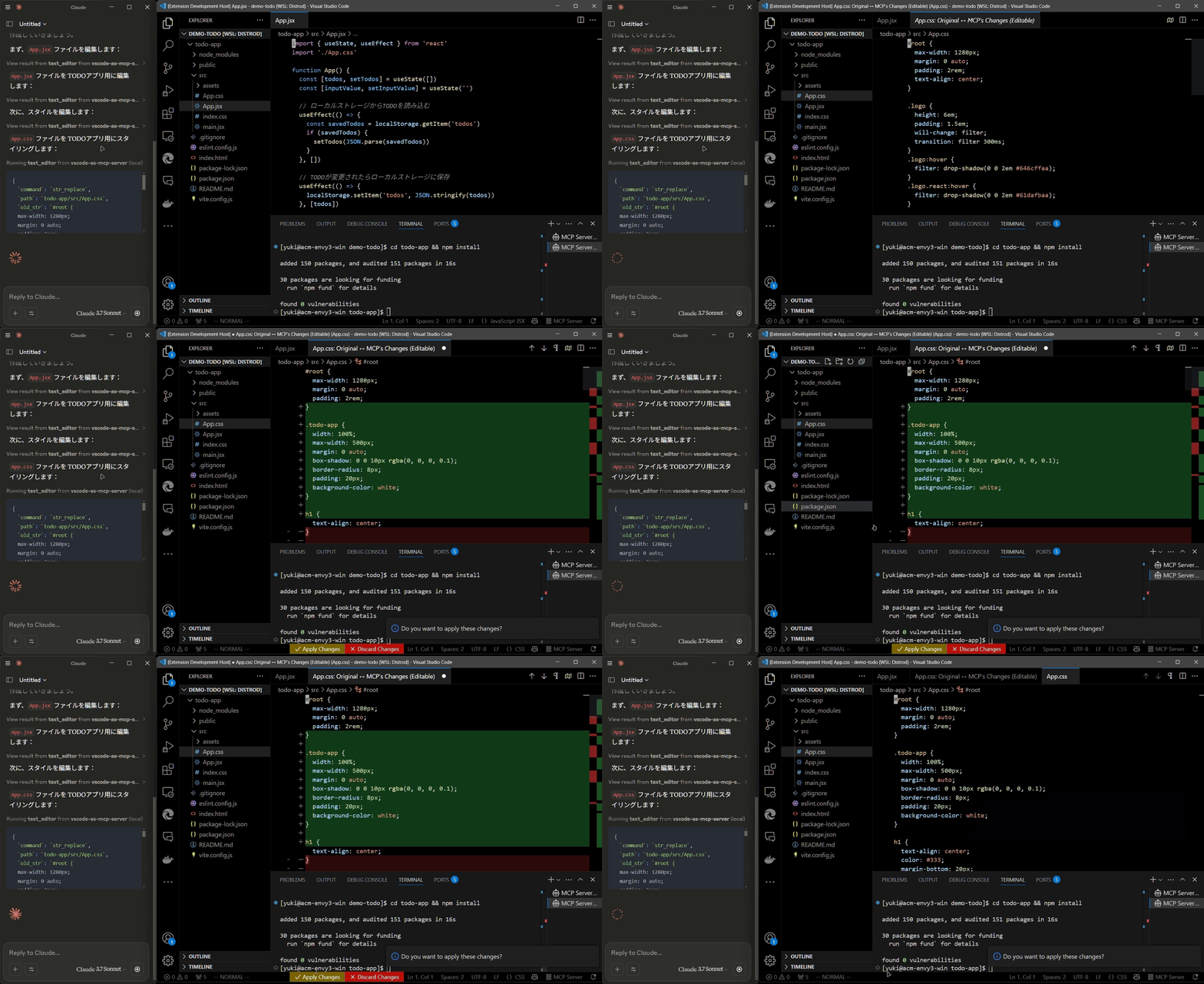
  • Review proposed code changes from an LLM through diffs, allowing you to accept, reject, or provide feedback.
  • Real-time diagnostic messages (e.g., type errors) sent instantly to the LLM for immediate corrections.

Code editing diff

Terminal Operations

  • Execute commands within VSCode’s integrated terminal (supports background/foreground execution, and timeout settings).

Preview Tools

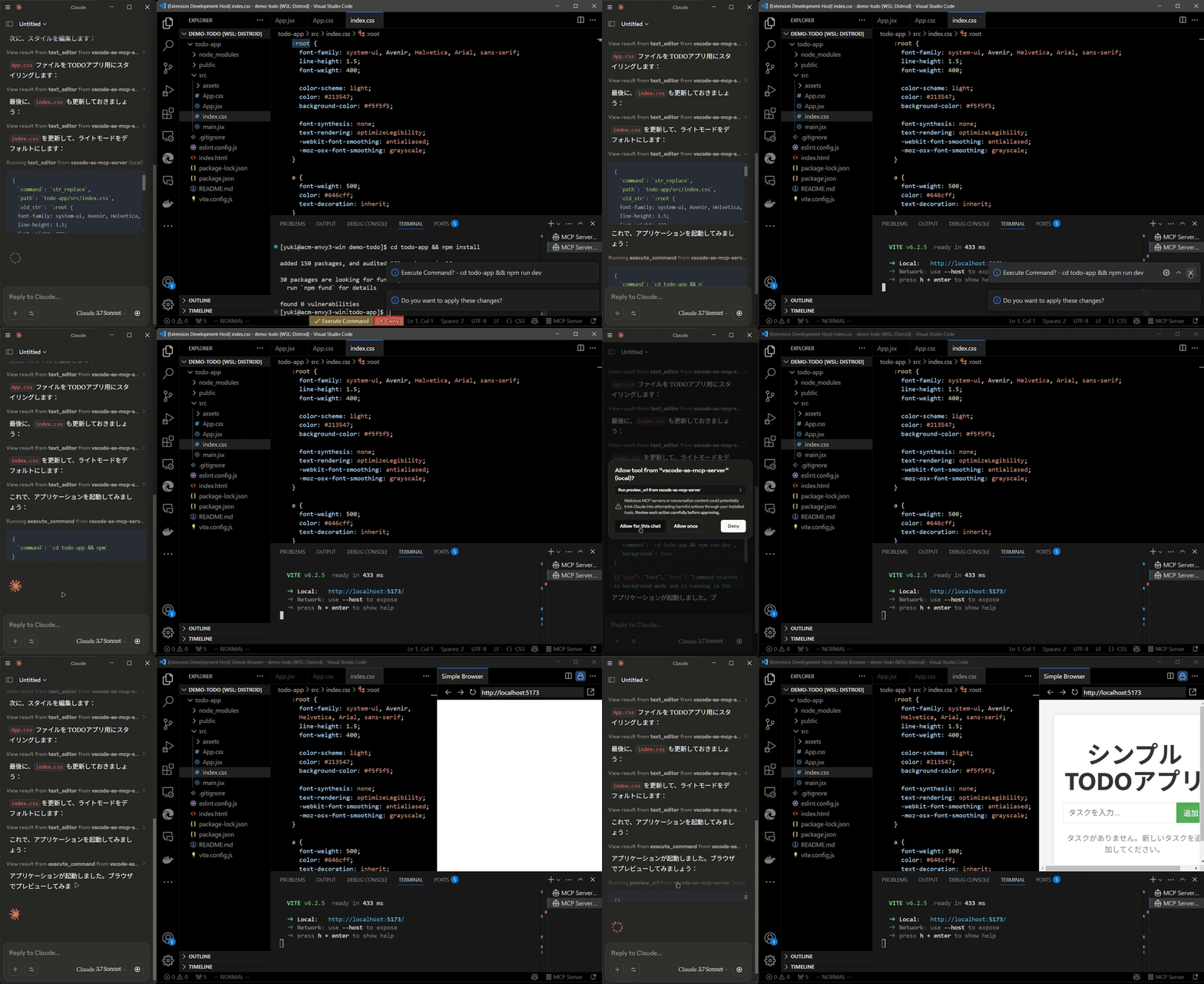
  • Preview URLs directly within VSCode’s built-in browser (e.g., automatically opens browser preview after starting a Vite server).

Preview tool

Multi-instance Switching

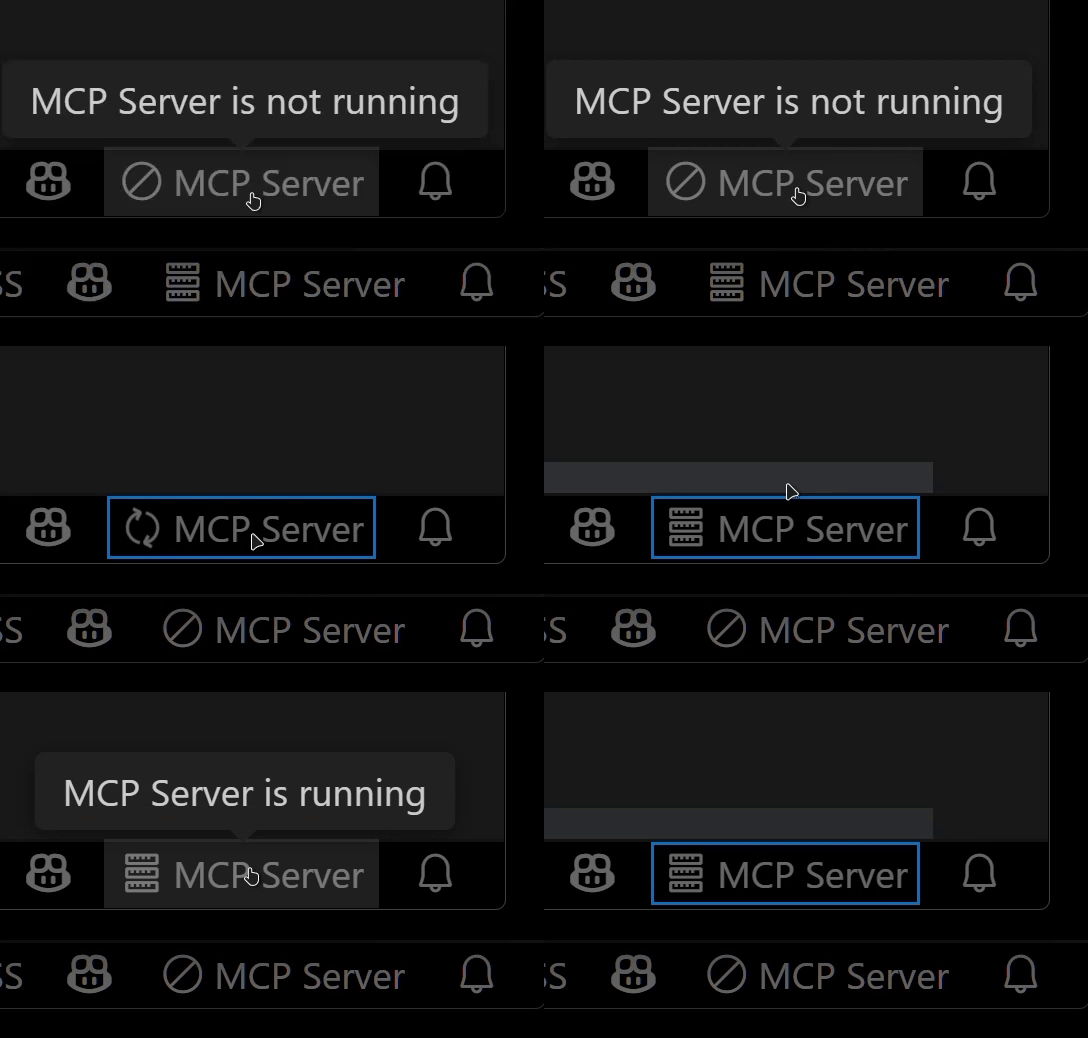
  • Easily switch the MCP server between multiple open VSCode windows.(Just by clicking the status bar item)

Instance switching

Relay Functionality (Experimental)

  • Relay and expose built-in MCP servers introduced in VSCode 1.99 externally.
  • Allows external access to tools provided by other MCP extensions, such as GitHub Copilot.

Available Built-in Tools

  • execute_command: Execute commands in VSCode’s integrated terminal
  • code_checker: Retrieve current diagnostics for your code
  • focus_editor: Focus specific locations within files
  • list_debug_sessions / start_debug_session / restart_debug_session / stop_debug_session: Manage debug sessions
  • text_editor: File operations (view, replace, create, insert, undo)
  • list_directory: List directory contents in a tree format
  • get_terminal_output: Fetch output from a specified terminal
  • list_vscode_commands / execute_vscode_command: List and execute arbitrary VSCode commands
  • preview_url: Open URLs within VSCode’s integrated browser

Installation & Setup

  1. Install the extension from the VSCode Marketplace.

  2. Configure your MCP client:

    • Using mcp-installer: You can simply instruct it to "install the vscode-as-mcp-server MCP server".
    • Other clients like Claude Desktop: Add the following to your configuration file (claude_desktop_config.json):
    {
      "mcpServers": {
        "vscode": {
          "command": "npx",
          "args": ["vscode-as-mcp-server"]
        }
      }
    }
    
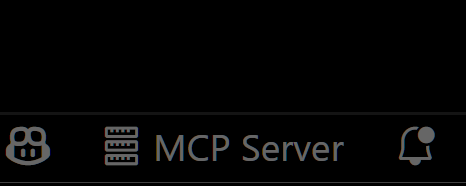
  3. Check the MCP server status in the bottom-right VSCode status bar:

    • (Server icon): Server is running
    • ∅: Click to start the server

Server status indicator

Motivation

This extension was developed to mitigate high costs associated with metered coding tools (like Roo Code and Cursor). It's an affordable, self-hosted alternative built directly into VSCode.

Bug reports and feedback are very welcome! 🙇

Future Roadmap

  • Ability to select which built-in MCP servers to expose
  • WebView-based approval UI (similar to Roo Code)
  • Integration with VSCode's file history (Timeline)
  • Instant toggling of auto-approvals and tool activation/deactivation
  • Customizable server port configuration