🐢🚀 Node.js Sandbox MCP Server
Node.js server implementing the Model Context Protocol (MCP) for running arbitrary JavaScript in ephemeral Docker containers with on‑the‑fly npm dependency installation.
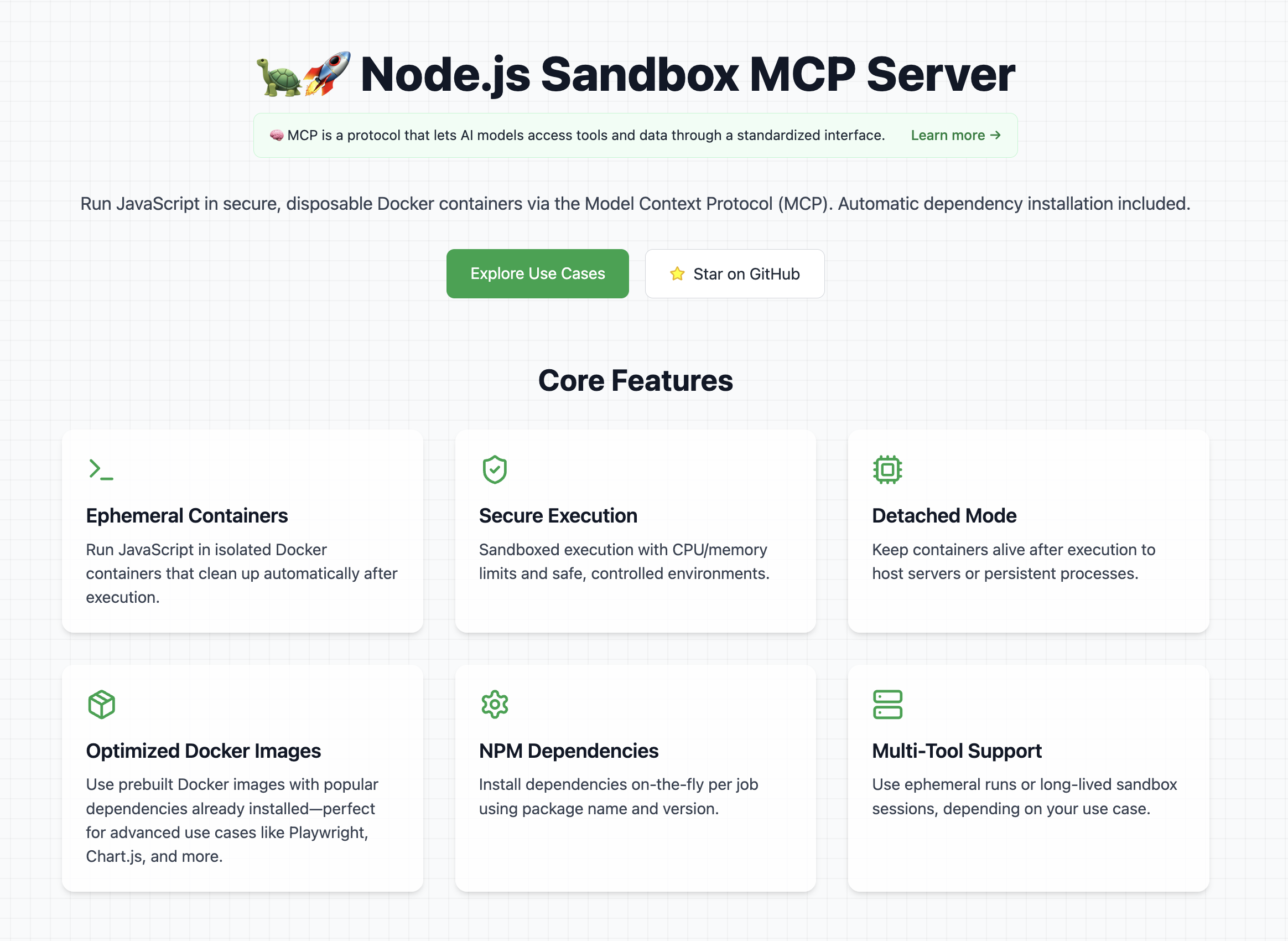
👉 Look at the official website
📦 Available on Docker Hub
Features
- Start and manage isolated Node.js sandbox containers
- Execute arbitrary shell commands inside containers
- Install specified npm dependencies per job
- Run ES module JavaScript snippets and capture stdout
- Tear down containers cleanly
- Detached Mode: Keep the container alive after script execution (e.g. for long-running servers)
Note: Containers run with controlled CPU/memory limits.
Explore Cool Use Cases
If you want ideas for cool and powerful ways to use this library, check out the use cases section on the website
It contains a curated list of prompts, examples, and creative experiments you can try with the Node.js Sandbox MCP Server.
⚠️ Prerequisites
To use this MCP server, Docker must be installed and running on your machine.
Tip: Pre-pull any Docker images you'll need to avoid delays during first execution.
Example recommended images:
- node:lts-slim
- mcr.microsoft.com/playwright:v1.55.0-noble
- alfonsograziano/node-chartjs-canvas:latest
Getting started
In order to get started with this MCP server, first of all you need to connect it to a client (for example Claude Desktop).
Once it's running, you can test that it's fully working with a couple of test prompts:
Validate that the tool can run:
Create and run a JS script with a console.log("Hello World")
This should run a console.log and in the tool response you should be able to see Hello World.
Validate that you can install dependencies and save files
Create and run a JS script that generates a QR code for the URL `https://nodejs.org/en`, and save it as `qrcode.png` **Tip:** Use the `qrcode` package.
This should create a file in your mounted directory (for example the Desktop) called "qrcode.png"
Usage with Claude Desktop
Add this to your claude_desktop_config.json:
You can follow the Official Guide to install this MCP server
{
  "mcpServers": {
    "js-sandbox": {
      "command": "docker",
      "args": [
        "run",
        "-i",
        "--rm",
        "-v",
        "/var/run/docker.sock:/var/run/docker.sock",
        "-v",
        "$HOME/Desktop/sandbox-output:/root",
        "-e",
        "FILES_DIR=$HOME/Desktop/sandbox-output",
        "-e",
        "SANDBOX_MEMORY_LIMIT=512m", // optional
        "-e",
        "SANDBOX_CPU_LIMIT=0.75", // optional
        "mcp/node-code-sandbox"
      ]
    }
  }
}
or with NPX:
{
  "mcpServers": {
    "node-code-sandbox-mcp": {
      "type": "stdio",
      "command": "npx",
      "args": ["-y", "node-code-sandbox-mcp"],
      "env": {
        "FILES_DIR": "/Users/alfonsograziano/Desktop/node-sandbox",
        "SANDBOX_MEMORY_LIMIT": "512m", // optional
        "SANDBOX_CPU_LIMIT": "0.75" // optional
      }
    }
  }
}
Note: Ensure your working directory points to the built server, and Docker is installed/running.
Docker
Run the server in a container (mount Docker socket if needed), and pass through your desired host output directory as an env var:
# Build locally if necessary
# docker build -t mcp/node-code-sandbox .

docker run --rm -it \
  -v /var/run/docker.sock:/var/run/docker.sock \
  -v "$HOME/Desktop/sandbox-output":"/root" \
  -e FILES_DIR="$HOME/Desktop/sandbox-output" \
  -e SANDBOX_MEMORY_LIMIT="512m" \
  -e SANDBOX_CPU_LIMIT="0.5" \
  mcp/node-code-sandbox stdio
This bind-mounts your host folder into the container at the same absolute path and makes FILES_DIR available inside the MCP server.
Ephemeral usage – no persistent storage
docker run --rm -it \
  -v /var/run/docker.sock:/var/run/docker.sock \
  alfonsograziano/node-code-sandbox-mcp stdio
Usage with VS Code
Quick install buttons (VS Code & Insiders):
Install js-sandbox-mcp (NPX) Install js-sandbox-mcp (Docker)
Manual configuration: Add to your VS Code settings.json or .vscode/mcp.json:
"mcp": {
    "servers": {
        "js-sandbox": {
            "command": "docker",
            "args": [
                "run",
                "-i",
                "--rm",
                "-v", "/var/run/docker.sock:/var/run/docker.sock",
                "-v", "$HOME/Desktop/sandbox-output:/root", // optional
                "-e", "FILES_DIR=$HOME/Desktop/sandbox-output",  // optional
                "-e", "SANDBOX_MEMORY_LIMIT=512m",
                "-e", "SANDBOX_CPU_LIMIT=1",
                "mcp/node-code-sandbox"
              ]
        }
    }
}
API
run_js_ephemeral
Run a one-off JS script in a brand-new disposable container.
Inputs:
image (string, optional): Docker image to use (default: node:lts-slim).code (string, required): JavaScript source to execute.dependencies (array of { name, version }, optional): NPM packages and versions to install (default: []).
Behavior:
- Creates a fresh container.
- Writes your
index.js and a minimal package.json.
- Installs the specified dependencies.
- Executes the script.
- Tears down (removes) the container.
- Returns the captured stdout.
- If your code saves any files in the current directory, these files will be returned automatically.
- Images (e.g., PNG, JPEG) are returned as
image content.
- Other files (e.g.,
.txt, .json) are returned as resource content.
- Note: the file saving feature is currently available only in the ephemeral tool.
Tip: To get files back, simply save them during your script execution.
Example Call:
{
  "name": "run_js_ephemeral",
  "arguments": {
    "image": "node:lts-slim",
    "code": "console.log('One-shot run!');",
    "dependencies": [{ "name": "lodash", "version": "^4.17.21" }],
  },
}
Example to save a file:
import fs from 'fs/promises';

await fs.writeFile('hello.txt', 'Hello world!');
console.log('Saved hello.txt');
This will return the console output and the hello.txt file.
sandbox_initialize
Start a fresh sandbox container.
- Input:
image (string, optional, default: node:lts-slim): Docker image for the sandboxport (number, optional): If set, maps this container port to the host
- Output: Container ID string
sandbox_exec
Run shell commands inside the running sandbox.
- Input:
container_id (string): ID from sandbox_initializecommands (string[]): Array of shell commands to execute
- Output: Combined stdout of each command
run_js
Install npm dependencies and execute JavaScript code.
sandbox_stop
Terminate and remove the sandbox container.
- Input:
container_id (string): ID from sandbox_initialize
- Output: Confirmation message
search_npm_packages
Search for npm packages by a search term and get their name, description, and a README snippet.
Usage Tips
- Session-based tools (
sandbox_initialize ➔ run_js ➔ sandbox_stop) are ideal when you want to:
- Keep a long-lived sandbox container open.
- Run multiple commands or scripts in the same environment.
- Incrementally install and reuse dependencies.
- One-shot execution with
run_js_ephemeral is perfect for:
- Quick experiments or simple scripts.
- Cases where you don't need to maintain state or cache dependencies.
- Clean, atomic runs without worrying about manual teardown.
- Detached mode is useful when you want to:
- Spin up servers or long-lived services on-the-fly
- Expose and test endpoints from running containers
Choose the workflow that best fits your use-case!
Build
Compile and bundle:
npm install
npm run build
License
MIT License
Permission is hereby granted, free of charge, to any person obtaining a copy of this software and associated documentation files (the "Software"), to deal in the Software without restriction, including without limitation the rights to use, copy, modify, merge, publish, distribute, sublicense, and/or sell copies of the Software, and to permit persons to whom the Software is furnished to do so, subject to the following conditions:
The above copyright notice and this permission notice shall be included in all copies or substantial portions of the Software.
THE SOFTWARE IS PROVIDED "AS IS", WITHOUT WARRANTY OF ANY KIND, EXPRESS OR IMPLIED, INCLUDING BUT NOT LIMITED TO THE WARRANTIES OF MERCHANTABILITY,
FITNESS FOR A PARTICULAR PURPOSE AND NONINFRINGEMENT. IN NO EVENT SHALL THE AUTHORS OR COPYRIGHT HOLDERS BE LIABLE FOR ANY CLAIM,
DAMAGES OR OTHER LIABILITY, WHETHER IN AN ACTION OF CONTRACT, TORT OR OTHERWISE, ARISING FROM, OUT OF OR IN CONNECTION WITH THE SOFTWARE
OR THE USE OR OTHER DEALINGS IN THE SOFTWARE.




