BitDive MCP Server




Python MCP server for BitDive trace analysis, request reproduction, and regression management.
This repository exposes BitDive monitoring and QA operations to MCP clients such as Cursor, Claude Desktop, and other agent runtimes. The implementation lives in server.py and connects to the BitDive Monitoring API while adding its own formatting, normalization, and comparison logic on top.
Use this repository from the python-mcp-server branch.
Demo
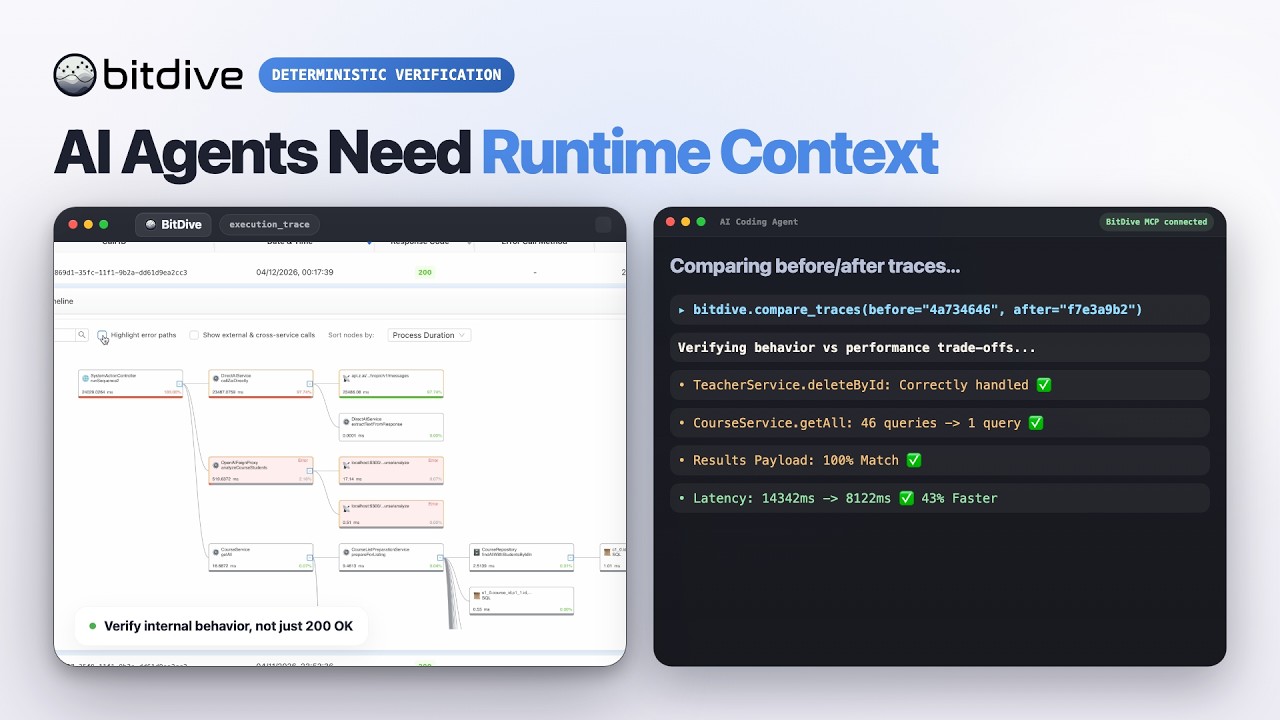
Watch the BitDive product demo on YouTube:
Overview
This server is not just a thin API proxy.
It wraps BitDive API endpoints and makes them usable for agent workflows:
- compact heatmap summaries for discovery
- readable trace summaries instead of raw JSON only
- Bash and PowerShell reproduction commands from captured requests
- before/after trace comparison with payload and contract drift reporting
- SQL normalization and volatile-field filtering to reduce noisy diffs
- automatic secret redaction and chronological child-call ordering on trace paths
- test-group inspection and regression-management flows
What It Is For
Use this server when an AI agent or developer needs to:
- discover which module, service, class, or entrypoint is active
- fetch recent or historical traces
- inspect a trace without manually parsing BitDive JSON
- reproduce a captured web request locally
- compare two traces after a code change
- track how behavior evolved across multiple runs
- inspect and update BitDive test groups
The current server exposes 24 MCP tools.
Tool names follow their intent: discovery tools (you do not have an id yet) start with get_*_heatmap / list_* / find_* / search_*; inspect tools (you already have a call_id) start with get_trace*; compare tools diff traces.
Typical Workflow
- Discover —
get_system_heatmap or list_recent_calls to find a method or fresh call_id.
- Inspect —
get_trace_overview for a quick tree; get_trace for full de-noised payloads (default for deep analysis).
- Compare —
compare_traces for before/after; open get_trace when the diff needs payload proof.
- Reproduce —
get_replay_command, run it, wait ~45s, then list_recent_calls again.
Tool names encode intent: discovery tools when you do not have a call_id yet; get_trace* when you do.
What The Code Adds
Several important behaviors are implemented inside server.py, not just delegated to the backend API.
Trace readability
get_trace_overview builds a readable execution treeget_trace returns the whole tree with full fidelity but without raw Jackson/type-wrapper noise (typically 50-65% smaller than get_trace_raw, secrets redacted, child calls ordered chronologically)get_trace_raw and get_trace_subtree are also redacted; use them only when you need the verbatim shape or a single method boundary- SQL, REST, queue calls, timings, return values, and errors are formatted for direct MCP output
Trace comparison
compare_traces detects method-path drift- payload and contract changes are compared after normalizing Java-serialized structures
- volatile fields such as IDs, UUIDs, timestamps,
traceId, and callId can be ignored for cleaner diffs
- SQL execution deltas are grouped and normalized to surface likely N+1 patterns
Reproduction workflow
- captured request URLs are normalized so internal Docker hostnames can be replayed from the host shell
curl and PowerShell commands are generated from recorded headers, method, URL, and body
Test-management helpers
- the server can rebuild replacement payloads through MCP-accessible APIs when direct helper data is not available
- test-group inspection is formatted for quick agent use instead of raw response browsing
Runtime Model
Requirements
- Python 3.11+
httpxmcp- a valid BitDive MCP token
Install dependencies:
pip install -r requirements.txt
Configuration
Environment variables
Every tool also accepts an optional mcp_token parameter. If omitted, the server falls back to BITDIVE_MCP_TOKEN.
Running The Server
stdio mode
python server.py
streamable-http mode
MCP_TRANSPORT=streamable-http MCP_HOST=0.0.0.0 MCP_PORT=8000 python server.py
Example MCP Client Configuration
{
  "mcpServers": {
    "bitdive": {
      "command": "python",
      "args": [
        "/absolute/path/to/server.py"
      ],
      "env": {
        "BITDIVE_MCP_TOKEN": "your-token"
      }
    }
  }
}
Repository Contents
Notes
- The server fails fast if no MCP token is available.
- Fresh traces may not appear in the hot cache immediately after replay; the built-in workflow expects a short wait before checking recent calls again.
- This repository is the MCP bridge and trace-intelligence layer. It does not capture JVM events itself and it does not execute JUnit replay tests by itself.




