Directory / Social & communication / mcp-server-chatsum mcp-server-chatsum by chatmcp
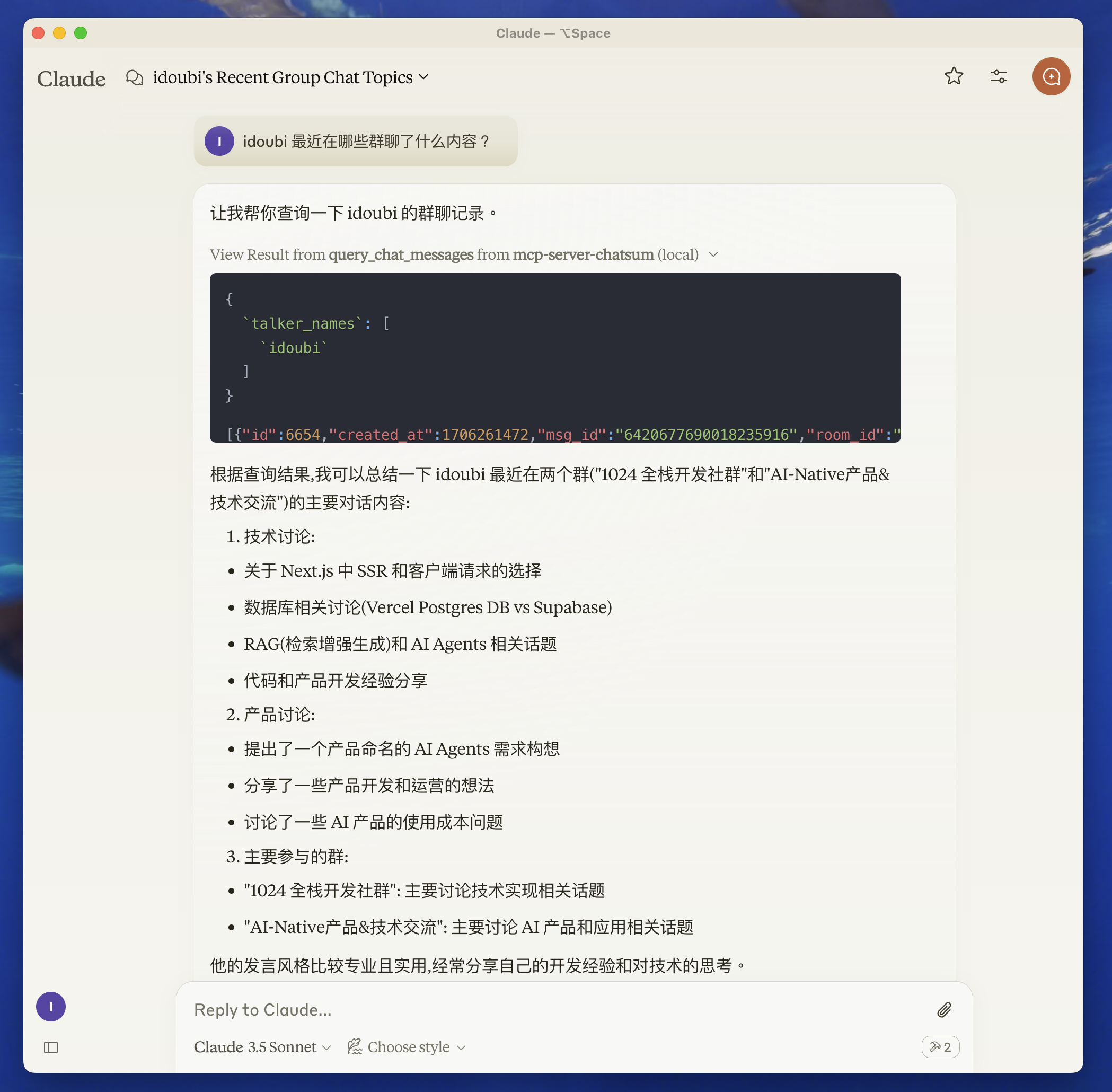
总结您的聊天消息。需要通过 CHAT_DB_PATH 环境变量配置的聊天数据库文件路径。
Social & communication stdio Community
Repository-wide counts · Cached 2026-03-07
Overview The mcp-server-chatsum MCP server is a publicly available project. Review the upstream repository for installation instructions, supported tools, compatibility, permissions, and current maintenance status.
Configuration Configuration, transport, authentication, and runtime requirements vary by project. Open the repository before connecting and use the smallest set of credentials and permissions required.
Open the mcp-server-chatsum repository to read the latest documentation.
支持多设备和 MCP(模型上下文协议)服务器集成的 WhatsApp API,适用于 AI 代理和工具。支持通过命令行参数、环境变量和 .env 文件进行配置。需要 FFmpeg 进行媒体处理。无需通过环境变量提供外部数据文件。
支持MacOS、Windows、Linux、iOS、Android和Web的跨平台AI聊天客户端。需要外部数据文件,例如chatmcp.db(聊天记录)、config.json(设置)以及存储在各平台特定目录中的MCP服务器配置。
Integration with Telegram implemented via the Model Context Protocol (MCP). Requires external configuration through a .env file, including settings such as TELEGRAM_API_ID, TELEGRAM_API_HASH, TELEGRAM_SESSION_STRING, or TELEGRAM_SESSION_NAME for session management.
基于 Playwright 的自动化工具,用于小红书(Xiaohongshu)搜索笔记、分析内容以及发布 AI 生成的评论。需要 Python 3.8 及以上环境,依赖项通过 requirements.txt 安装,并通过 'playwright install' 安装 Playwright 浏览器。
FROM THE SOURCE Repository README Build-time snapshot · Retrieved 2026-10-05
mcp-server-chatsum This MCP Server is used to summarize your chat messages.
中文说明
Before you start
move to chatbot directory, follow the README to setup the chat database.
start chatbot to save your chat messages.
Features Resources
query_chat_messages - Query chat messages
Query chat messages with given parameters
Summarize chat messages based on the query prompt
Prompts Development
Set up environment variables:
create .env file in the root directory, and set your chat database path.
CHAT_DB_PATH=path-to/chatbot/data/chat.db
Install dependencies:
pnpm install
Build the server:
pnpm build
For development with auto-rebuild:
pnpm watch
Installation To use with Claude Desktop, add the server config:
On MacOS: ~/Library/Application Support/Claude/claude_desktop_config.json
On Windows: %APPDATA%/Claude/claude_desktop_config.json
{
  "mcpServers": {
    "mcp-server-chatsum": {
      "command": "path-to/bin/node",
      "args": ["path-to/mcp-server-chatsum/build/index.js"],
      "env": {
        "CHAT_DB_PATH": "path-to/mcp-server-chatsum/chatbot/data/chat.db"
      }
    }
  }
}
Debugging Since MCP servers communicate over stdio, debugging can be challenging. We recommend using the MCP Inspector , which is available as a package script:
pnpm inspector
The Inspector will provide a URL to access debugging tools in your browser.
About the author