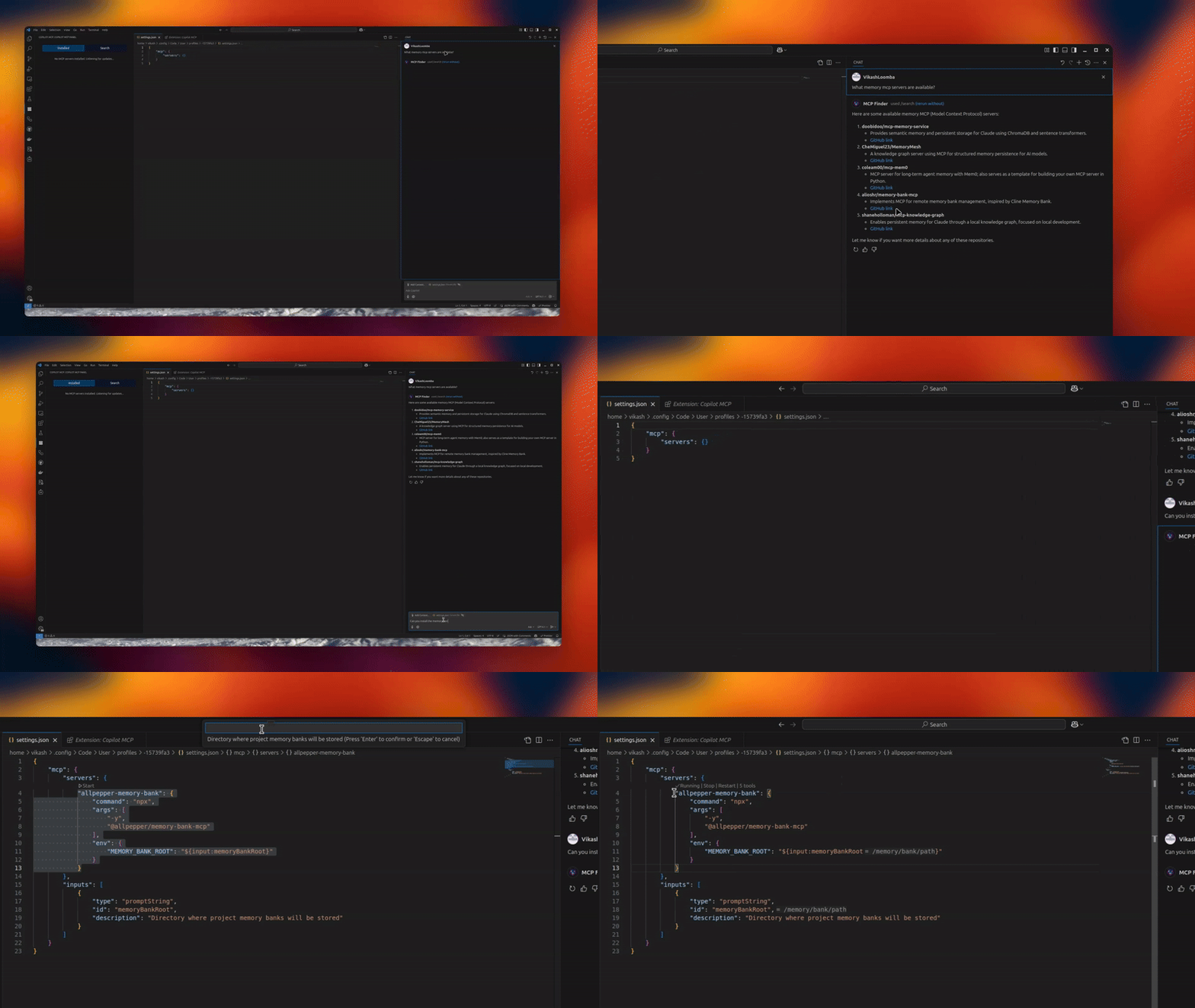
The Copilot MCP MCP server is a publicly available community project. Review the upstream repository for installation instructions, supported tools, compatibility, permissions, and current maintenance status.
Configuration
Configuration, transport, authentication, and runtime requirements vary by project. Open the repository before connecting and use the smallest set of credentials and permissions required.
Configure via the UI or VS Code settings. Look for the MCP Servers icon in the Activity Bar.
🚀 Usage
Open the MCP Servers view
Connect or search for servers
Switch to Skills to search and install skills, and manage installed skills
Use Copilot Chat with your newly added tools and skills
Tip: When a server supports npx/uvx, the Server Discovery panel shows a “Deploy via Cloud MCP” option so you can run it remotely without installing anything.
🔗 Requirements
VS Code
GitHub Copilot Chat extension
🌟 Benefits
Give Copilot standardized tools via MCP
Local or remote workflows (Cloud MCP)
Join a growing, interoperable ecosystem
Telemetry
Copilot MCP collects a small set of anonymous usage events — searches, install attempts, and clicks on in-extension links/CTAs — so we can understand which features are useful.
What is collected: anonymous event names with a small set of properties: the search terms you type in the extension (sidebar search and @mcp chat prompts, truncated to 100 characters), public GitHub repository names/URLs and skill source locators for items you search for or act on, your OS platform/architecture and the extension version, and error messages/diagnostics (truncated) when something fails.
What is never collected: file contents, workspace or repository contents, or account identifiers (no emails, usernames, or tokens) — account-shaped properties are stripped out before anything is sent.
VS Code settings are respected: the extension honors VS Code's telemetry.telemetryLevel setting. If you have disabled telemetry in VS Code, the extension sends nothing.
To opt out, set telemetry.telemetryLevel to off in your VS Code settings.
🔄 Maintainer: Vendored Copilot Provider Sync
This repo vendors an upstream Copilot provider from anomalyco/opencode under: