🎉 Flopperam has been acquired by Aura!
Flopperam is now part of Aura. For the latest updates to the MCP and what we're building next, head over to tryaura.dev.

Flopperam — Unreal Engine MCP
The most advanced MCP server for Unreal Engine.
Control a live Unreal Editor through natural language from any MCP client.





Two Ways to Use Unreal Engine MCP
This repo contains two separate things:
The hosted Flop MCP is a completely different, much more advanced server that shares no code with the local Python/ server in this repo. It is actively developed with new tools shipping regularly.
Hosted Flop MCP (Recommended)
One URL, one API key. No local server, no Python install. Works with Cursor, Claude Code, Windsurf, VS Code Copilot, Cline, and any other MCP client.
3. Add the config to your IDE
Cursor — .cursor/mcp.json (project) or ~/.cursor/mcp.json (global):
{
  "mcpServers": {
    "flopperam-unreal": {
      "url": "https://agent.flopperam.com/mcp",
      "headers": {
        "Authorization": "Bearer YOUR_API_KEY"
      }
    }
  }
}
Claude Code — run in your terminal:
claude mcp add -H "Authorization: Bearer YOUR_API_KEY" --transport http flopperam-unreal https://agent.flopperam.com/mcp
VS Code / Copilot — .vscode/mcp.json:
{
  "servers": {
    "flopperam-unreal": {
      "type": "http",
      "url": "https://agent.flopperam.com/mcp",
      "headers": {
        "Authorization": "Bearer YOUR_API_KEY"
      }
    }
  }
}
Cline / Local LLMs (Ollama, LM Studio, etc.):
{
  "mcpServers": {
    "flopperam-unreal": {
      "type": "streamableHttp",
      "url": "https://agent.flopperam.com/mcp",
      "headers": {
        "Authorization": "Bearer YOUR_API_KEY"
      }
    }
  }
}
Verify the server shows as connected in your IDE and start prompting.
Open-Source Local MCP (This Repo)
This repo includes a standalone local MCP server (Python/) and a C++ Unreal plugin (UnrealMCP/). This is a simpler, community-maintained toolset for basic Unreal Engine control — scene building, actor management, physics, and foundational Blueprint operations.
If you want the full 50+ tool experience, use the Hosted Flop MCP instead.
Full setup guide: LOCAL_SETUP.md (includes macOS compilation steps)
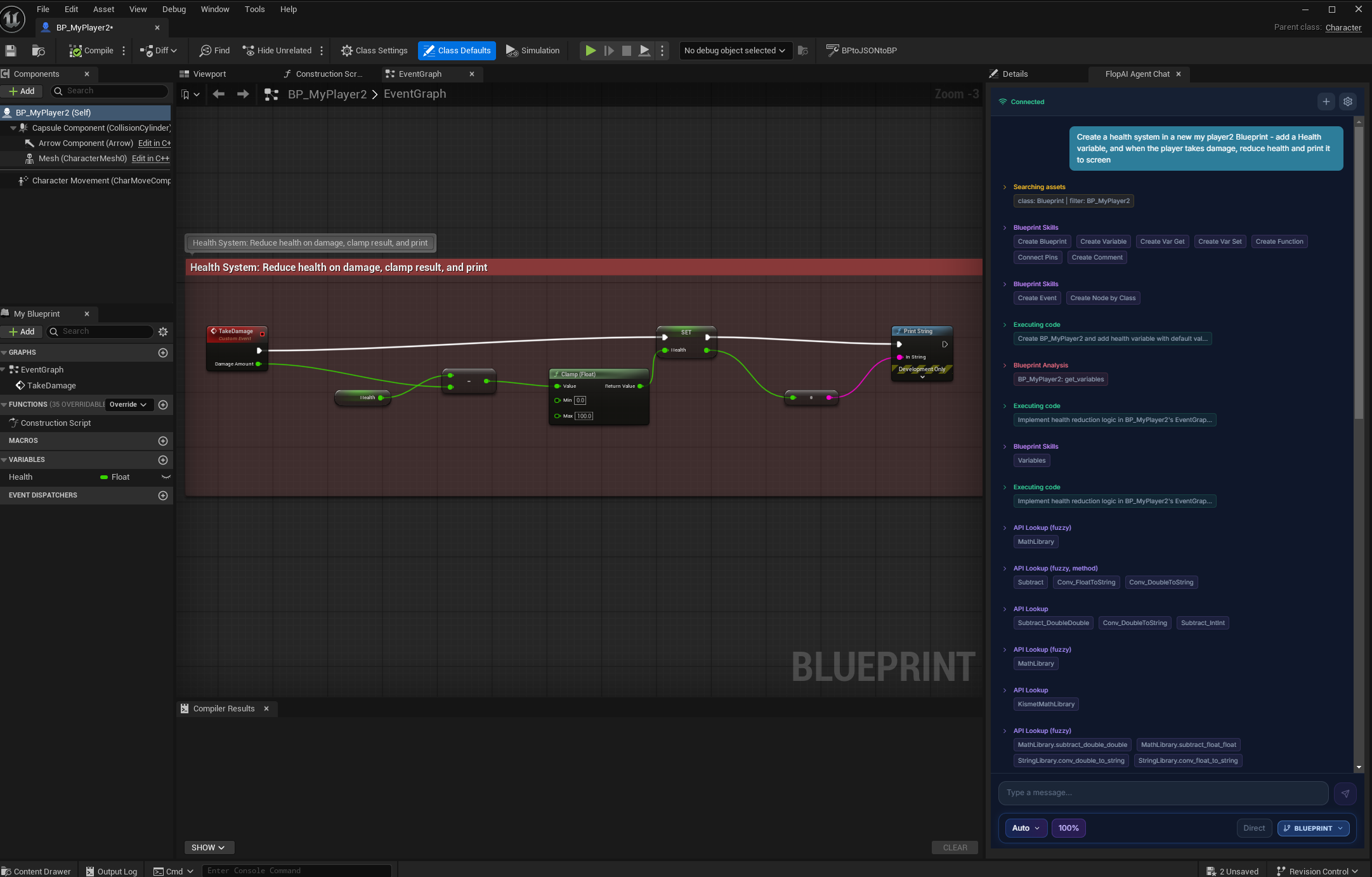
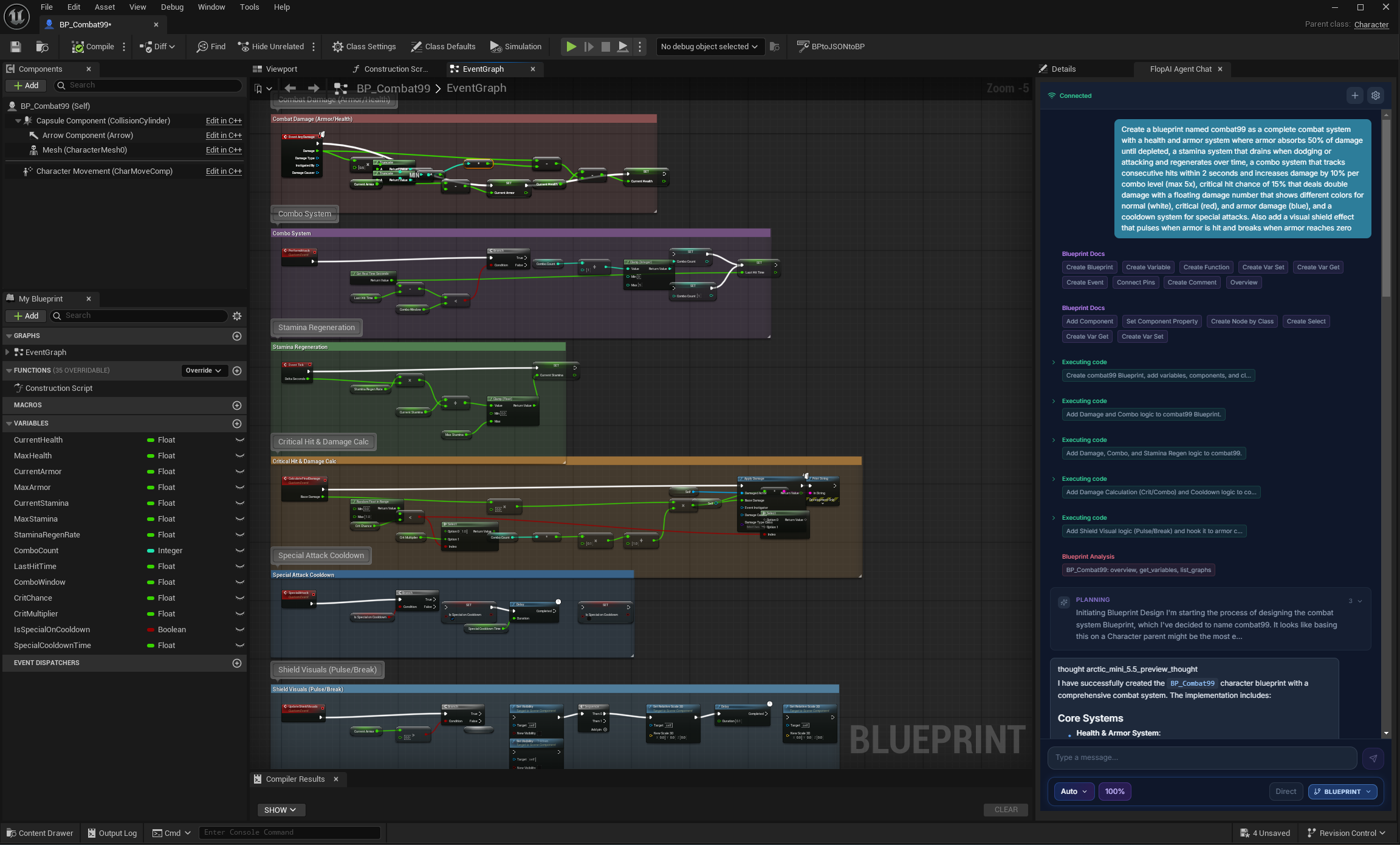
The MCP gives your IDE tools. The Flop Agent is a fully autonomous AI that lives inside Unreal Engine — it plans multi-step workflows, writes and executes code, recovers from errors, and iterates until the job is done.
- Dynamic workflows — decomposes complex requests into steps and adapts when something goes wrong
- Unreal-native reasoning — tuned prompts, specialized routing, deep knowledge of UE APIs and Blueprints
- Full Blueprint creation and editing — create new Blueprints, add variables/components/events/functions, update graph logic, compile and validate
- World building — creates materials, places actors, builds structures, and verifies as it goes
- Code execution — executes commands directly inside the editor
- Multiple AI models — routes to the best model per task (Opus for reasoning, Flash for lookups)
- Chat inside Unreal — embedded browser panel, no window switching
- Text/image to 3D — three quality tiers (Good, High Quality, Very High Quality)
Supports Unreal Engine 5.5, 5.6, and 5.7. Full docs at flopperam.com/docs.
See It In Action
Watch our comprehensive tutorial for complete setup and usage:
Check out these examples on our channel:
Architecture
Hosted Flop MCP
graph TB
    A[AI Client<br/>Cursor / Claude Code / Windsurf / Cline] -->|MCP Protocol<br/>Streamable HTTP| B[Flop MCP Server<br/>agent.flopperam.com/mcp]
    B -->|WebSocket| C[FlopAI Plugin<br/>C++ / Python Bridge]
    C -->|Native API| D[Unreal Engine 5.5+<br/>Editor & Runtime]

    B --> E[50+ Tools]
    E --> F[Blueprint Authoring]
    E --> G[Scene & Level]
    E --> H[Materials & VFX]
    E --> I[Animation & AI]
    E --> J[Landscape & Foliage]
    E --> K[Cinematics & Audio]
Open-Source Local MCP
graph TB
    A[AI Client<br/>Cursor / Claude / Windsurf] -->|MCP Protocol<br/>stdio| B[Python Server<br/>unreal_mcp_server_advanced.py]
    B -->|TCP Socket| C[UnrealMCP Plugin<br/>C++]
    C -->|Native API| D[Unreal Engine 5.5+<br/>Editor]

    B --> E[Tools]
    E --> F[World Building]
    E --> G[Physics & Materials]
    E --> H[Blueprint System]
    E --> I[Actor Management]
Get Help
License
MIT License — Build amazing things freely.