MCP in Practice: Web Browsing, Protocols, and Apps
A Playwright browsing application with Azure OpenAI/OpenAI, plus focused examples
of MCP v1/v2, OAuth, and interactive MCP Apps.
- Original browsing application — Azure OpenAI/OpenAI integration, setup and client connections.
- MCP v1 and v2 samples — browser tools and local OAuth flows.
- MCP Apps samples — interactive tool-response UIs built with Prefab.
1. Web browsing MCP application
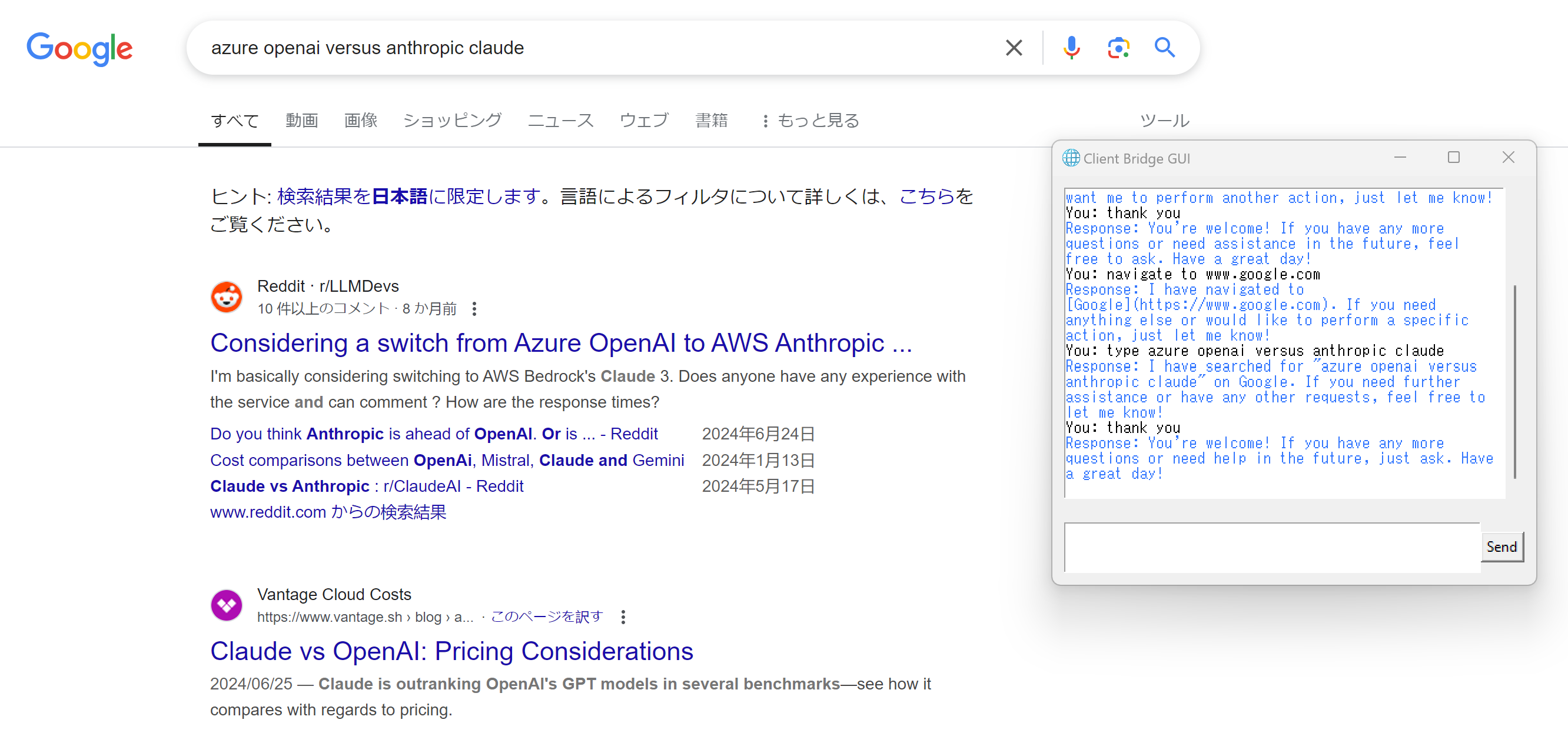
A local browsing application with a Tkinter chat UI and an MCP-to-LLM bridge.
- The original server uses the standalone
fastmcp package; Playwright controls
a visible Chromium browser and keeps the current page between tool calls.
- The local client_bridge implementation adapts MCP
tool definitions to OpenAI Chat Completions function calling. It supports an
in-process FastMCP server or an external stdio server.
- The GUI uses Azure OpenAI. Python callers can configure the bridge for standard
OpenAI, but the original browser server separately initializes its own Azure
client for the selector-extraction tool.
Setup and run
Requirements: Python 3.13 or newer, Tkinter, a graphical desktop session,
and uv. The commands
below use uv to manage this project's environment; MCP itself does not require
a particular Python package manager. Run them from the repository root.
Copy .env.template to a local .env file, keeping the
template intact. Configure an existing Azure OpenAI deployment that supports
Chat Completions tool calling:
AZURE_OPEN_AI_ENDPOINT=
AZURE_OPEN_AI_API_KEY=
AZURE_OPEN_AI_DEPLOYMENT_MODEL=
AZURE_OPEN_AI_API_VERSION=
The API version is needed for the legacy Azure endpoint, not the /openai/v1
path described below. Keep .env out of source control; it is gitignored.
Install the Python dependencies and the Chromium browser binary:
uv sync
uv run playwright install chromium
On Linux, Playwright may also require system dependencies; see its
installation guide. Tkinter must
be available in the selected Python installation.
Launch the GUI in the project environment:
uv run python chatgui.py
The root dependency declarations use minimum versions, not
compatibility caps. The inspected environment uses FastMCP 3.2.0 and MCP SDK
1.27.0; this is not a guarantee that a fresh resolution of newer major versions
will work. Keep the learning samples in their separate environments.
Azure v1 endpoint and model parameters
For an endpoint ending in /openai/v1, set AZURE_OPEN_AI_ENDPOINT to the full
URL and AZURE_OPEN_AI_DEPLOYMENT_MODEL to an existing deployment name. This
path uses the OpenAI-compatible client and does not require an API version.
Use AZURE_OPEN_AI_API_KEY, or supply a short-lived Entra token through the
process environment variable AZURE_OPENAI_AD_TOKEN when the key is unset.
Tokens are not refreshed automatically; renew them before launching and never
commit them to a file.
Using with External Clients
External clients start the original server over stdio. Complete the setup above
first. The server loads the repository's .env and still requires Azure
configuration at startup, even if the host uses a different model provider.
Do not put credentials in shared MCP JSON configuration.
Click to expand - Claude Code, VS Code
Claude Desktop / Claude Code
- Claude Desktop: open Settings > Developer > Edit Config to edit
claude_desktop_config.json, following the
local-server guide.
- Claude Code: add the entry to
.mcp.json at the project root for
project scope, not
.claude/mcp.json. Local and user scopes are managed separately by Claude Code.
Merge this entry into the existing configuration. Replace the directory with
the absolute repository path (Windows paths can use forward slashes). Using
uv's --directory avoids relying on a client-specific cwd field.
{
  "mcpServers": {
    "browser-navigator": {
      "command": "uv",
      "args": ["--directory", "/path/to/mcp-aoai-web-browsing", "run", "fastmcp", "run", "server/browser_navigator_server.py:app", "--transport", "stdio"]
    }
  }
}
If the desktop client cannot find uv, set command to its absolute executable
path. Restart Claude Desktop after saving; in Claude Code, review project-server
approval and connection status with /mcp.
VS Code
Merge into .vscode/mcp.json in your workspace, following the
VS Code MCP configuration reference:
{
  "servers": {
    "browser-navigator": {
      "type": "stdio",
      "command": "uv",
      "args": ["run", "fastmcp", "run", "server/browser_navigator_server.py:app", "--transport", "stdio"],
      "cwd": "${workspaceFolder}",
      "envFile": "${workspaceFolder}/.env"
    }
  }
}
Use MCP: List Servers to start the server and inspect its output. Review the
server trust prompt before enabling tools.
Using the Bridge Programmatically
Connecting over stdio
Run this example from the repository root. The bridge handles the model loop;
the child server independently loads its Azure settings from the local .env.
import asyncio

from client_bridge import BridgeConfig, MCPServerConfig, BridgeManager
from client_bridge.llm_config import get_default_llm_config

config = BridgeConfig(
    server_config=MCPServerConfig(
        command="uv",
        args=["run", "fastmcp", "run", "server/browser_navigator_server.py:app", "--transport", "stdio"],
    ),
    llm_config=get_default_llm_config(),
    system_prompt="You are a helpful assistant.",
)

async def main():
  async with BridgeManager(config) as bridge:
    response = await bridge.process_message("Navigate to https://example.com")
    print(response)


if __name__ == "__main__":
  asyncio.run(main())
Click to expand - Using Standard OpenAI
Using Standard OpenAI (non-Azure)
To use OpenAI for the bridge's model loop, replace the config construction
in the example above with the following. The helper reads process environment
variables; call load_dotenv() explicitly if using a local .env.
from dotenv import load_dotenv

from client_bridge.llm_config import get_openai_llm_config

load_dotenv()
llm_config = get_openai_llm_config()
# Set these explicitly to values supported by the chosen model.
llm_config.token_limit_parameter = "max_completion_tokens"
llm_config.temperature = None

config = BridgeConfig(
  server_config=MCPServerConfig(
    command="uv",
    args=["run", "fastmcp", "run", "server/browser_navigator_server.py:app", "--transport", "stdio"],
  ),
  llm_config=llm_config,
)
Set OPENAI_API_KEY and OPENAI_MODEL to your credentials and a model supporting
Chat Completions tool calling. The OpenAI helper defaults to max_tokens and
temperature 0.7; unlike the Azure helper, it does not read the
OPENAI_TOKEN_LIMIT_PARAMETER or OPENAI_TEMPERATURE environment variables.
The example overrides those defaults explicitly; adjust them for your model.
This does not switch the GUI or the original server's selector-extraction
client to OpenAI. Using the original server still requires the Azure settings
from setup. The independent learning servers do not have that dependency.
Inside an async function with a configured config, the bridge exposes tool
metadata and direct execution for clients that manage their own LLM loop:
async with BridgeManager(config) as bridge:
    tools = bridge.get_tools()  # OpenAI function calling format
    result = await bridge.execute_tool("playwright_navigate", {"url": "https://example.com"})
2. MCP v1 and v2 samples
Independent introductory examples, separate from the original application above.
Each folder has its own dependencies; use its README's directory-scoped commands
from the repository root rather than upgrading the root environment. No LLM API
key is needed for these samples.
Specification references
The folder labels v1 and v2 are repository shorthand for the two protocol
revisions compared here, not official MCP major-version names. Python SDK
versions and protocol dates are separate:
- Core MCP 2025-11-25 defines client/server communication, including
initialization and version negotiation.
The browser sample calls
initialize() rather than hard-coding a protocol date.
In the v1 browser sample's pinned mcp==1.27.0 environment, the latest
supported version is 2025-11-25, and negotiation to that version has been
confirmed at runtime.
- Core MCP 2026-07-28 is the
core specification
targeted by the newer browser and OAuth samples. Their clients explicitly set
mode="2026-07-28" rather than calling the earlier initialize() API. This is
the intended protocol path in the code, not a verified integration result.
3. MCP Apps samples
MCP Apps add interactive UI resources and host-mediated interaction on top of
core MCP. They are an optional extension, not an SDK v2-only feature. These
independent samples need no LLM API key; follow each guide's setup commands.
Specification and host requirements
The official Apps overview
links to the 2026-01-26 Apps specification.
These examples use FastMCP 3.2.0, Prefab 0.20.2 and MCP SDK 1.27.0.
The official client support matrix
tracks host support. The Apps overview lists Claude Desktop and VS Code GitHub
Copilot among supported clients; that does not establish that these particular
Prefab samples have been verified in either host. The original Tkinter GUI is
not an MCP Apps host.
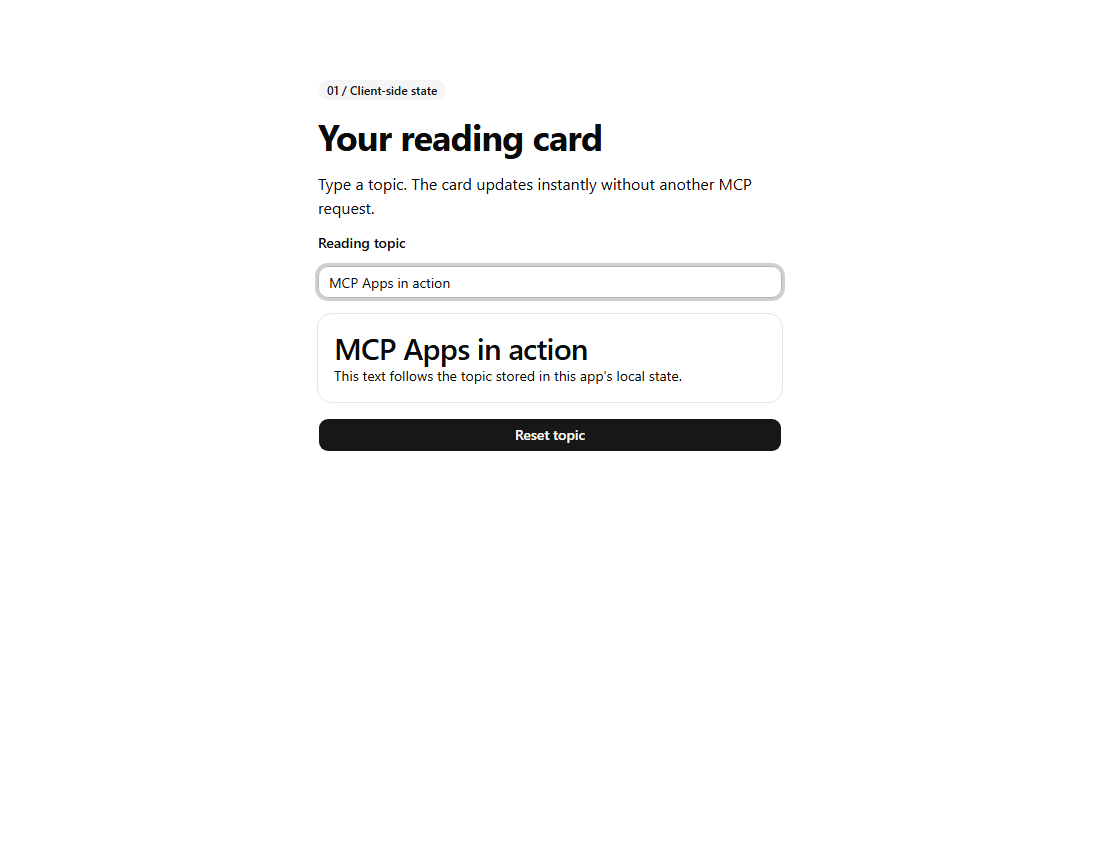
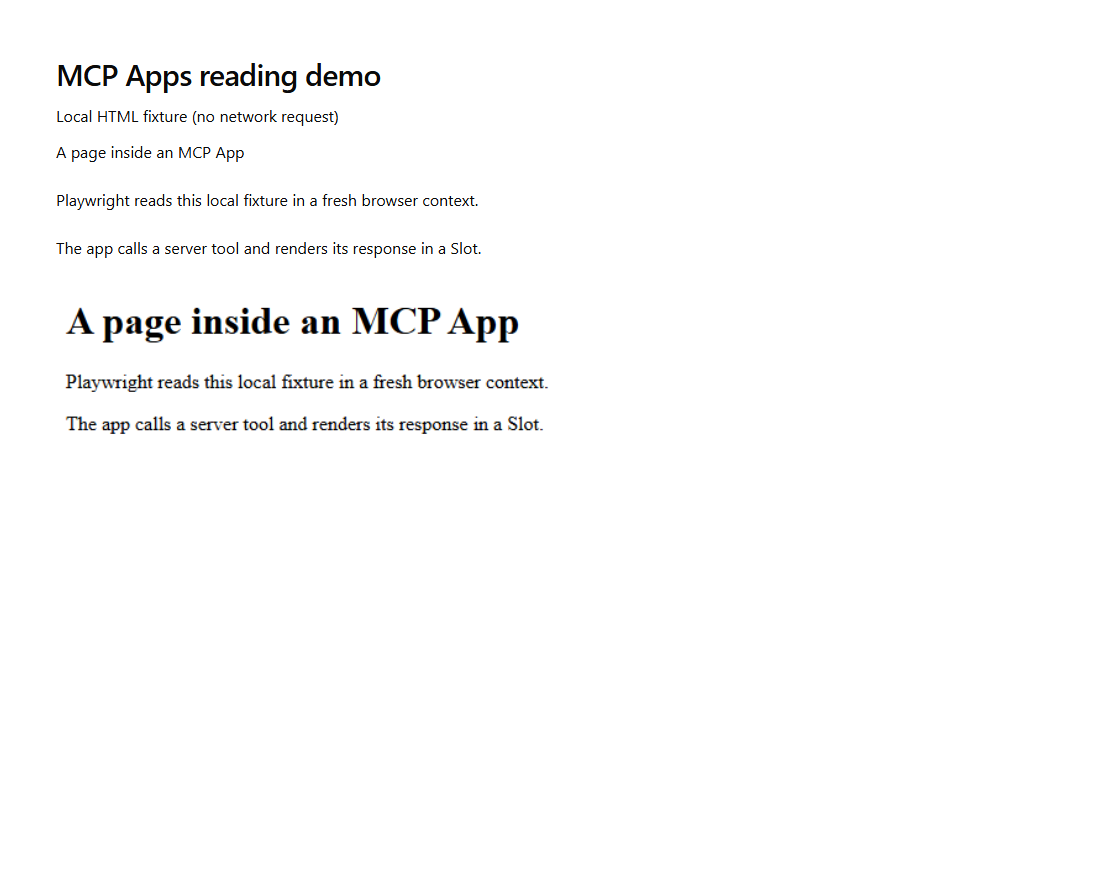
Sample screenshots
Standalone Prefab previews, not MCP chat-host captures. The browser result was
generated by a real local Playwright call and rendered separately.
See the Apps sample guides for the full images and preview limitations. No
screenshots are presented as evidence of the unverified SDK v2 integration.
stdio and JSON-RPC
stdio is the local process transport; JSON-RPC 2.0 defines the message format.
MCP runs JSON-RPC messages over transports such as stdio or Streamable HTTP.
For stdio servers, stdout must contain only protocol messages; diagnostics belong
on stderr. A Python dictionary printed to stdout is not an MCP notification.
FastMCP derives a tool's description from its Python docstring and its input
schema from the function signature. In the
original server, playwright_navigate
uses the docstring "Navigate to a URL." The bridge maps that metadata into an
OpenAI function-tool definition. Inspect tools/list for the actual schema;
unannotated parameters should not be assumed to have inferred numeric types.
References
Model Context Protocol (MCP)
Model Context Protocol (MCP) is an open protocol connecting AI applications
to tools, resources, and prompts. Authentication, consent, and access control
still need to be implemented by the application and host.
Official documentation and repositories
- FastMCP: standalone Python MCP framework; formerly hosted under
jlowin.
- Chat MCP: MCP client
- MCP-LLM Bridge: archived upstream project referenced by this repository's local bridge implementation, not an installed dependency.
MCP Playwright
Development tips
uv commands
uv run: Run a command or script in the project environment.
uv venv: Create a new virtual environment. By default, '.venv'.
uv add: Add a project dependency; use --script for inline script metadata.
uv remove: Remove a project dependency; use --script for inline script metadata.
uv sync: Synchronize the project environment with the lockfile (updating it if needed).
Process cleanup and debugging
- Close the GUI normally, stop a terminal-launched process with Ctrl+C, or
stop a client-managed server through that client's MCP controls. If a process
hangs, identify and terminate only its PID; do not kill every Python process.
- In Visual Studio Code, select the project environment and use the
Python Debugger extension with a launch configuration for the GUI. See the
Python debugging guide.