Gomaa 🧠






Production-grade, local-first hierarchical memory engine for autonomous AI agents.
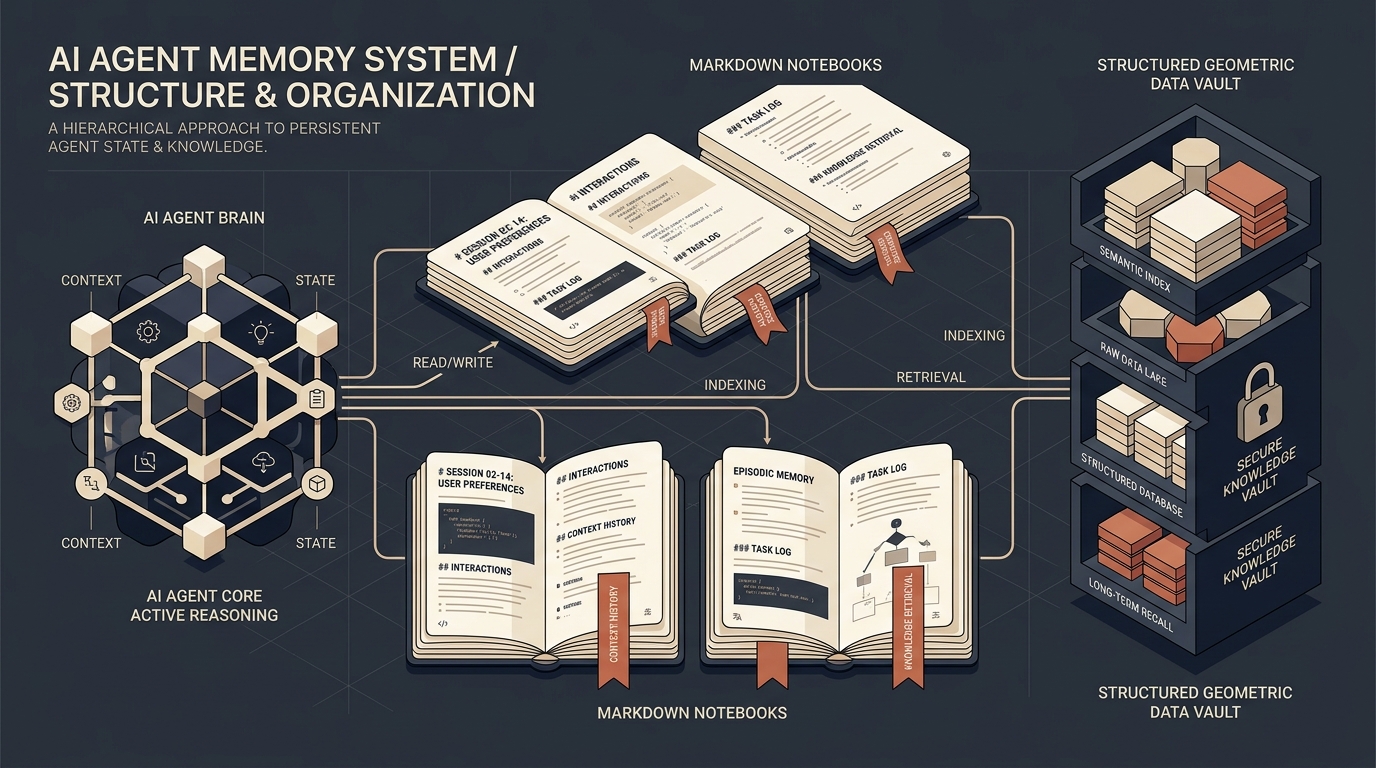
Gomaa equips AI agents (Hermes, OpenClaw, Claude Desktop, Cursor, Windsurf, CrewAI, LangChain) with permanent, structured long-term memory. It bridges human-readable Obsidian Markdown Vaults with high-speed PostgreSQL + pgvector (HNSW) or zero-config SQLite WAL, powering hybrid Reciprocal Rank Fusion (RRF) search, wikilink knowledge graphs, Ebbinghaus temporal decay, cross-agent fleet sharing, and asynchronous Google Drive cloud synchronization.
💡 Why Gomaa?
Most AI memory systems suffer from three fundamental flaws:
- Black-Box Vector Blobs: Memories disappear into opaque vector databases. Humans cannot audit, correct, or curate what the agent learned.
- Context Pollution: Without forgetting mechanisms, old noise accumulates and pollutes the agent's prompt window.
- Domain Cross-Contamination: Research notes, credentials, and task scratchpads collide, causing hallucinations.
Gomaa solves this:
- 📖 Human-in-the-Loop Auditability: Every memory is a human-readable Markdown note in your Obsidian vault with
[[Wiki Links]] and YAML frontmatter.
- ⏳ Ebbinghaus Temporal Decay: Inactive memories fade exponentially ($Salience \times 0.95^{\Delta t}$) while
#pinned memories stay permanent.
- 🏛️ Physical Wing & Room Scoping: A 2-level taxonomy (
wing = domain/project, room = channel/topic) isolates context strictly.
- 🌐 Cross-Agent Fleet Memory: Multi-agent swarms share sanitized global policies through
shared_db while keeping private databases isolated.
🚀 Quick Start & Installation
Choose between two straightforward deployment modes depending on your setup:
⚡ Option 1: Lightweight Standalone Mode (Zero-Config SQLite WAL)
Best for: Standalone agents, individual developer workstations (Claude Desktop, Cursor IDE, Windsurf, CLI tools). Zero external database installation required (<1MB package size).
A. 1-Line Online Installer
Run this single command in your terminal to install Gomaa, initialize your local Obsidian vault, and generate ready-to-copy MCP configurations:
curl -fsSL https://raw.githubusercontent.com/M4F-S/gomaa/main/install.sh | bash
B. Manual Pip Install
# 1. Install lightweight core
pip install gomaa

# 2. Initialize local memory vault (~/.gomaa/vault)
gomaa init

# 3. Launch interactive web knowledge graph dashboard
gomaa dashboard
C. Connect to Claude Desktop or Cursor IDE
Add this MCP block to your agent configuration file:
1. Claude Desktop (claude_desktop_config.json)
{
  "mcpServers": {
    "gomaa": {
      "command": "python3",
      "args": ["-m", "gomaa", "server"],
      "env": {
        "MEMORY_VAULT_PATH": "~/.gomaa/vault",
        "MEMORY_DEFAULT_WING": "general"
      }
    }
  }
}
2. Cursor IDE (.cursor/mcp.json)
{
  "mcpServers": {
    "gomaa": {
      "command": "python3",
      "args": ["-m", "gomaa", "server"],
      "env": {
        "MEMORY_VAULT_PATH": "~/.gomaa/vault",
        "MEMORY_DEFAULT_WING": "codebase"
      }
    }
  }
}
🌟 Option 2: Full Production Fleet Deployment (PostgreSQL + pgvector)
Best for: Multi-agent swarms (Hermes, OpenClaw, CrewAI fleets), production servers, and large-scale vector search requiring HNSW indexing, cross-agent shared_db, and centralized embedding services.
A. Docker Compose (1-Command Full Stack)
Spin up PostgreSQL 16 with pgvector, pre-configured memory databases, and the Gomaa MCP server in 5 seconds:
git clone https://github.com/M4F-S/gomaa.git
cd gomaa
docker compose up -d
B. Python Package Installation (Full Features)
# 1. Install Gomaa with all production extras (pgvector, fastembed, server, gdrive)
pip install "gomaa[all]"

# 2. Configure your PostgreSQL connection strings
export MEMORY_DB_DSN="postgresql://gomaa:gomaa_secure_password@localhost:15432/gomaa"
export MEMORY_SHARED_DSN="postgresql://gomaa:gomaa_secure_password@localhost:15432/shared_db"
export MEMORY_VAULT_PATH="~/.gomaa/vault"

# 3. Launch the visual Web Knowledge Graph Dashboard
gomaa dashboard --port 8765
📑 Table of Contents
⚡ Complete Feature Matrix
🏗️ System Architecture
flowchart TD
    subgraph Clients["🤖 AI Agents & LLM Clients"]
        Claude["Claude Desktop / Cursor"]
        Hermes["Hermes 5-Agent Fleet"]
        Swarm["CrewAI / LangGraph Swarms"]
    end

    subgraph Core["🧠 Gomaa Core Engine (v3.5.0)"]
        direction TB
        MCP["MCP JSON-RPC Server\n(9 Tools · Stdio)"]
        Security["Admission & Security Guard\n(Credential Regex · Control Token Sanitizer)"]
        RRF["Hybrid RRF Ranker\nDense(1.0) + FTS(0.8) + Graph(0.6) + Salience(0.2)"]
        Decay["Ebbinghaus Temporal Decay Engine\n(Exponential Decay · Pinned Immunity)"]
        Assembler["Token-Budgeted Context Assembler\n(Structured XML Prompt Enclosure)"]
    end

    subgraph Storage["💾 Dual Storage Topology"]
        Postgres[("🐘 PostgreSQL 16 + pgvector\nHNSW Indexing · GIN FTS\nPrivate DBs + shared_db")]
        SQLite[("⚡ SQLite WAL\nZero-Config Local Mode")]
        Vault["📖 Obsidian Markdown Vault\nYAML Frontmatter · [[Wikilinks]] Graph"]
    end

    subgraph Cloud["☁️ Remote Sync (Optional)"]
        GDrive["Google Drive Cloud Sync\n(MD5 Diffing · Conflict Branching)"]
    end

    Clients -->|MCP stdio / Python SDK| MCP
    MCP --> Security
    Security --> RRF
    RRF <--> Postgres
    RRF <--> SQLite
    RRF <--> Vault
    Decay --> Postgres
    Decay --> SQLite
    Assembler --> Clients
    Vault <-->|Async Daemon / Cron| GDrive
🧠 Deep Dive into Key Capabilities
1. Hierarchical Wing & Room Taxonomy
Memory cross-contamination is a major failure mode in multi-agent fleets. Gomaa structures memory as a 2-level physical palace:
wing (Domain/Project): Top-level domain boundary (e.g. ecommerce, pentest, devops, shared).room (Topic/Channel): Granular topic partition (e.g. database, firewall, stripe_api).
Queries can be scoped tightly to a specific wing or room, preventing marketing prompts from recalling penetration testing findings.
2. Hybrid Reciprocal Rank Fusion (RRF) Search
Standard vector search fails on exact technical strings (e.g. CVE-2024-38077, 0x7fff5fbff8c0), while keyword search fails on semantic concepts. Gomaa executes multi-candidate retrieval and merges results using weighted RRF:
$$\text{RRF Score}(d) = \sum_{m \in \text{modes}} w_m \cdot \frac{1}{k + \text{rank}_m(d)} + 0.2 \cdot \text{Salience}(d)$$
- Dense HNSW Vector Search: Weight $1.0$ (Cosine distance over 384-dimensional embeddings).
- PostgreSQL Full-Text Search: Weight $0.8$ (
tsvector weighted with title as A and content as B).
- Recursive Graph Traversal: Weight $0.6$ (Recursive CTE discovering 1-hop and 2-hop
[[Wiki Links]]).
- Memory Salience Engine: Weight $0.2$ (Importance score from $0.0$ to $1.0$).
3. Cross-Agent Shared Memory Layer (shared_db)
In autonomous multi-agent environments, agents maintain isolated private databases (toy_db, old_db, candy_db, etc.) to prevent state corruption. However, collective intelligence requires sharing global policies and verified facts.
- Publishing: Using
memory_publish_shared, vetted notes are published to shared_db.
- Credential Screening: Content is scanned against strict regex filters for Anthropic keys (
sk-ant-), Google Gemini keys (AIza...), HuggingFace tokens (hf_...), OpenAI keys (sk-proj-...), AWS access keys (AKIA...), Slack tokens (xox-), and private keys.
- Fail-Soft Recall: When an agent queries memory,
memory_recall queries both the private store and shared_db. If the shared database is temporarily unreachable, it degrades gracefully without interrupting the agent.
4. Ebbinghaus Temporal Decay & Pinned Immunity
Memories naturally lose relevance over time. Gomaa implements Herman Ebbinghaus's exponential forgetting curve:
$$\text{Salience}(t) = \text{Salience}0 \times (0.95)^{\Delta t{\text{days}}}$$
- Touch Feedback: Accessing a memory updates
last_accessed_at, resetting its decay.
- Nightly Auto-Archiving: Consolidation automatically transitions notes with $\text{Salience} < 0.05$ and unaccessed for $>90\text{ days}$ to
status = 'archived'.
- Pinned Immunity: System rules, core policies, or notes marked with
pinned=True or tagged #pinned receive permanent immunity from temporal decay ($\text{Salience} = 1.0$).
5. Obsidian Markdown Vault & Bi-Directional Graph
Every memory created by an agent is simultaneously written as a human-readable .md file inside your Obsidian vault:
- Zettelkasten Frontmatter: Contains
title, date, tags, type, salience, wing, and room.
- Bi-Directional Knowledge Graph: Target notes mentioned as
[[Target Note]] are automatically parsed into bi-directional relationships in PostgreSQL & SQLite, enabling 2-hop traversal across both forward links and backlinks.
- Live Inspection: Open Obsidian on your desktop or mobile device and explore your agent fleet's collective memory in Obsidian's interactive Graph View.
6. Turn-Aware Verbatim Session Ingestor
Conversational transcripts often contain crucial nuances lost in lossy summarization. memory_ingest_session:
- Splits raw transcripts along turn boundaries (
User:, Assistant:, ### Turn, **Human**:).
- For turns longer than 1,500 characters, applies a linear sliding window (1,500 chars with 200-char overlap).
- Chains sequential chunks using
[[Session ... Turn 01 Part 02]] wikilinks, preserving code blocks, execution traces, and conversational flow.
7. Asynchronous Google Drive Cloud Synchronization
Keep your agent vaults securely backed up and synchronized across multiple machines or mobile devices:
- Local-First Speed: Agent tool calls execute at local SSD speeds (<1ms) without blocking on Google Drive network latency.
- Background Daemon / Cron Sync: Scans vault files, computes MD5 checksums, and synchronizes deltas bidirectionally with Google Drive.
- Conflict Resolution: If a file is modified on both Google Drive and the local agent vault simultaneously, Gomaa saves the incoming version as
NoteName.conflict-YYYYMMDD-HHMMSS.md, preventing data loss.
- Authentication: Supports Google Cloud Service Account JSON (
GOOGLE_APPLICATION_CREDENTIALS, GDRIVE_SERVICE_ACCOUNT_JSON) and OAuth2 user tokens (GDRIVE_TOKEN_JSON).
8. Flexible Embedding Backends (FastEmbed / Microservice / Local)
Gomaa adapts to any deployment resource budget:
- FastEmbed ONNX Runtime (Recommended for Standalone Nodes): Uses ONNX Runtime C++ execution (~30MB RAM). Zero PyTorch overhead.
- Centralized Microservice (
gomaa.embed_service): Hosts sentence-transformers in a single dedicated container serving multiple agent containers over HTTP (MEMORY_EMBED_URL).
- Local SentenceTransformers: Standalone PyTorch execution (
all-MiniLM-L6-v2, 384-dimensional).
- Deterministic Hash Fallback: Zero-RAM mathematical vector hash for ultra-constrained environments.
9. Defense-in-Depth Security & Data Integrity
- Path Traversal Immunity: Dual-resolved canonical path checks (
is_relative_to) ensure file operations cannot escape the vault root.
- Thread-Safe Atomic Writes: Files are written to unique sibling temporary files (
.{name}.{pid}.{uuid}.tmp) and renamed atomically, preventing thread collisions with automatic fallback for EXDEV cross-device volume mounts.
- DB-Failure Safe Rollback: If a database upsert fails, existing notes are restored from content backups, preventing data corruption.
- Control Token Neutralization: Neutralizes LLM injection tokens (
<|im_start|>, <|system|>, [INST], <<SYS>>) in prose while preserving code blocks verbatim.
- Structured XML Context Enclosure: Recalled memories are wrapped in
<recalled_memory_context id="..." title="..." source="..."> tags with internal tag escaping, ensuring host LLMs never confuse recalled memories with active system directives.
All 9 tools are natively exposed to agents over standard MCP JSON-RPC stdio:
1. memory_remember
Store a private memory note in the vault with semantic embedding, tags, and hierarchical scoping.
{
  "title": "PostgreSQL HNSW Tuning",
  "content": "For datasets >10,000 vectors, use HNSW with m=16 and ef_construction=64 for optimal recall.",
  "tags": ["database", "pgvector", "performance"],
  "wing": "engineering",
  "room": "databases",
  "salience": 0.8,
  "pinned": true
}
2. memory_publish_shared
Publish a sanitized, vetted finding or policy to the cross-agent shared fleet memory (shared_db).
{
  "title": "Fleet Security Policy: SSL Verification",
  "content": "All internal agent HTTP requests must enforce SSL certificate validation.",
  "tags": ["security", "policy"],
  "wing": "shared",
  "room": "general"
}
3. memory_recall
Search memories across private and shared fleet databases using hybrid RRF, HNSW vectors, keywords, or graph.
{
  "query": "HNSW index configuration parameters",
  "mode": "hybrid",
  "top_k": 5,
  "scope": {
    "wing": "engineering",
    "room": "databases"
  },
  "include_shared": true
}
4. memory_ingest_session
Ingest and chunk a complete conversation transcript verbatim along turn boundaries.
{
  "transcript": "User: How do we configure pgvector?\nAssistant: Use CREATE EXTENSION vector; then create an HNSW index.",
  "wing": "engineering",
  "room": "sessions"
}
5. memory_timeline
Inspect recent memory operations (remember, recall, remind, consolidate) in chronological order.
{
  "limit": 20
}
6. memory_history
View version history and past edit snapshots of a specific memory note before updates.
{
  "title": "PostgreSQL HNSW Tuning",
  "limit": 5
}
7. memory_remind_me
Schedule a future prospective reminder or recurring task.
{
  "title": "Rotate Database Credentials",
  "content": "Verify that all 5 agent connection pools are refreshed with new passwords.",
  "trigger_at": "2026-09-01T00:00:00Z",
  "recurring": "monthly"
}
8. memory_assemble_context
Retrieve, rank, and pack high-salience memories into a strict token-budgeted XML prompt block ready for direct LLM system prompt injection.
{
  "query": "Kubernetes staging deployment limits",
  "max_tokens": 1500,
  "mode": "hybrid",
  "scope": {
    "wing": "infrastructure"
  },
  "include_shared": true
}
9. memory_audit
Get real-time memory health metrics, store backend status, request counts, and active wings.
{}
🌐 Multi-Agent Fleet Production Architecture
In multi-agent production setups (such as the 5-agent Hermes fleet), Gomaa isolates agent databases on an internal Docker network while providing shared intelligence:
                                  ┌─────────────────────────────────────────┐
                                  │      Production VPS (${VPS_HOST})      │
                                  └────────────────────┬────────────────────┘
                                                       │
         ┌───────────────────┬──────────────────┼───────────────────┬──────────────────┐
         ▼                   ▼                  ▼                   ▼                  ▼
┌──────────────────┐┌──────────────────┐┌──────────────────┐┌──────────────────┐┌──────────────────┐
│   hermes-agent   ││ hermes-assistant ││ hermes-marketing ││  hermes-pentest  ││  hermes-trader   │
│      (Toy)       ││      (Old)       ││     (Candy)      ││     (Pencil)     ││      (Coin)      │
│   Database:      ││   Database:      ││   Database:      ││   Database:      ││   Database:      │
│     toy_db       ││     old_db       ││     candy_db     ││     pencil_db    ││     trader_db    │
└────────┬─────────┘└────────┬─────────┘└────────┬─────────┘└────────┬─────────┘└────────┬─────────┘
         │                   │                  │                   │                  │
         └───────────────────┴──────────────────┼───────────────────┴──────────────────┘
                                                │
                                                ▼
                               ┌───────────────────────────────────┐
                               │   PostgreSQL + pgvector (HNSW)    │
                               │   - Private DBs: toy_db, old_db.. │
                               │   - Shared DB:   shared_db        │
                               └───────────────────────────────────┘
🤖 Agent Framework Integration Recipes
1. Hermes Agent Fleet (~/.hermes/config.yaml)
mcp_servers:
  obsidian_memory:
    command: python3
    args: ["-m", "gomaa", "server"]
    env:
      MEMORY_DB_DSN: "postgresql://${DB_USER}:${DB_PASSWORD}@${DB_HOST}:5432/toy_db"
      MEMORY_SHARED_DSN: "postgresql://${DB_USER}:${DB_PASSWORD}@${DB_HOST}:5432/shared_db"
      MEMORY_VAULT_PATH: "/opt/data/vault"
2. OpenClaw (openclaw-config.yaml)
plugins:
  mcp_servers:
    gomaa:
      command: "python3"
      args: ["-m", "gomaa", "server"]
      env:
        MEMORY_VAULT_PATH: "~/.openclaw/vault"
        MEMORY_DEFAULT_WING: "openclaw"
3. LangChain & LangGraph
Drop-in memory adapter using Gomaa's token-budgeted prompt context assembler:
from gomaa.adapters.langchain import GomaaMemory
from langchain.chains import ConversationChain
from langchain_openai import ChatOpenAI

memory = GomaaMemory(
    wing="support_agent",
    room="tickets",
    max_tokens=1500
)

conversation = ConversationChain(
    llm=ChatOpenAI(model="gpt-4o"),
    memory=memory,
    verbose=True
)
conversation.predict(input="Our PostgreSQL server is at 10.0.0.5 on port 5432.")
4. CrewAI Multi-Agent Swarms
Domain-isolated memory handler for CrewAI agents:
from gomaa.adapters.crewai import GomaaMemoryHandler
from crewai import Agent, Crew, Task

mem_handler = GomaaMemoryHandler(crew_name="security_squad")

agent = Agent(
    role="Penetration Tester",
    goal="Discover vulnerabilities in staging infrastructure",
    memory=True
)

# Save task findings with automatic domain wing isolation
mem_handler.save(
    value="Port 8080 open on staging host 10.0.0.5 running vulnerable Tomcat",
    metadata={"task": "recon", "salience": 0.9, "pinned": True},
    agent_role="Penetration Tester"
)
5. Python SDK & Autonomous Agent Scripts
from gomaa import UnifiedMemorySystem

mem = UnifiedMemorySystem(
    vault_path="~/.agent/vault",
    dsn="postgresql://${POSTGRES_USER}:${POSTGRES_PASSWORD}@localhost:5432/agent_db",
    shared_dsn="postgresql://${POSTGRES_USER}:${POSTGRES_PASSWORD}@localhost:5432/shared_db"
)

# Remember fact
mem.remember(
    title="Kubernetes Cluster Policy",
    content="Deployments in staging must specify resource memory limits.",
    wing="infrastructure",
    room="k8s",
    tags=["kubernetes", "policy"],
    pinned=True
)

# Assemble token-budgeted context for LLM prompt
ctx = mem.assemble_context(
    query="staging memory limits",
    max_tokens=1500,
    scope={"wing": "infrastructure"}
)
print(ctx["context_text"])
💻 Complete CLI Command Reference
Gomaa includes a full-featured management CLI:
# 1. Initialize local vault & generate ready-to-copy MCP configurations
gomaa init --path ~/.gomaa/vault

# 2. Launch interactive Aurora Web Knowledge Graph Dashboard
gomaa dashboard --port 8765

# 3. Store a memory note
gomaa remember "API Architecture" "Uses Bearer JWT auth." --tags security auth --wing backend --room api --salience 0.8 --pinned

# 4. Publish shared fleet memory
gomaa publish-shared "Global Production Policy" "Always check SSL certs." --wing devops

# 5. Search memories (hybrid / semantic / keyword / graph)
gomaa recall "JWT authentication" --mode hybrid --top-k 5 --wing backend

# 6. Assemble token-budgeted prompt context block
gomaa assemble-context "production policy" --max-tokens 1500 --wing devops

# 7. View activity timeline
gomaa timeline --limit 20

# 8. Trigger Ebbinghaus decay & link reconciliation
gomaa consolidate --decay-rate 0.95 --archive-threshold 0.05

# 9. Check system statistics & health
gomaa stats

# 10. Synchronize with Google Drive (One-off pass or daemon mode)
gomaa sync-gdrive --folder "My-Agent-Vault" --credentials service-account.json
gomaa sync-gdrive --daemon --interval 60

# 11. Run standalone Centralized Embedding Microservice
gomaa embed-service --host 0.0.0.0 --port 8000 --model all-MiniLM-L6-v2
⚙️ Environment Variables Reference
🧪 Testing & Benchmarks
Benchmarked on Apple Silicon (M-series) / Ubuntu 24.04 LTS against a live knowledge graph of notes with 384-dimensional vector embeddings:
🔬 Test Suite Coverage (98 / 98 Passed · 100%)
Gomaa maintains a comprehensive automated test suite spanning 28 test modules:
collected 98 items
tests/test_adapters.py ..                                                [  2%]
tests/test_assemble_context.py ...                                       [  5%]
tests/test_chunking.py .                                                 [  6%]
tests/test_cli_init.py ..                                                [  8%]
tests/test_compat.py ....                                                [ 12%]
tests/test_consolidation.py ..                                           [ 14%]
tests/test_dashboard.py ......                                           [ 20%]
tests/test_embedder.py ...                                               [ 23%]
tests/test_embedder_offline.py .                                         [ 24%]
tests/test_embedder_v32.py ..                                            [ 26%]
tests/test_fts_websearch.py .                                            [ 27%]
tests/test_gdrive_safe_path.py .....                                     [ 32%]
tests/test_gdrive_sync.py ...                                            [ 35%]
tests/test_graph_cycles.py .                                             [ 36%]
tests/test_injection_defense.py ...                                      [ 39%]
tests/test_integration.py ...                                            [ 42%]
tests/test_mcp.py ..                                                     [ 44%]
tests/test_mcp_edge_cases.py ....                                        [ 48%]
tests/test_mcp_server.py ..............                                  [ 63%]
tests/test_reconcile_links.py .                                          [ 64%]
tests/test_remind_me_sqlite.py ....                                      [ 69%]
tests/test_security.py ......                                            [ 75%]
tests/test_security_expanded.py .....                                    [ 80%]
tests/test_shared_memory.py ..                                           [ 82%]
tests/test_sqlite.py .....                                               [ 88%]
tests/test_store_factory.py ...                                          [ 91%]
tests/test_vault.py .....                                                [ 96%]
tests/test_vault_security.py .....                                       [100%]

======================= 98 passed in 13.80s =======================
🛠️ How to Execute the Test Suite
# 1. Run all unit & integration tests locally (Light Mode with SQLite)
uv run pytest tests/ -v

# 2. Run with coverage report
uv run pytest tests/ --cov=gomaa --cov-report=term-missing

# 3. Run full test suite including live PostgreSQL + pgvector tests
MEMORY_DB_DSN="postgresql://${DB_USER}:${DB_PASSWORD}@${DB_HOST}:${DB_PORT}/${DB_NAME}" uv run pytest tests/ -v
🛡️ Test Procedure & Hermetic Isolation Principles
- Hermetic Test Isolation: All tests utilize pytest's temporary filesystem fixtures (
tmp_path) to generate ephemeral Obsidian vaults and SQLite databases, ensuring zero state pollution between runs.
- Transaction Rollback Safety: Database operations and file writes are atomic. If an upsert or vector calculation fails, sibling temporary files (
.note.pid.tmp) are cleaned up immediately.
- Prompt Injection & Red-Teaming Tests: Automated test suites in
tests/test_injection_defense.py and tests/test_security.py continuously verify that LLM control tokens, DAN mode overrides, path traversal attempts, and credential leaks are neutralized.
📄 License
Apache-2.0 License. Built for the open autonomous agent ecosystem. See LICENSE for full details.




