ReActMCP Web Search
ReActMCP Web Search is an MCP (Model Context Protocol) server that integrates web search capabilities into your AI assistant framework. It leverages the Exa API to perform both basic and advanced web searches, returning real-time, markdown-formatted results including titles, URLs, publication dates, and content summaries.
This repository is part of the broader ReActMCP project that connects various MCP tools and servers to empower your AI assistant with a wide range of capabilities.
Table of Contents
Features
- Basic Web Search: Perform simple searches using the Exa API.
- Advanced Web Search: Use additional filtering options such as domain restrictions, text inclusion requirements, and date filters.
- Markdown Output: Format search results in Markdown to easily incorporate titles, URLs, and summaries.
- MCP Integration: Easily add this tool into your MCP server ecosystem for multi-tool AI assistance.
Requirements
Installation
Clone the Repository
git clone https://github.com/mshojaei77/ReActMCP.git
cd ReActMCP
Create a Virtual Environment (Optional but recommended)
python -m venv venv
source venv/bin/activate  # On Windows use: venv\Scripts\activate
Install Dependencies
uv pip install -r requirements.txt
Configuration
Environment Variables
Create a .env file in the project root directory with at least the following variable:
EXA_API_KEY=your_exa_api_key_here
OPENAI_API_KEY=...
This key is required by the Exa API for performing web searches.
MCP Configuration
The MCP configuration file mcp_config.json defines the settings and tools available to your MCP server. An example configuration is provided:
{
  "websearch": {
    "script": "web_search.py",
    "encoding_error_handler": "ignore",
    "description": "Web search capability using Exa API that provides real-time internet search results. Supports both basic and advanced search with filtering options including domain restrictions, text inclusion requirements, and date filtering. Returns formatted results with titles, URLs, publication dates, and content summaries.",
    "required_env_vars": ["EXA_API_KEY"],
    "active": true
  },
  "settings": {
    "model": "gpt-4o",
    "system_prompt_path": "system_prompt.txt"
  }
}
You can personalize or extend this configuration by modifying parameters such as default number of results or adding new MCP tools.
System Prompt
The system_prompt.txt file configures the behavior and tone of your AI assistant. It guides responses to be friendly, engaging, and informative, with the inclusion of emojis. An example prompt is provided:
You are a helpful, knowledgeable AI assistant with web search capabilities. Your goal is to provide accurate, comprehensive, and up-to-date information to users.
Use lots of emojis and make your responses fun and engaging.

## Available Search Tools

- `search_web`: Basic web search that returns results based on a query
- `advanced_search_web`: Advanced search with filtering options for domains, required text, and date ranges

## Guidelines for Responding to Questions

1. For current information or facts that might have changed since your training data, use the appropriate search tool to find the most recent and relevant information.

2. Use `search_web` for general queries and `advanced_search_web` with appropriate filters for more specific needs.

3. Formulate precise search queries to maximize result relevance.

4. For recent information, use the `max_age_days` parameter in advanced search to limit results to recent publications.

5. When targeting specific sources, use the `include_domains` parameter to focus your search.

6. Cite sources by including URLs from search results.

7. For insufficient or contradictory results, acknowledge limitations and explain findings.

8. Break down complex topics into organized sections.

9. Provide balanced perspectives on controversial topics.

10. Be transparent about uncertainty rather than making up information.

11. Maintain a helpful, informative, and conversational tone.

## Response Quality Standards

Your responses should be well-structured, factually accurate, and tailored to the user's level of understanding on the topic. Use the web search capabilities as your primary tools for accessing current information before responding to time-sensitive or factual queries.
Feel free to adjust the system prompt to align with your desired assistant behavior.
Docker and Glama
The published container runs the Exa MCP server over stdio. Build and run it
with the API key supplied at runtime:
docker build -t reactmcp-exa:local .
docker run --rm -i -e EXA_API_KEY=your_exa_api_key_here reactmcp-exa:local
The exact container command for MCP hosts is:
docker run --rm -i -e EXA_API_KEY=your_exa_api_key_here reactmcp-exa:local
The Docker image entry point is servers/exa_web_search.py. main.py is the
optional OpenAI/LangGraph host and is not the container MCP entry point.
The repository includes glama.json with the maintainer identity used by
Glama's claim flow. After merging it, repeat the Glama claim flow so Glama
syncs the metadata and Dockerfile.
To validate the image with MCP Inspector:
npx @modelcontextprotocol/inspector docker run --rm -i -e EXA_API_KEY=your_exa_api_key_here reactmcp-exa:local
Run the Inspector command from a terminal with Docker and Node.js installed.
Usage
Running the Web Search Server
The MCP servers is implemented in servers directory. To run a server, simply execute it :
python servers/exa_web_search.py
This command will start the MCP server which listens for requests and exposes the following tools:
- search_web: Perform basic web searches.
- advanced_search_web: Perform advanced web searches with filtering options.
Within servers/exa_web_search.py, a test function test_search() is provided (currently commented out) to demonstrate basic usage of the search capabilities. You can run this test by uncommenting the test execution block and using Python's asyncio runner:
if __name__ == "__main__":
    import asyncio
    # Uncomment the following line to perform a test search
    # asyncio.run(test_search())
    mcp.run()
This will print search results for sample queries and help you verify that the tool is functioning as expected.
Claude Desktop Configuration:
Configure Claude Desktop to use this server by adding the following to your configuration:
{
  "mcpServers": {
    "websearch": {
         "command": "python",
         "args": ["path/to/servers/exa_web_search.py"]
       }
  }
}
Troubleshooting
- Missing EXA_API_KEY: Ensure that the
.env file is properly set up with your valid Exa API key.
- Dependency Issues: Verify that all necessary Python packages are installed (check your
requirements.txt file). Reinstall packages if needed.
- API Errors: If you encounter errors during web searches, check your network connection and verify the Exa API status.
License
This project is licensed under the MIT License. See the LICENSE file for details.
Contributing
Contributions are welcome! If you have suggestions, bug fixes, or improvements, please open an issue or submit a pull request.
Happy coding and enjoy building your personalized, multi-tool AI assistant with ReActMCP Web Search! 🚀😊
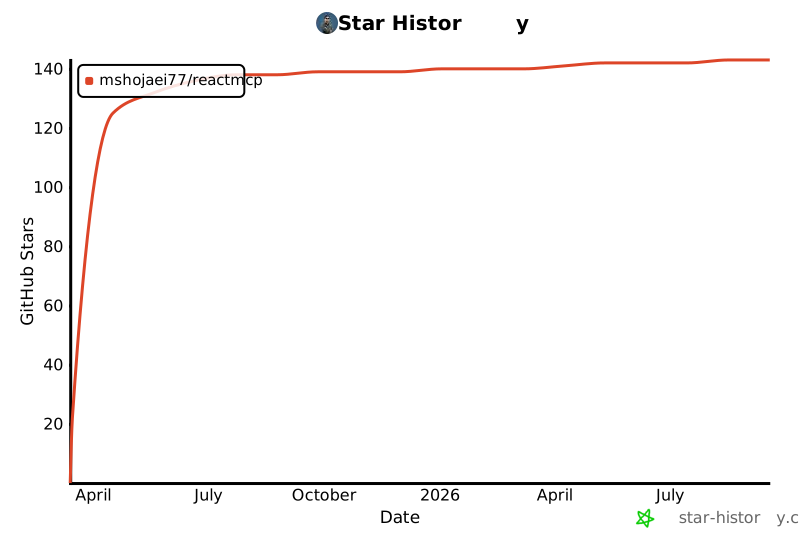
Star History