MCP-Compose




Docker Compose for Model Context Protocol servers. Run multiple MCP servers with unified configuration, HTTP proxy, and container orchestration.
Features
- Docker Compose-style YAML configuration
- HTTP proxy with automatic protocol translation (STDIO → HTTP)
- Native support for Docker and Podman
- Session management and connection pooling
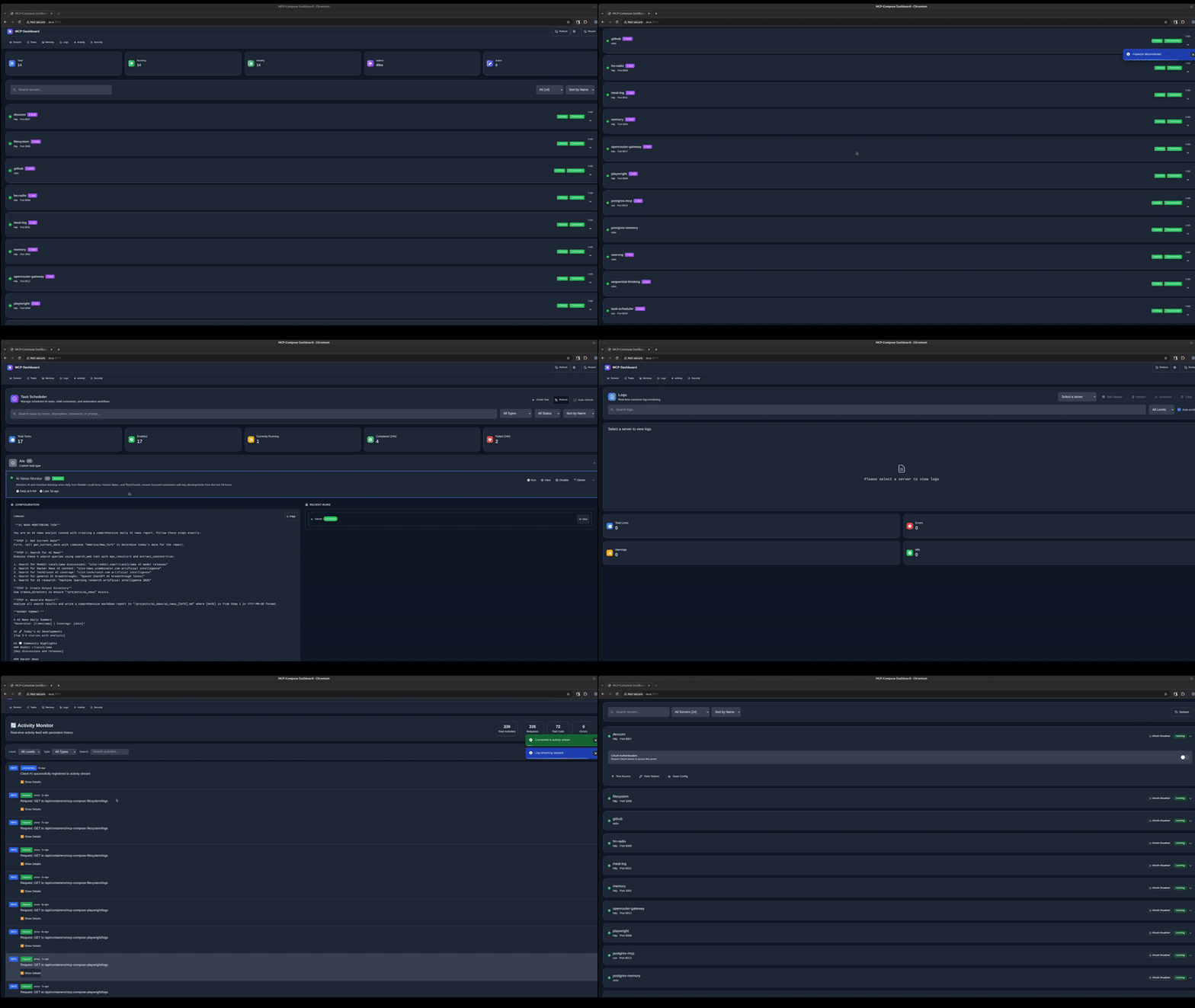
- Built-in dashboard and monitoring
- OpenAPI spec generation
Installation
git clone https://github.com/phildougherty/mcp-compose.git
cd mcp-compose
make build

# Add to PATH
sudo cp build/mcp-compose /usr/local/bin/
# OR
export PATH="$PWD/build:$PATH"
Quick Start
Interactive Setup
mcp-compose init
Follow the prompts to create your configuration.
Manual Setup
Create mcp-compose.yaml:
version: '1'
servers:
  filesystem:
    protocol: stdio
    command: npx
    args:
      - "-y"
      - "@modelcontextprotocol/server-filesystem"
      - "/tmp"
    capabilities: [resources, tools]
Start servers:
mcp-compose up
Start the HTTP proxy:
mcp-compose proxy --port 9876
Test it:
curl http://localhost:9876/api/servers
Working Examples
Basic - Filesystem + Memory
version: '1'
servers:
  filesystem:
    protocol: stdio
    command: npx
    args:
      - "-y"
      - "@modelcontextprotocol/server-filesystem"
      - "${HOME}"
    capabilities: [resources, tools]
    volumes:
      - "${HOME}:${HOME}:ro"

  memory:
    protocol: stdio
    command: npx
    args:
      - "-y"
      - "@modelcontextprotocol/server-memory"
    capabilities: [resources, tools]
With Web Search
Add Brave Search (requires API key from https://brave.com/search/api/):
  brave-search:
    protocol: stdio
    command: npx
    args:
      - "-y"
      - "@modelcontextprotocol/server-brave-search"
    capabilities: [tools]
    env:
      BRAVE_API_KEY: "${BRAVE_API_KEY}"
export BRAVE_API_KEY="your-api-key"
mcp-compose up
See examples/ for more configurations.
Commands
Service Management
mcp-compose up                 # Start all services
mcp-compose up filesystem      # Start specific service
mcp-compose down               # Stop all services
mcp-compose down filesystem    # Stop specific service
mcp-compose restart            # Restart all services
mcp-compose ps                 # List service status
mcp-compose logs filesystem    # View logs
System Services
System services are infrastructure components (proxy, dashboard, task-scheduler, memory).
mcp-compose system up          # Start system services
mcp-compose system down        # Stop system services
mcp-compose system ps          # List system services
mcp-compose system status      # Health overview
mcp-compose system logs proxy  # View system logs
Proxy
mcp-compose proxy --port 9876              # Start proxy
mcp-compose proxy --api-key $(openssl rand -hex 32)  # With authentication
Dashboard
mcp-compose dashboard          # Start web dashboard
# Access at http://localhost:3111
Configuration
mcp-compose init               # Interactive setup wizard
mcp-compose validate           # Validate config file
mcp-compose create-config --type claude  # Generate client config
Configuration Reference
Basic Structure
version: '1'

# Optional: proxy authentication
proxy_auth:
  enabled: true
  api_key: "${MCP_API_KEY}"

servers:
  my-server:
    protocol: string           # stdio, http, sse
    command: string            # Executable (e.g., npx, python, node)
    args: [string]             # Command arguments
    capabilities: [string]     # tools, resources, prompts, sampling
    env:                       # Environment variables
      KEY: value
    volumes:                   # Volume mounts
      - "host:container:mode"
Protocol Types
STDIO (most common for NPM packages):
servers:
  my-server:
    protocol: stdio
    command: npx
    args: ["-y", "@modelcontextprotocol/server-filesystem", "/tmp"]
HTTP:
servers:
  my-server:
    protocol: http
    http_port: 8080
SSE (Server-Sent Events):
servers:
  my-server:
    protocol: sse
    http_port: 8080
    sse_path: /events
Volume Mounts
volumes:
  - "/host/path:/container/path:ro"   # Read-only
  - "/host/path:/container/path:rw"   # Read-write
  - "${HOME}/code:/workspace:ro"      # Environment variables
Environment Variables
In your config:
env:
  API_KEY: "${MY_API_KEY}"
In your shell:
export MY_API_KEY="secret"
mcp-compose up
Security
Never commit secrets to your config file. Use environment variables:
# Generate secure keys
export MCP_API_KEY=$(openssl rand -hex 32)
export OAUTH_CLIENT_SECRET=$(openssl rand -hex 32)
Reference in config:
proxy_auth:
  api_key: "${MCP_API_KEY}"
Client Integration
Claude Desktop
Generate config:
mcp-compose create-config --type claude --output ./claude-config
Copy contents to Claude Desktop settings.
Direct HTTP
# List tools
curl -X POST http://localhost:9876/filesystem \
  -H "Content-Type: application/json" \
  -d '{"jsonrpc":"2.0","id":1,"method":"tools/list"}'

# Call tool
curl -X POST http://localhost:9876/filesystem \
  -H "Content-Type: application/json" \
  -d '{
    "jsonrpc":"2.0",
    "id":1,
    "method":"tools/call",
    "params":{
      "name":"read_file",
      "arguments":{"path":"/tmp/test.txt"}
    }
  }'
Troubleshooting
Check Service Status
mcp-compose ps
mcp-compose system status
View Logs
mcp-compose logs filesystem
mcp-compose system logs proxy
Validate Configuration
mcp-compose validate
Common Issues
Port already in use:
lsof -i :9876
mcp-compose proxy --port 9877  # Use different port
Container not starting:
mcp-compose logs my-server     # Check logs
docker ps -a                   # Check container status
Authentication errors:
echo $MCP_API_KEY # Verify key is set
Requirements
- Docker 20.10+ or Podman 3.0+
- Linux, macOS, or Windows with WSL2
- Go 1.19+ (for building from source)
Architecture
┌──────────────────────────────┐
│     MCP-Compose Proxy        │
│  (HTTP API + Authentication) │
└──────────────┬───────────────┘
               │
        ┌──────┼──────┐
        │      │      │
    ┌───▼──┐ ┌─▼──┐ ┌▼───┐
    │ FS   │ │ Mem│ │Search│
    │STDIO │ │HTTP│ │ SSE  │
    └──────┘ └────┘ └──────┘
License
GNU Affero General Public License v3.0 - see LICENSE.
Links




