revit-mcp

by revit-mcp

revit-mcp allows interaction with Revit using the MCP protocol through MCP-supported clients. Requires nodejs 18+. Note: Complete installation environment depends also on revit-mcp-plugin. No external data files configured via environment variables.

Developer toolsstdioCommunity

Repository-wide counts · Cached 2025-11-10

Overview

The revit-mcp MCP server is a publicly available project. Review the upstream repository for installation instructions, supported tools, compatibility, permissions, and current maintenance status.

Configuration

Configuration, transport, authentication, and runtime requirements vary by project. Open the repository before connecting and use the smallest set of credentials and permissions required.

Open the revit-mcp repository to read the latest documentation.

KEEP EXPLORING

Compare source, connection, and authentication details before choosing an implementation.

View the complete category

模型上下文协议服务器

modelcontextprotocol

Community

一组用于模型上下文协议(MCP)的参考实现,展示了对大型语言模型(LLM)工具和数据源的安全且受控的访问方式。

Context7 Platform - Up-to-date Code Docs For Any Prompt

upstash

Community

Context7 MCP server providing up-to-date, version-specific documentation and code examples for libraries, enabling coding agents to fetch accurate docs and code snippets. Requires an API key for higher rate limits, passed via CONTEXT7_API_KEY header.

Playwright MCP

Microsoft Corporation

Community

A Model Context Protocol (MCP) server that provides browser automation capabilities using Playwright. Enables LLMs to interact with web pages through structured accessibility snapshots, bypassing the need for screenshots or visually-tuned models.

AIHawk

feder-cr

Community

AIHawk is an anti detect browser and web browsing agent, open source, with an MCP server for coding agents: undetected, no captchas, no blocks. It requires an OpenRouter API key for the standalone web UI mode, which can be provided via the --openrouter-key flag or the OPENROUTER_API_KEY environment variable or a .env file in the running directory.


FROM THE SOURCE

Repository README

Build-time snapshot · Retrieved 2026-10-05

View original

🔴

[!WARNING] Deprecation notice, this repo is being archived in favour of the mono repo approch for the mcp https://github.com/mcp-servers-for-revit/mcp-servers-for-revit Simpler CI, less confusion for noobs, npm package and simpler install


MseeP.ai Security Assessment Badge

revit-mcp

English | 简体中文

Description

revit-mcp allows you to interact with Revit using the MCP protocol through MCP-supported clients (such as Claude, Cline, etc.).

This project is the server side (providing Tools to AI), and you need to use revit-mcp-plugin (driving Revit) in conjunction.

Join Discord | QQ Group

Features

  • Allow AI to get data from the Revit project
  • Allow AI to drive Revit to create, modify, and delete elements
  • Send AI-generated code to Revit to execute (may not be successful, successful rate is higher in some simple scenarios with clear requirements)

Requirements

  • nodejs 18+

Complete installation environment still needs to consider the needs of revit-mcp-plugin, please refer to revit-mcp-plugin

Installation

1. Build local MCP service

Install dependencies

npm install

Build

npm run build

2. Client configuration

Claude client

Claude client -> Settings > Developer > Edit Config > claude_desktop_config.json

{
    "mcpServers": {
        "revit-mcp": {
            "command": "node",
            "args": ["<path to the built file>\\build\\index.js"]
        }
    }
}

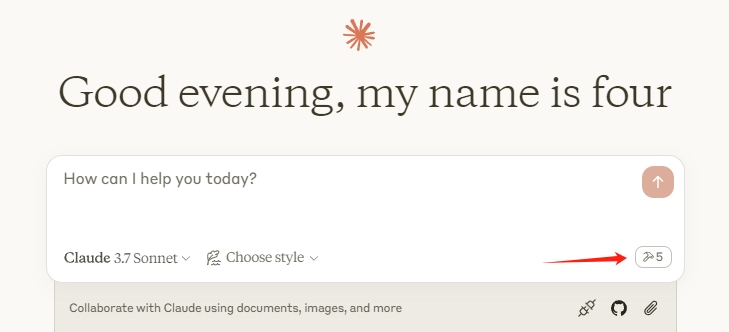
Restart the Claude client. When you see the hammer icon, it means the connection to the MCP service is normal.

claude

Framework

flowchart LR
	ClaudeDesktop --> revit-mcp --> SocketService--commandName-->CommandSet--command-->CommandExecute
	CommandManager --> CommandSet
	CommandExecute --executeResult--> SocketService
	CommandProject1 --> CommandManager
	CommandProject2 --> CommandManager
	CommandProject... --> CommandManager
	subgraph ide1 [MCPClient]
	ClaudeDesktop
	end
	subgraph ide2 [MCPServer]
	revit-mcp
	end
	subgraph ide3 [Revit]
			subgraph ide3.1 [revit-mcp-plugin]
				SocketService
				CommandSet
				CommandManager
				CommandExecute
			end
	end

Supported Tools

Name Description
get_current_view_info Get current active view info
get_current_view_elements Get elements from the current active view
get_available_family_types Get available family types in current project
get_selected_elements Get currently selected elements
get_material_quantities Calculate material quantities and takeoffs
ai_element_filter Intelligent element querying tool for AI assistants
analyze_model_statistics Analyze model complexity with element counts
create_point_based_element Create point-based elements (door, window, furniture)
create_line_based_element Create line-based elements (wall, beam, pipe)
create_surface_based_element Create surface-based elements (floor, ceiling, roof)
create_grid Create a grid system with smart spacing generation
create_level Create levels at specified elevations
create_room Create and place rooms at specified locations
create_structural_framing_system Create a structural beam framing system
delete_element Delete elements by ID
operate_element Operate on elements (select, setColor, hide, etc.)
color_elements Color elements based on a parameter value
tag_all_walls Tag all walls in the current view
tag_all_rooms Tag all rooms in the current view
export_room_data Export all room data from the project
store_project_data Store project metadata in local database
store_room_data Store room metadata in local database
query_stored_data Query stored project and room data
send_code_to_revit Send C# code to Revit to execute
say_hello Display a greeting dialog in Revit (connection test)