Multi-Debugger MCP Server (LLDB and GDB)
A Model Context Protocol server that provides debugging functionality for both GDB and LLDB debuggers, for use with Claude Desktop, VSCode Copilot, or other AI assistants.
Quick Start
uv sync
uv venv
uv run server.py
Integration
Note that you can use uv run to run the server.py script or you can use uv venv to create a virtual environment and then run /home/youruser/dev/personal/GDB-MCP/.venv/bin/python /home/youruser/dev/personal/GDB-MCP/server.py.
Claude Desktop
Add to your claude_desktop_config.json:
{
  "mcpServers": {
    "gdb": {
      "command": "uv",
      "args": ["run", "/home/youruser/dev/personal/GDB-MCP/server.py"],
      "disabled": false
    }
  }
}
VSCode Copilot
If you're using WSL:
 "mcp": {
    "servers": {
      "my-mcp-server-4dc36648": {
        "type": "stdio",
        "command": "wsl",
        "args": [
          "/home/youruser/dev/personal/GDB-MCP/.venv/bin/python",
          "/home/youruser/dev/personal/GDB-MCP/server.py"
        ]
      }
    }
  }
If you're not using WSL:
  "mcp": {
    "servers": {
      "my-mcp-server-db89eee1": {
        "type": "stdio",
        "command": "/home/youruser/dev/personal/GDB-MCP/.venv/bin/python",
        "args": ["/home/youruser/dev/personal/GDB-MCP/server.py"]
      }
    }
  }
Windsurf
{
  "mcpServers": {
    "debugger-mcp": {
      "command": "python3",
      "args": ["/Users/youruser/dev/GDB-MCP/server.py"]
    }
  }
}
Experimental LLDB Support (macOS)
This project includes experimental native LLDB support alongside GDB, with automatic debugger selection.

Installation
To enable LLDB support on macOS, install LLVM (which includes LLDB) and python via Homebrew:
# Install LLDB for supporting python3.14 bindings
brew install llvm python3

# Install MCP and debugging dependencies
pip3 install mcp pygdbmi --break-system-packages
debugger_status(): Show available debuggers and their statusdebugger_start(): Start debugging session with auto-detected debuggerdebugger_terminate(session_id): Terminate debugging sessiondebugger_list_sessions(): List all active debugging sessionsdebugger_command(session_id, command): Execute debugger command
lldb_start(): Start new LLDB debugging sessionlldb_terminate(session_id): Terminate LLDB debugging sessionlldb_list_sessions(): List all active LLDB sessionslldb_command(session_id, command): Execute arbitrary LLDB command
gdb_start(gdb_path): Start new GDB debugging sessiongdb_terminate(session_id): Terminate GDB debugging sessiongdb_list_sessions(): List all active GDB sessionsgdb_command(session_id, command): Execute any GDB command
Use *_command() functions for all advanced debugger operations, your LLM client should already know how to use it, but it doesn't hurt to mention it.
Checking Status
You can verify debugger availability:
from modules.lldb import LLDBSessionManager
from modules.gdb import GDBSessionManager

print("LLDB available:", LLDBSessionManager.is_available())
print("GDB available:", GDBSessionManager.is_available())
Testing
uv run python run-tests.py --check-deps
uv run python run-tests.py --type all
Examples
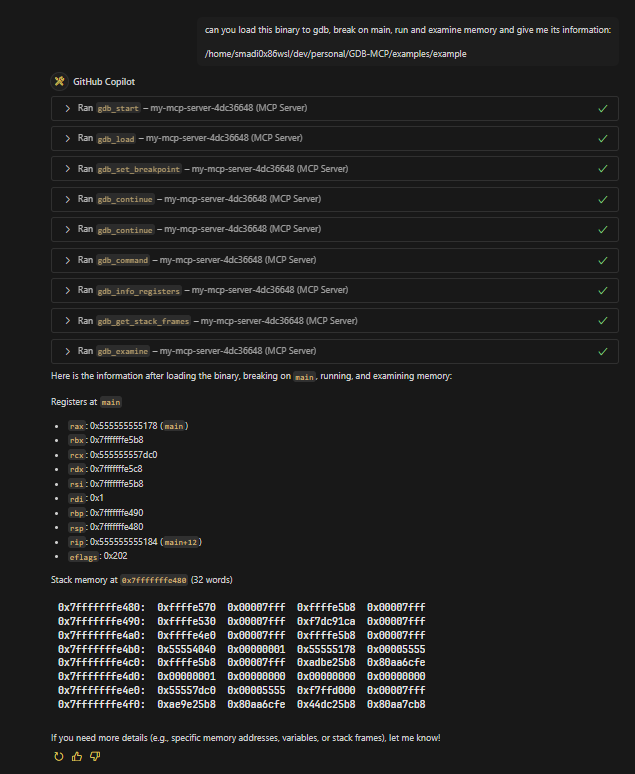
Check the examples directory for example prompts.
Example binaries are compiled to arm64 and amd64, pick the one that matches your system architecture.
License
This project is licensed under the GNU Version 3.0 License, see the LICENSE file for details.




