mathom
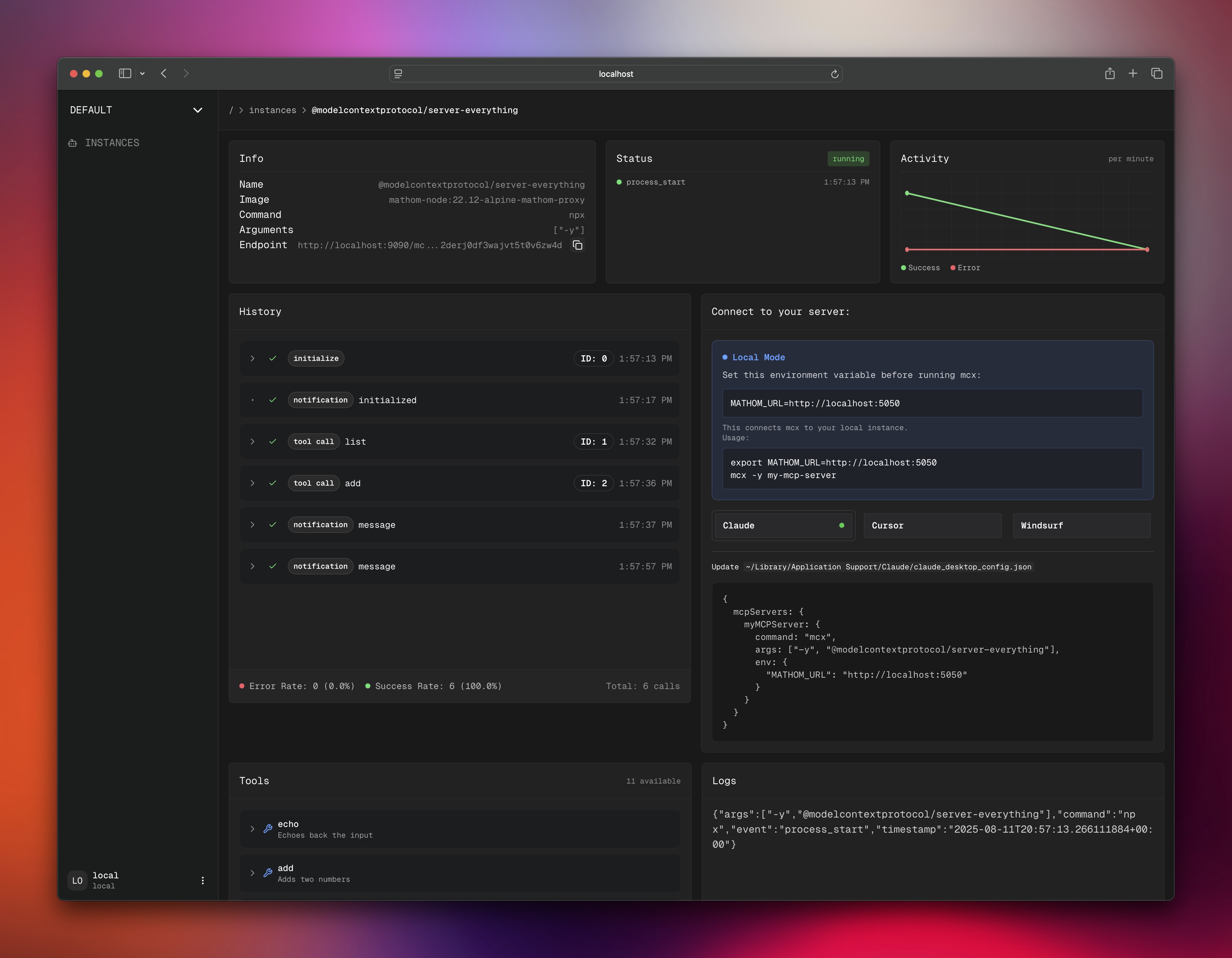
Local-first MCP platform with OAuth2 for running and monitoring your servers

I was tired of not having a way to run my MCP servers locally with auth in a way that I could deploy elsewhere.
- Built-in OAuth2 - Works with MCP clients that support OAuth2
- Monitoring - Live logs, metrics, and status tracking
- Dashboard - Modern UI with dark/light themes
- Quick Launch - Just replace
npx with mcx
⚡ Quick Start
Get up and running in less than 2 minutes:
# Install the CLI
npm install -g mcx

# Clone and start mathom
git clone https://github.com/stephenlacy/mathom.git
cd mathom
./quickstart.sh  # Builds and starts everything
Visit http://localhost:5050 and you're ready to go!
Features
Core Capabilities
UI
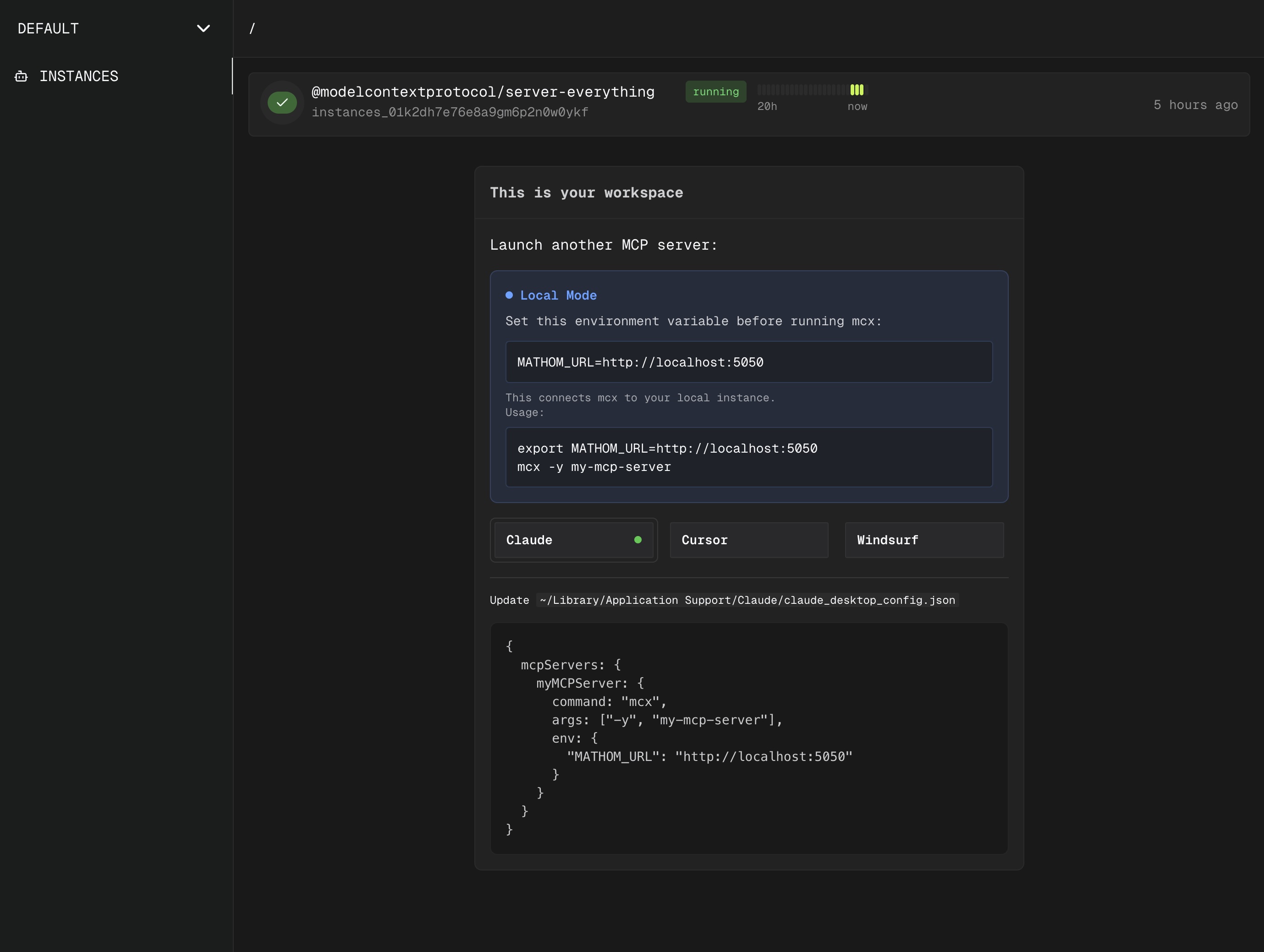
Real-time monitoring dashboard with live metrics
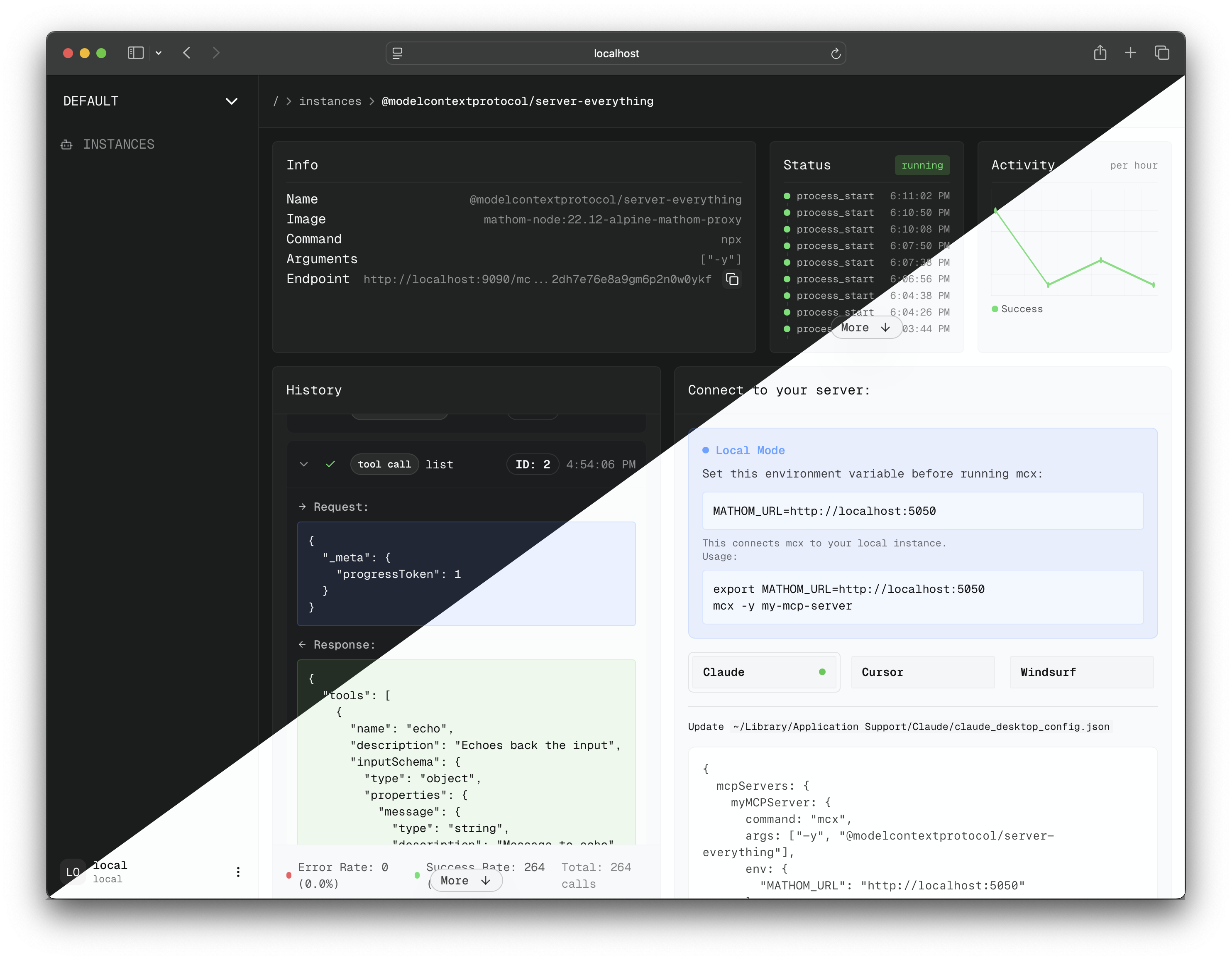
light/dark theme support
Usage
Launch your MCP Servers
# launch a server by name
mcx my-mcp-server

# launch from npm package
mcx @modelcontextprotocol/server-filesystem

# with custom arguments
mcx my-server -- --custom-arg value
Custom docker servers
STDIO servers in Docker images can be run using the --docker flag, they will get wrapped automatically with the mathom-proxy:
mcx --docker mcp/github-mcp-server -e GITHUB_PERSONAL_ACCESS_TOKEN='ghp_token'
Claude/Cursor
- Claude:
~/Library/Application Support/Claude/claude_desktop_config.json
- Cursor:
~/.cursor/mcp.json
{
  "mcpServers": {
    "myServer": {
      "command": "mcx",
      "args": ["my-mcp-server"],
      "env": {
        "MATHOM_URL": "http://localhost:5050"
      }
    },
    "myDockerServer": {
      "command": "mcx",
      "args": ["--docker", "mcp/github-mcp-server", "-e", "GITHUB_PERSONAL_ACCESS_TOKEN=ghp_token"],
    }
  }
}
Use with the Inspector
npx @modelcontextprotocol/inspector mcx @modelcontextprotocol/server-everything
Documentation
Installation
Docker Installation (Recommended)
docker compose up -d
Or use the quickstart script
Manual Installation
- Docker
- Go
- Node.js
- PostgreSQL
Configuration
Environment Setup
# .env file
BETTER_AUTH_URL=http://localhost:5050 # required
DATABASE_URL=postgresql://... # required
LOG_URL=http://... # required
NODE_DOCKER_IMAGE="you-custom-node-image" # optional
Development
Run locally:
cd dashboard
pnpm install
pnpm dev

cd ../podrift
go run cmd/main.go
TODO:
- local-first platform
- OAuth2 auth
- slick dashboard
- run servers in docker
- team features
License MIT
License