anymd
PDF, Word, PowerPoint, Excel, EPUB, HTML and web pages, images (OCR), audio and video (metadata, subtitles, transcripts). A fast Rust MCP server and CLI that runs on your machine. No API key.







Install · Benchmarks · Tools · CLI · Formats · Docs · Pro
Formerly pdf-reader-mcp. Migrating from pdf-reader-mcp
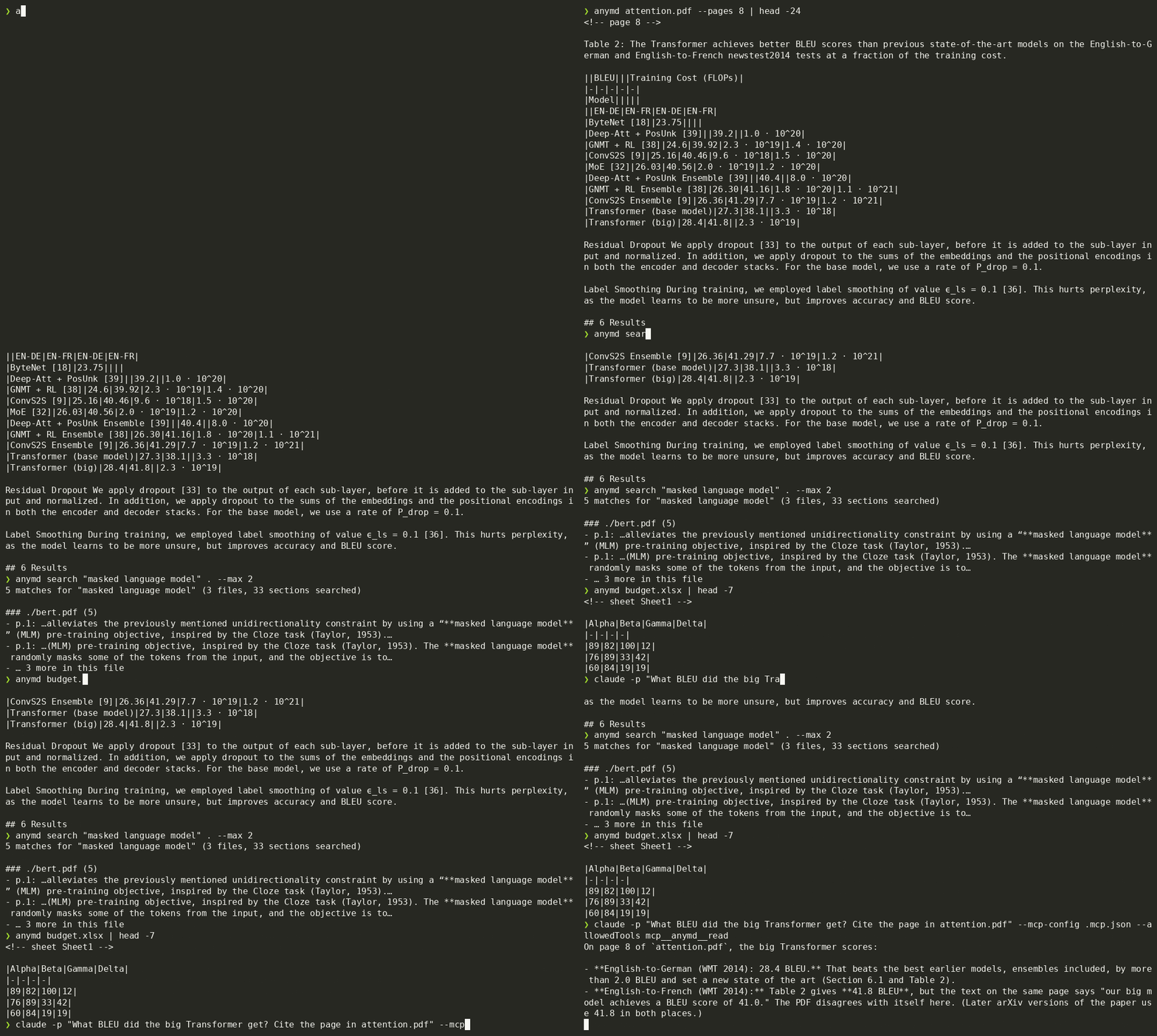
A real, unedited terminal recording (asciinema + agg, script). The last command is Claude Code answering from the PDF through the anymd MCP server.
npx -y @sylphx/anymd setup              # add anymd to every MCP client on this machine
npx -y @sylphx/anymd report.pdf > report.md   # or convert from the shell
Why anymd
- Fast. Native Rust converts in parallel, page by page. On the 38 benchmark documents, anymd takes 11.5 s in total; docling 2,432.4 s (212×), markitdown 75.6 s (7×); marker converted 30 of them in 7,104.5 s, against anymd's 4.64 s on the same 30 (1,532×).
- Accurate. A layout engine rebuilds words from glyph gaps, puts two-column papers in reading order, and recovers tables, including borderless ones. The text stays exactly as printed, with no glued words and no scrambled columns.
- Lean on tokens. Pages come back as Markdown with
<!-- page 3 --> citation anchors, a small front-matter header, and compact tables. A token budget and a cursor keep large documents within your agent's context.
- Every format, one call. One tool reads every format listed below. It also accepts web URLs and whole directories, and
search looks across all of them.
- Local and private. Nothing is uploaded. OCR uses installed local doc-VLM models or tesseract; transcripts use ffmpeg and bundled Qwen3-ASR. OCR setup and ASR model downloads require explicit opt-in.
Install
Add anymd to every MCP client on your machine (Claude Code, Codex, Cursor, VS Code, Claude Desktop, Windsurf, Gemini CLI) with one command:
npx -y @sylphx/anymd setup # --dry-run to preview, --remove to undo
Or add it by hand: every MCP client runs the same command, npx -y @sylphx/anymd. Node 18+ is the only requirement; npm installs the native binary for your platform.
Claude Code
claude mcp add anymd -- npx -y @sylphx/anymd
Or as a plugin, with the anymd skill: /plugin marketplace add SylphxAI/anymd, then /plugin install anymd@anymd.
Codex
codex mcp add anymd -- npx -y @sylphx/anymd
or in ~/.codex/config.toml:
[mcp_servers.anymd]
command = "npx"
args = ["-y", "@sylphx/anymd"]
Cursor

or in .cursor/mcp.json:
{ "mcpServers": { "anymd": { "command": "npx", "args": ["-y", "@sylphx/anymd"] } } }
VS Code
Install in VS Code with one click, or from a terminal:
code --add-mcp '{"name":"anymd","command":"npx","args":["-y","@sylphx/anymd"]}'
or in .vscode/mcp.json:
{ "servers": { "anymd": { "type": "stdio", "command": "npx", "args": ["-y", "@sylphx/anymd"] } } }
Claude Desktop
One click: download anymd-<version>.mcpb from the latest release and open it. Or, by hand:
Add to claude_desktop_config.json (Settings → Developer → Edit Config):
{ "mcpServers": { "anymd": { "command": "npx", "args": ["-y", "@sylphx/anymd"] } } }
Windsurf, Zed, Cline, and other clients
Any client that speaks MCP over stdio: command npx, args ["-y", "@sylphx/anymd"]. To keep the server inside one folder, add --allow-dir=/path/to/docs.
CLI only
npm install -g @sylphx/anymd # or run it once with: npx -y @sylphx/anymd <file>
Python: uvx anymd report.pdf > report.md runs it once, pip install anymd installs it, and uvx anymd mcp starts the MCP server. The wheels carry the same prebuilt binary.
Docker (amd64 and arm64):
docker run --rm -v "$PWD:/data" ghcr.io/sylphxai/anymd report.pdf > report.md
docker run -i --rm ghcr.io/sylphxai/anymd        # MCP server on stdio
Or build it from crates.io (Rust 1.95+, CMake and a C++ compiler; doc-VLM OCR and local ASR are included):
cargo install anymd
npm, pip and Docker ship a prebuilt binary, while cargo install compiles one on your machine.
Benchmarks
AgentDocBench is an open benchmark for document → Markdown conversion for agents: license-clean documents in 12 categories (math papers, two-column papers, financial tables, forms, scans, CJK, slides, spreadsheets, Word, EPUB, HTML), scored on verbatim sentences, text F1, reading order, and table cells, with time and output tokens. Every tool runs on the same kind of GitHub-hosted runner (4 CPUs):
The generated leaderboard, per-category scores (including where anymd loses), and method are in the benchmark guide. The corpus, ground truth, adapters, and raw results are in bench/, and the Benchmark workflow reruns everything; new tools can join with a single adapter file.
anymd exposes four tools.
A read answer looks like this:
---
source: papers/attention.pdf
title: Attention Is All You Need
pages: 15
showing: pages 1-9
---

<!-- page 1 -->

# Attention Is All You Need
…

<!-- page 8 -->

|Model|BLEU EN-DE|BLEU EN-FR|
|-|-|-|
|Transformer (big)|28.4|41.8|
…

<!-- Stopped at the 20000-token budget. Continue with cursor: "10", or pick pages, or raise max_tokens. -->
search answers with one line per hit:
5 matches for "masked language model" (2 files, 31 sections searched)

### papers/bert.pdf (5)
- p.1: …by using a “**masked language model**” (MLM) pre-training objective, inspired by the Cloze task…
- p.2: …In addition to the **masked language model**, we also use a “next sentence prediction” task…
If nothing matches exactly, search falls back to BM25-ranked passages, so a question like "how does bidirectional pretraining work" still finds the right page.
CLI
The same binary is a command-line converter, like MarkItDown but much faster:
anymd report.pdf > report.md                 # a file
anymd deck.pptx notes.docx budget.xlsx        # several files, each with a header
anymd https://example.com/article            # a web page (main content only)
cat scan.png | anymd - --ocr                 # stdin, with OCR
anymd setup ocr                             # one-time: install the OCR engine and pinned local models (~2 GB)
anymd scan.png --ocr vlm                    # tables as Markdown, formulas as LaTeX
anymd paper.pdf --pages 1-3 --max-tokens 4000
anymd search "indemnification" contracts/ --glob '*.pdf'
anymd doctor                                 # lists the optional tools anymd found
Run with no arguments from an MCP client (piped stdin), or as anymd mcp, and it serves MCP over stdio.
How it works
For PDFs, anymd reads glyph positions rather than text runs. Glyphs are grouped into lines by baseline, which tolerates super- and subscripts. Word spaces come from the gaps between glyphs, measured against the font size and adjusted for letter tracking. A column-aware XY cut finds gutters between running text. Tables come from drawn lines where a table has them (a missing line between two cells makes a merged cell) and from aligned columns of whitespace where it does not. Wrapped cell text stays in its cell, stacked header lines become one header, and a header over several columns is kept with each of them. Text a reader cannot see (invisible text, or text in the colour of the box behind it) is left out. Pages are processed in parallel and isolated from each other, so one malformed page never fails the whole document. The other formats are parsed natively in Rust (zip/XML, calamine, html5ever); no Python, LibreOffice, or cloud service is involved.
anymd Pro
The anymd core is free and open source (MIT), and nothing that was free has moved to Pro. anymd Pro (US$29 once, from 8.4.0) adds exactly two things for agents that must show their evidence: video timelines with exact, hashed frames (inspect video_timeline and render_frame, and the timeline option of read and outline) and cite-check, which verifies a quote at a page and location in a PDF. Licences are checked offline; no account. Pro funds anymd's development. Buy from the terminal: anymd pro buy opens the Pro page; in-terminal purchase turns on when the checkout service is live. See anymd Pro.
Security
- Local-first: documents never leave your machine unless you pass a URL, and even then only that URL is fetched.
- URL fetches block private and loopback addresses, and every redirect hop is checked again, pinned to its resolved address.
--allow-dir=<path> (repeatable) or MCP_PDF_ALLOWED_DIRS confines the server to the directories you list.- Embedded images are written only to anymd's own cache directory (
ANYMD_CACHE_DIR, else the platform cache), never next to the source document, and refused over 50 megapixels.
- External tools (tesseract, ffprobe, ffmpeg) are optional. anymd runs them without a shell, with a timeout and an output cap.
See SECURITY.md to report a vulnerability.
Also from Sylphx
- repomap: A map of your codebase for AI agents: code graph, search, call paths and change impact.
- lockdocs: Exact-version library docs from your lockfile. Local, offline, no rate limits.
- skills: Battle-tested agent skills for Claude Code and Codex, installed in one command.
- readme-mark: Beautiful README images from one URL: banners, badges, icons and stats cards.
- Sylphx apps: Apps and tools from Sylphx.
More from Sylphx: https://sylphx.com/open-source
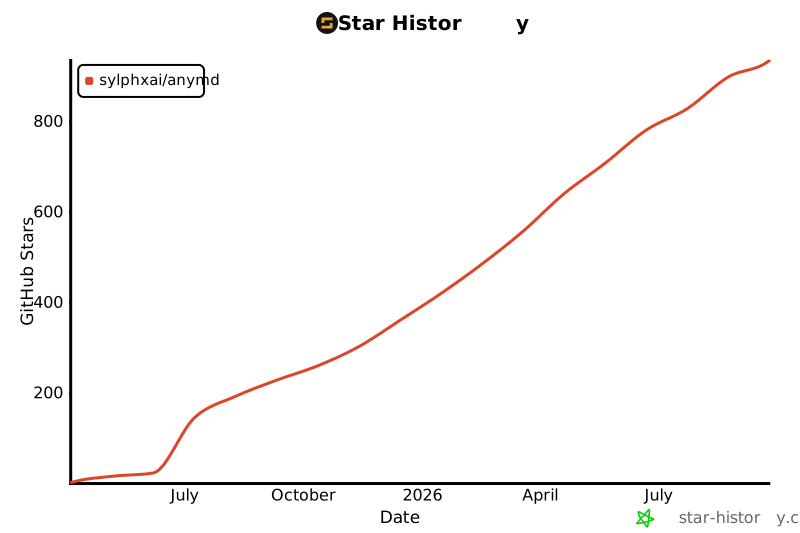
Star history
License
MIT © Sylphx