Vscode As MCP Server

by acomagu

Expose VSCode features such as file viewing and editing as MCP, enabling advanced AI-assisted coding directly from tools like Claude Desktop

Knowledge & AIstdio or Streamable HTTPCommunity

Repository-wide counts · Cached 2026-10-04

Overview

The Vscode As MCP Server MCP server is a publicly available community project. Review the upstream repository for installation instructions, supported tools, compatibility, permissions, and current maintenance status.

Configuration

Configuration, transport, authentication, and runtime requirements vary by project. Open the repository before connecting and use the smallest set of credentials and permissions required.

Open the Vscode As MCP Server repository to read the latest documentation.

KEEP EXPLORING

Compare source, connection, and authentication details before choosing an implementation.

View the complete category

Ida Pro MCP

mrexodia

Community

AI-powered reverse engineering assistant that bridges IDA Pro with language models through MCP.

Fastapi MCP

tadata-org

Community

Expose your FastAPI endpoints as Model Context Protocol (MCP) tools, with Auth!

MCP Use

mcp-use

Community

The fullstack MCP framework to develop MCP Apps for ChatGPT / Claude & MCP Servers for AI Agents.

MCP Go

mark3labs

Community

A Go implementation of the Model Context Protocol (MCP), enabling seamless integration between LLM applications and external data sources and tools.

FROM THE SOURCE

Repository README

Build-time snapshot · Retrieved 2026-10-05

View original

VSCode as MCP Server

Marketplace

A VSCode extension that turns your VSCode into an MCP server, enabling advanced coding assistance from MCP clients like Claude Desktop.

Key Features

Code Editing Support

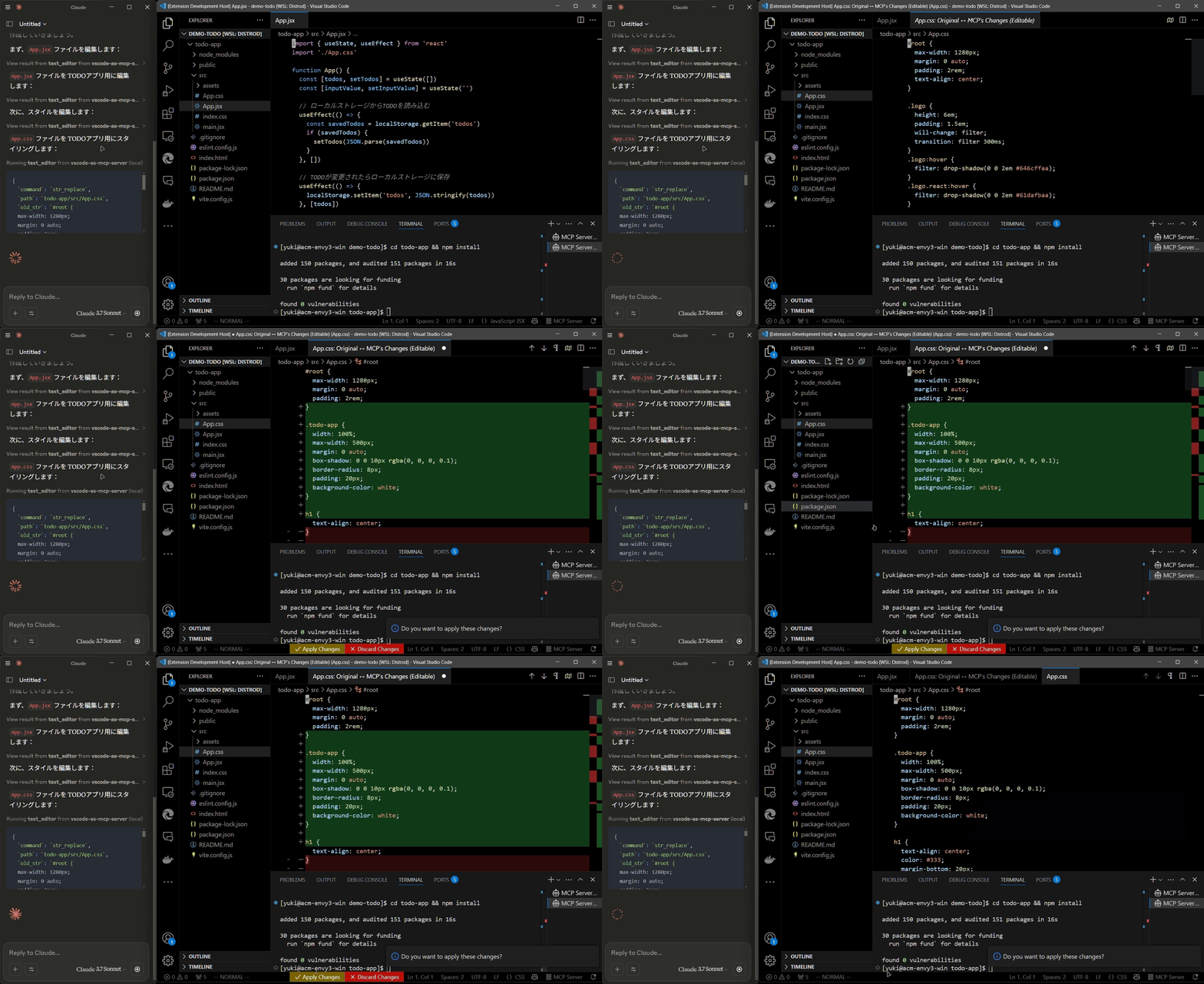
  • Review proposed code changes from an LLM through diffs, allowing you to accept, reject, or provide feedback.
  • Real-time diagnostic messages (e.g., type errors) sent instantly to the LLM for immediate corrections.

Code editing diff

Terminal Operations

  • Execute commands within VSCode’s integrated terminal (supports background/foreground execution, and timeout settings).

Preview Tools

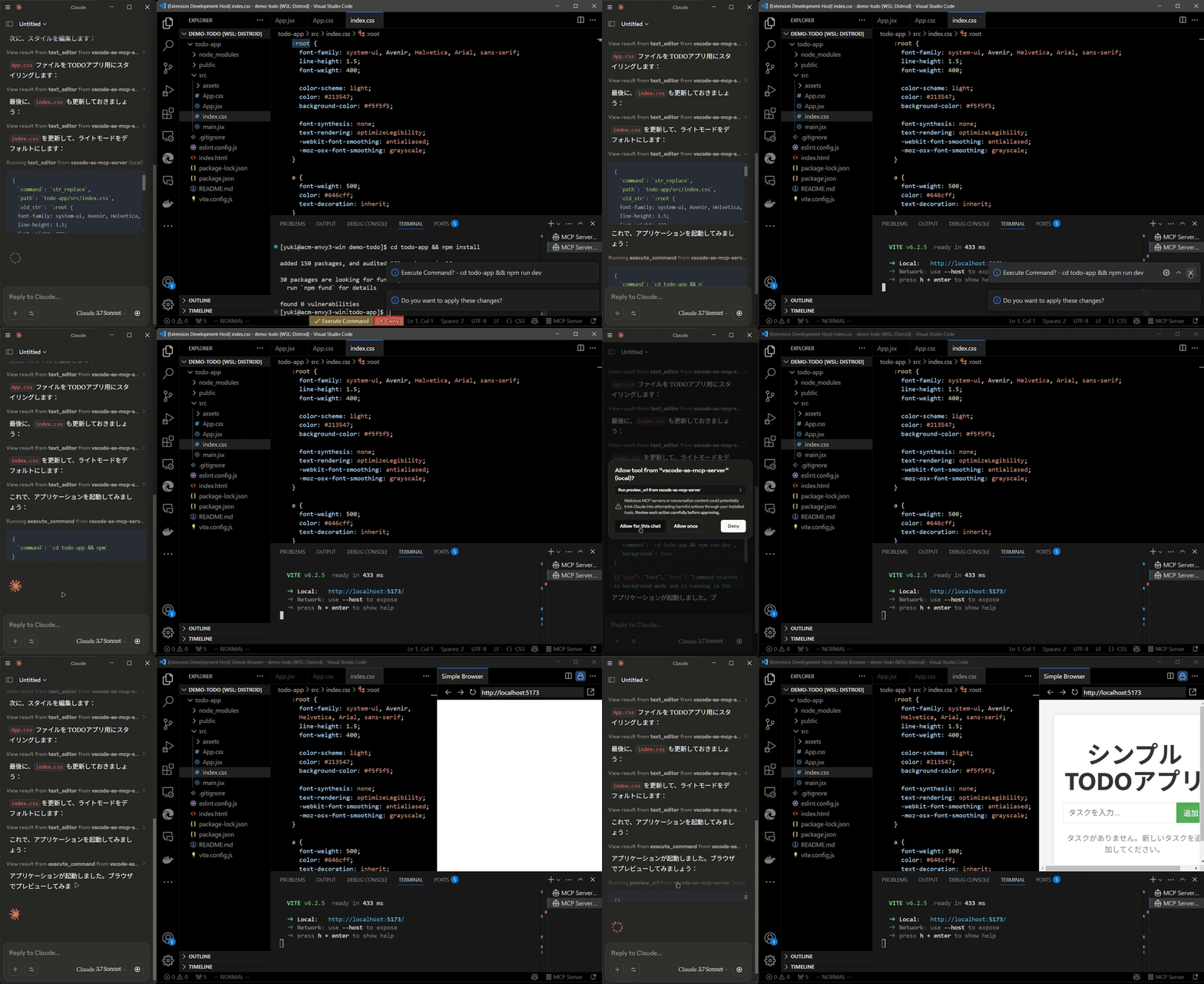
  • Preview URLs directly within VSCode’s built-in browser (e.g., automatically opens browser preview after starting a Vite server).

Preview tool

Multi-instance Switching

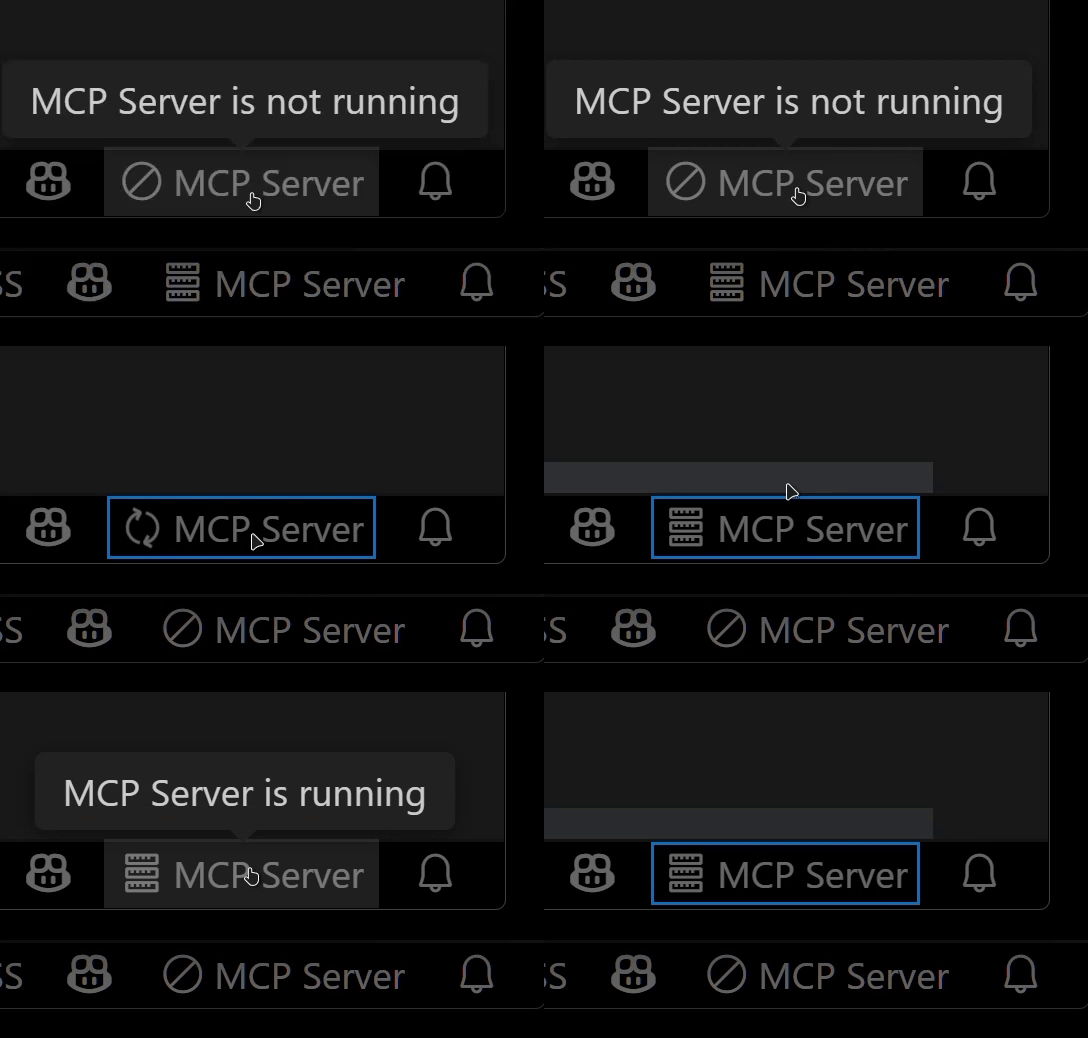
  • Easily switch the MCP server between multiple open VSCode windows.(Just by clicking the status bar item)

Instance switching

Relay Functionality (Experimental)

  • Relay and expose built-in MCP servers introduced in VSCode 1.99 externally.
  • Allows external access to tools provided by other MCP extensions, such as GitHub Copilot.

Available Built-in Tools

  • execute_command: Execute commands in VSCode’s integrated terminal
  • code_checker: Retrieve current diagnostics for your code
  • focus_editor: Focus specific locations within files
  • list_debug_sessions / start_debug_session / restart_debug_session / stop_debug_session: Manage debug sessions
  • text_editor: File operations (view, replace, create, insert, undo)
  • list_directory: List directory contents in a tree format
  • get_terminal_output: Fetch output from a specified terminal
  • list_vscode_commands / execute_vscode_command: List and execute arbitrary VSCode commands
  • preview_url: Open URLs within VSCode’s integrated browser

Installation & Setup

  1. Install the extension from the VSCode Marketplace.

  2. Configure your MCP client:

    • Using mcp-installer: You can simply instruct it to "install the vscode-as-mcp-server MCP server".
    • Other clients like Claude Desktop: Add the following to your configuration file (claude_desktop_config.json):
    {
      "mcpServers": {
        "vscode": {
          "command": "npx",
          "args": ["vscode-as-mcp-server"]
        }
      }
    }
    
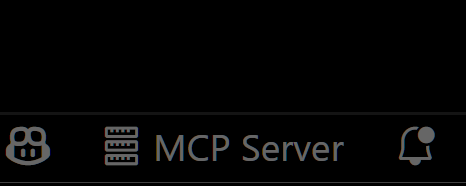
  3. Check the MCP server status in the bottom-right VSCode status bar:

    • (Server icon): Server is running
    • ∅: Click to start the server

Server status indicator

Motivation

This extension was developed to mitigate high costs associated with metered coding tools (like Roo Code and Cursor). It's an affordable, self-hosted alternative built directly into VSCode.

Bug reports and feedback are very welcome! 🙇

Future Roadmap

  • Ability to select which built-in MCP servers to expose
  • WebView-based approval UI (similar to Roo Code)
  • Integration with VSCode's file history (Timeline)
  • Instant toggling of auto-approvals and tool activation/deactivation

  • Customizable server port configuration