Reaper and MCP or AI integration
A Python application for controlling REAPER Digital Audio Workstation (DAW) using the MCP(Model context protocol).
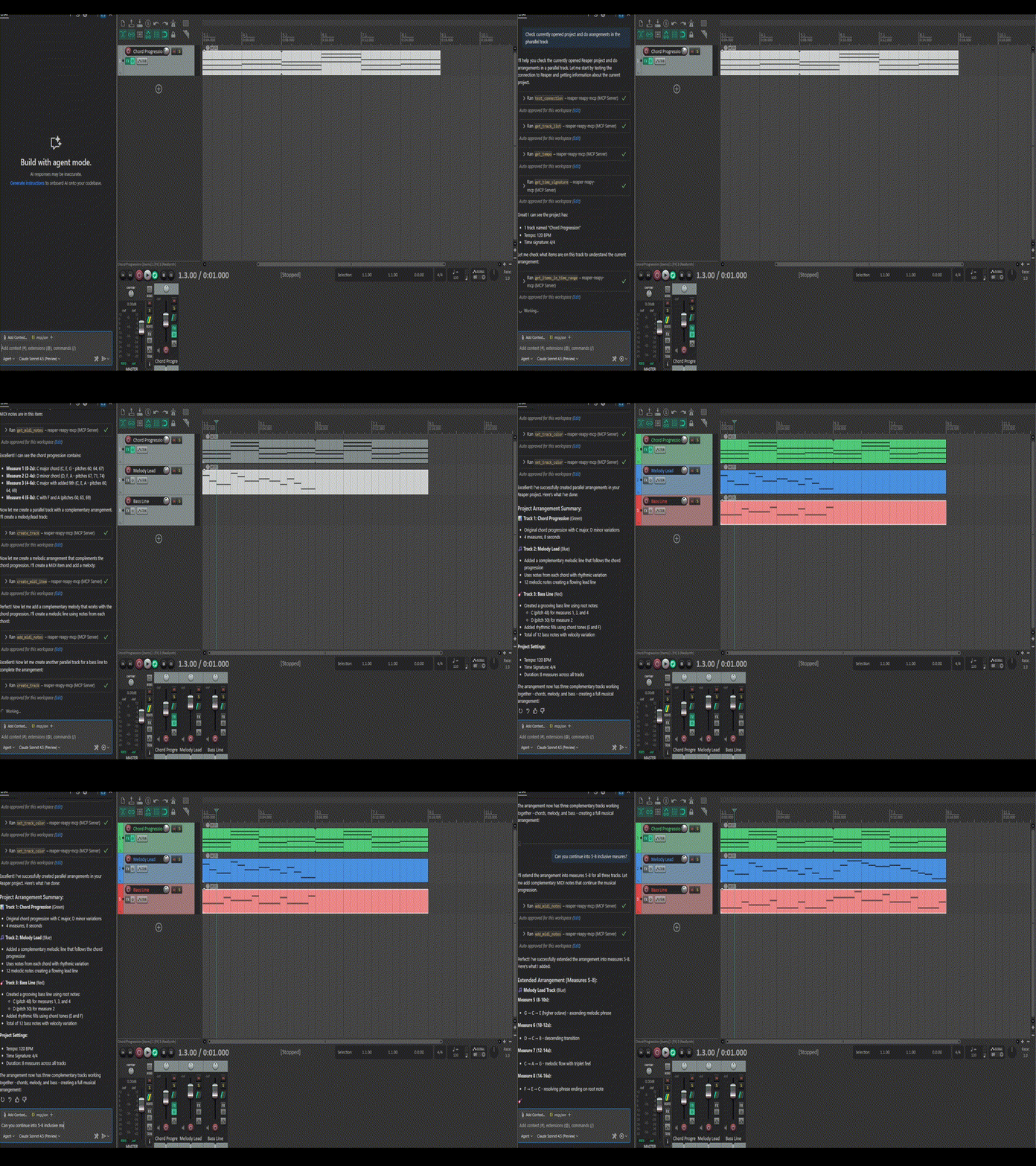
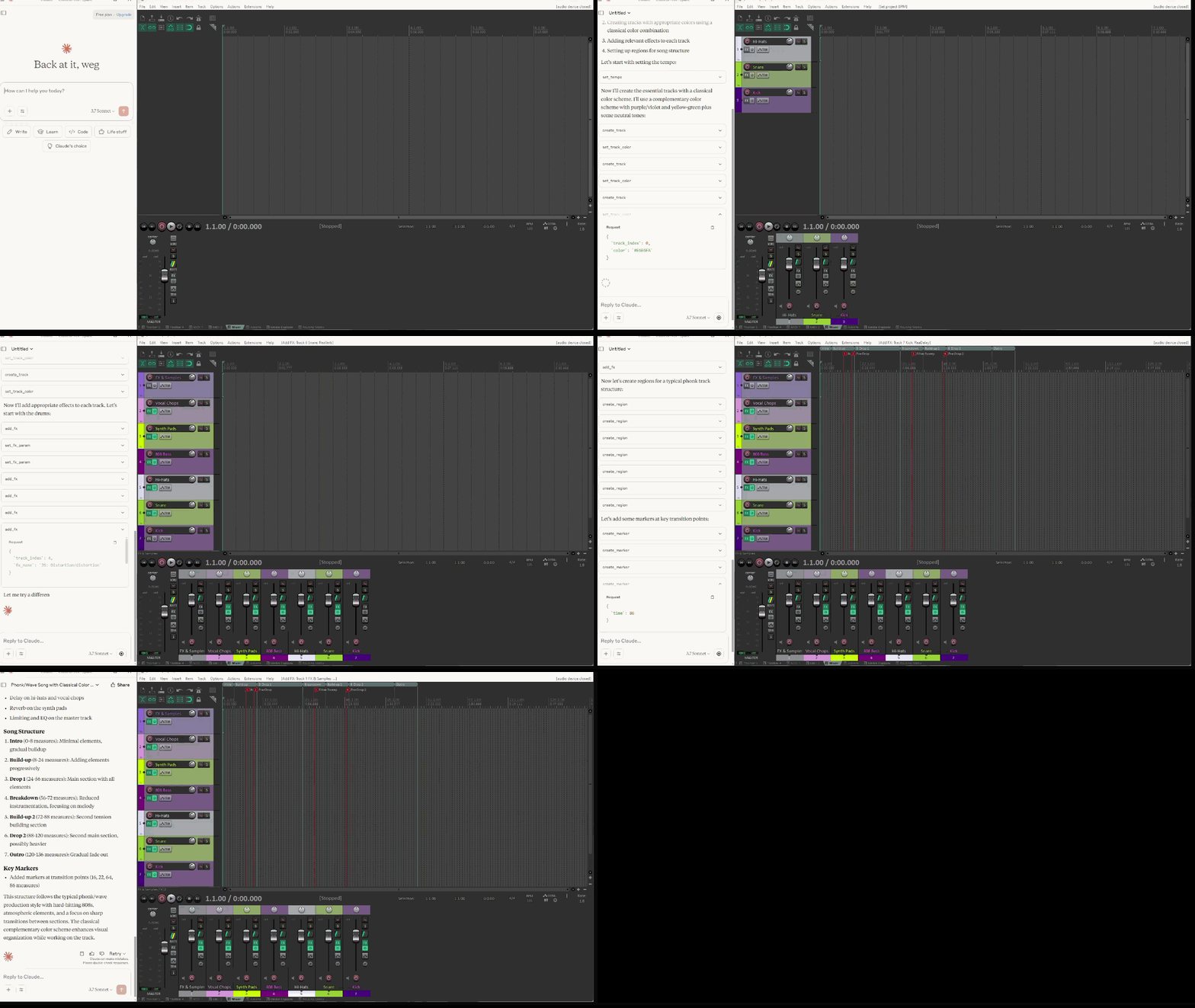
Features
- Track Management: Create, rename, and color tracks
- FX Management: Add, remove, and control effect parameters
- Project Control: Set tempo, manage regions and markers
- Master Track Control: Volume, pan, mute, and solo operations
- MIDI Operations: Create items, add/get notes, clear items with musical positioning
- Audio Item Operations: Insert, duplicate, modify with enhanced positioning support
- Dual Position Format: Support both time (seconds) and measure:beat notation
- Reliable Duplication: Uses REAPER's built-in commands for accurate item copying
- MCP Integration: Model Context Protocol server for AI assistant control
Status
- Checked on Linux: Yes
- MCP HTTP Mode: Supported for parameters
Requirements
- Python 3.7+
- REAPER DAW
python-reapy Python modulemcp[cli] package for MCP server- Internet connection (for downloading sample audio file)
Installation
- Install REAPER if you haven't already
- Enable reapy server via REAPER scripting
add reaper_side_enable_server.py to reaper actions and run it inside reaper studio
- Install the package:
# From PyPI
pip install reaper_reapy_mcp

# From GitHub repository
pip install git+https://github.com/wegitor/reaper-reapy-mcp.git
- Enable python in REAPER
The wheel package includes all necessary dependencies and can be used in other Python projects that need REAPER integration. The project uses pyproject.toml for modern Python packaging configuration, which provides better dependency management and build system configuration.
Sample Audio File
The application uses a sample MP3 file for testing audio operations. The file will be automatically downloaded when needed from:
https://www2.cs.uic.edu/~i101/SoundFiles/StarWars3.mp3
This is a short Star Wars theme clip that's commonly used for testing audio applications.
Running the Server
You can run the server using uv directly:
uv --directory <project_path> run -m reaper_reapy_mcp
For the current directory and http MCP mode:
uv --directory . run -m reaper_reapy_mcp --mode http
For example, on Windows:
uv --directory C:\path\to\reaper_reapy_mcp run -m reaper_reapy_mcp
Or using the Python module directly after installation:
python -m reaper_reapy_mcp
HTTP Mode
Run the server in HTTP mode with default settings:
python -m reaper_reapy_mcp --mode http
Run with custom host and port:
python -m reaper_reapy_mcp --mode http --http-host example_host --http-port 3958
test_mcp.bat
Available MCP tools:
Track Management
test_connection: Verify connection to REAPERcreate_track: Create a new trackrename_track: Rename an existing trackset_track_color: Set track colorget_track_color: Get track colorget_track_count: Get number of tracks in projectget_track_list: Get list of all tracks with their properties
FX Management
add_fx: Add an FX to a trackremove_fx: Remove an FX from a trackset_fx_param: Set FX parameter valueget_fx_param: Get FX parameter valueget_fx_param_list: Get list of FX parametersget_fx_list: Get list of FX on a trackget_available_fx_list: Get list of available FX pluginstoggle_fx: Toggle FX enable/disable state
Project Control
set_tempo: Set project tempoget_tempo: Get current tempoget_time_signature: Get current time signatureset_project_time_signature: Set project default time signatureset_time_signature: Set time signature at positioncreate_region: Create a regiondelete_region: Delete a regioncreate_marker: Create a markerdelete_marker: Delete a markerrender_project: Render project to audio file
Master Track
get_master_track: Get master track informationset_master_volume: Set master track volumeset_master_pan: Set master track pantoggle_master_mute: Toggle master track mutetoggle_master_solo: Toggle master track solo
MIDI Operations
create_midi_item: Create an empty MIDI item on a track
- Supports both time (seconds) and measure:beat positioning
add_midi_note: Add a MIDI note to a MIDI itemadd_midi_notes: Add multiple MIDI notes at onceget_midi_notes: Get all MIDI notes from a MIDI itemclear_midi_item: Clear all MIDI notes from a MIDI item
Audio Item Operations
insert_audio_item: Insert an audio file as a media item
- Supports both time (seconds) and measure:beat positioning
duplicate_item: Duplicate an existing item (MIDI or audio)
- Uses REAPER's built-in duplication for reliable copying
- Supports both time (seconds) and measure:beat positioning
get_item_properties: Get properties of a media itemset_item_position: Set the position of a media item
- Supports both time (seconds) and measure:beat positioning
set_item_length: Set the length of a media itemdelete_item: Delete a media itemget_items_in_time_range: Get items within a time range
- Supports both time (seconds) and measure:beat positioning
Item ID System
All item operations use a sequential index system (0..n) for item identification. This makes it easier to work with items in scripts and automation:
- Item IDs are zero-based indices
- Each track maintains its own sequence of item indices
- Indices are stable until items are deleted or reordered
- All item operations (MIDI, audio, properties) use the same indexing system
Many MCP tools now support dual position formats for enhanced musical workflow:
{
  "start_time": 15.5,
  "new_time": 30.0
}
{
  "start_measure": "3:2,500",
  "new_measure": "5:1,000"
}
Format: "measure:beat,fraction" where:
measure: 1-based measure numberbeat: 1-based beat numberfraction: milliseconds (000-999) representing fraction of a beat- Example:
"4:2,500" = measure 4, beat 2, half beat (500ms)
create_midi_item - position via start_time OR start_measureinsert_audio_item - position via start_time OR start_measure duplicate_item - position via new_time OR new_measureset_item_position - position via new_time OR new_measureget_items_in_time_range - range via time OR measure parameters
Claude configuration (with uv run):
{
    "mcpServers": {
        "reaper-reapy-mcp": {
            "type": "stdio",
            "command": "uv",
            "args": [
                "--directory",
                "<path to folder>",
                "run",
                "-m",
                "reaper_reapy_mcp"
            ]
        }
    }
}
Claude configuration direct:
{
    "mcpServers": {
        "reaper-reapy-mcp": {
            "type": "stdio",
            "command": "python",
            "args": [
                "-m",
                "reaper_reapy_mcp"
            ]
        }
    }
}
or
{
    "mcpServers": {
        "reaper-reapy-mcp": {
            "type": "stdio",
            "command": "python",
            "args": [
                "<path to folder>\\src\\reaper_reapy_mcp.py"
            ]
        }
    }
}
Contributing
Contributions are welcome! Please feel free to submit a Pull Request.
License
This project is licensed under the MIT License - see the LICENSE file for details.




