DrissionPage MCP 服务器

by wxhzhwxhzh

基于 DrissionPage 和 FastMCP 的浏览器自动化 MCP 服务器,提供丰富的浏览器操作 API 以支持 AI 调用。需要外部 Chrome 浏览器(建议版本 90 及以上)。需要安装 Python 包 drissionpage >= 4.1.0.18、fastmcp >= 2.4.0 和 uv。

Developer toolsstdioCommunity

Repository-wide counts · Cached 2025-11-04

Overview

The DrissionPage MCP 服务器 MCP server is a publicly available project. Review the upstream repository for installation instructions, supported tools, compatibility, permissions, and current maintenance status.

Configuration

Configuration, transport, authentication, and runtime requirements vary by project. Open the repository before connecting and use the smallest set of credentials and permissions required.

Open the DrissionPage MCP 服务器 repository to read the latest documentation.

KEEP EXPLORING

Compare source, connection, and authentication details before choosing an implementation.

View the complete category

模型上下文协议服务器

modelcontextprotocol

Community

一组用于模型上下文协议(MCP)的参考实现,展示了对大型语言模型(LLM)工具和数据源的安全且受控的访问方式。

Context7 Platform - Up-to-date Code Docs For Any Prompt

upstash

Community

Context7 MCP server providing up-to-date, version-specific documentation and code examples for libraries, enabling coding agents to fetch accurate docs and code snippets. Requires an API key for higher rate limits, passed via CONTEXT7_API_KEY header.

Playwright MCP

Microsoft Corporation

Community

A Model Context Protocol (MCP) server that provides browser automation capabilities using Playwright. Enables LLMs to interact with web pages through structured accessibility snapshots, bypassing the need for screenshots or visually-tuned models.

AIHawk

feder-cr

Community

AIHawk is an anti detect browser and web browsing agent, open source, with an MCP server for coding agents: undetected, no captchas, no blocks. It requires an OpenRouter API key for the standalone web UI mode, which can be provided via the --openrouter-key flag or the OPENROUTER_API_KEY environment variable or a .env file in the running directory.


FROM THE SOURCE

Repository README

Build-time snapshot · Retrieved 2026-10-05

View original

DrissionPage MCP Server -- 骚神出品

基于DrissionPage和FastMCP的浏览器自动化MCP服务器,提供丰富的浏览器操作API供AI调用。

项目简介

logo

DrissionPage MCP 是一个基于 DrissionPage 和 FastMCP 的浏览器自动化MCP server服务器,它提供了一系列强大的浏览器操作 API,让您能够轻松通过AI实现网页自动化操作。

主要特性

  • 支持浏览器的打开、关闭和连接管理
  • 提供丰富的页面元素操作方法
  • 支持 JavaScript 代码执行
  • 支持 CDP 协议操作
  • 提供便捷的文件下载功能
  • 支持键盘按键模拟
  • 支持页面截图功能
  • 增加 网页后台监听数据包的功能
  • 增加自动上传下载文件功能
Python要求
  • Python >= 3.9
  • pip(最新版本)
  • uv (最新版本)
浏览器要求
  • Chrome 浏览器(推荐 90 及以上版本)
必需的Python包
  • drissionpage >= 4.1.0.18
  • fastmcp >= 2.4.0
  • uv

安装说明

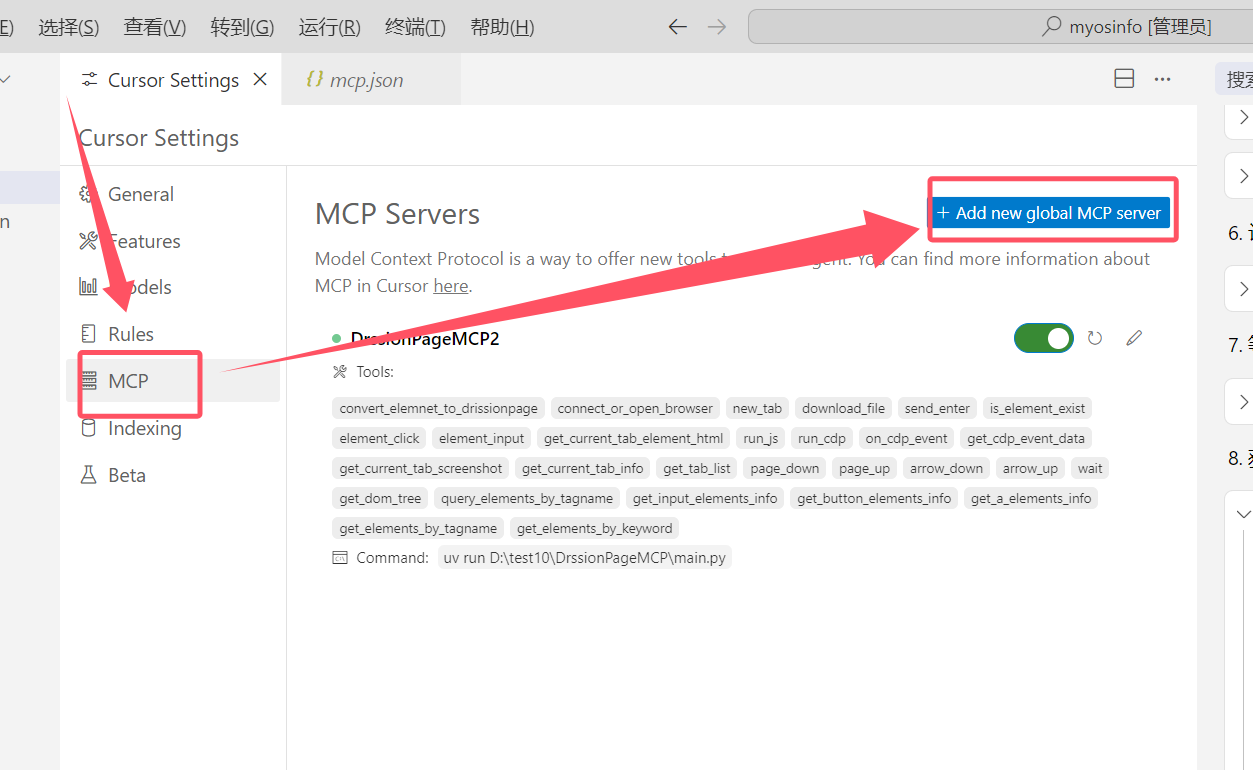
安装到Cursor编辑器

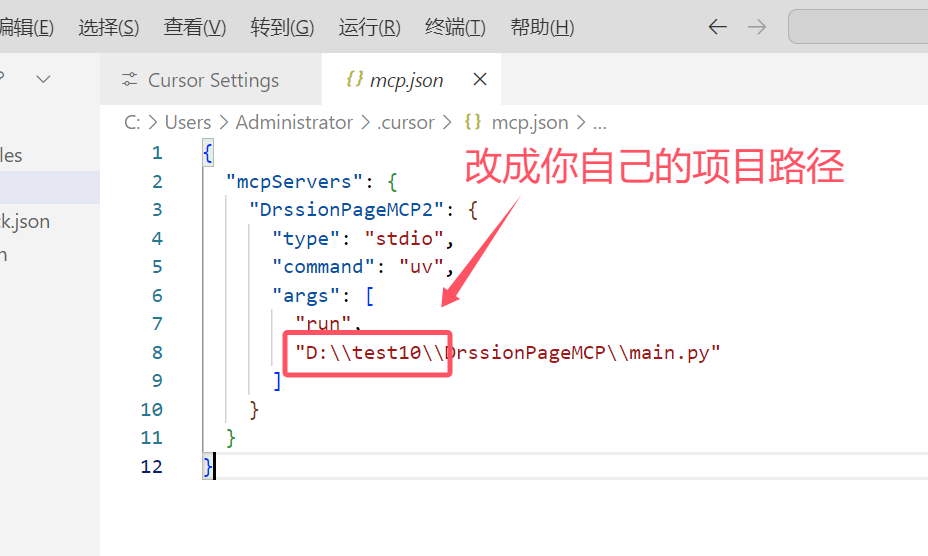
安装说明 安装说明

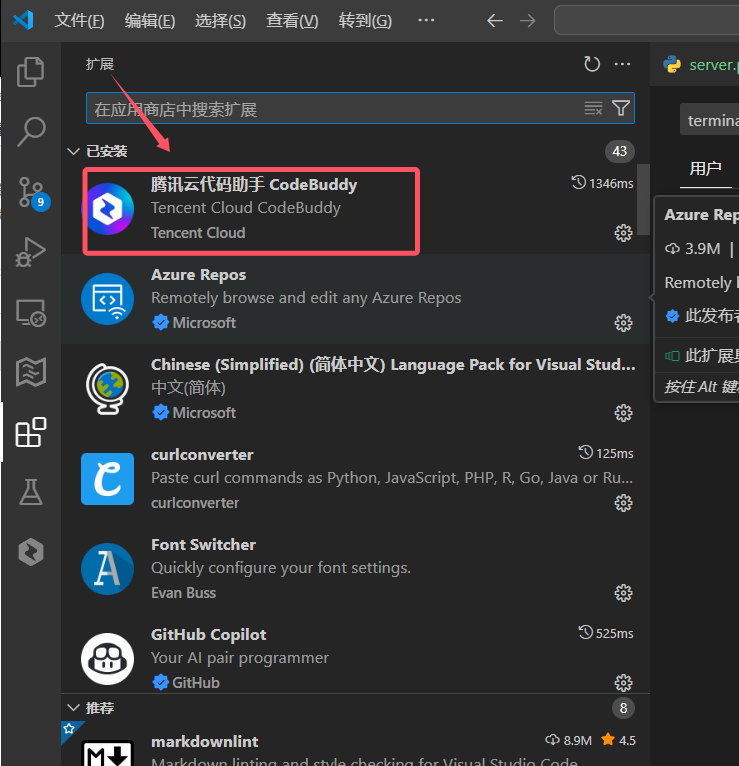
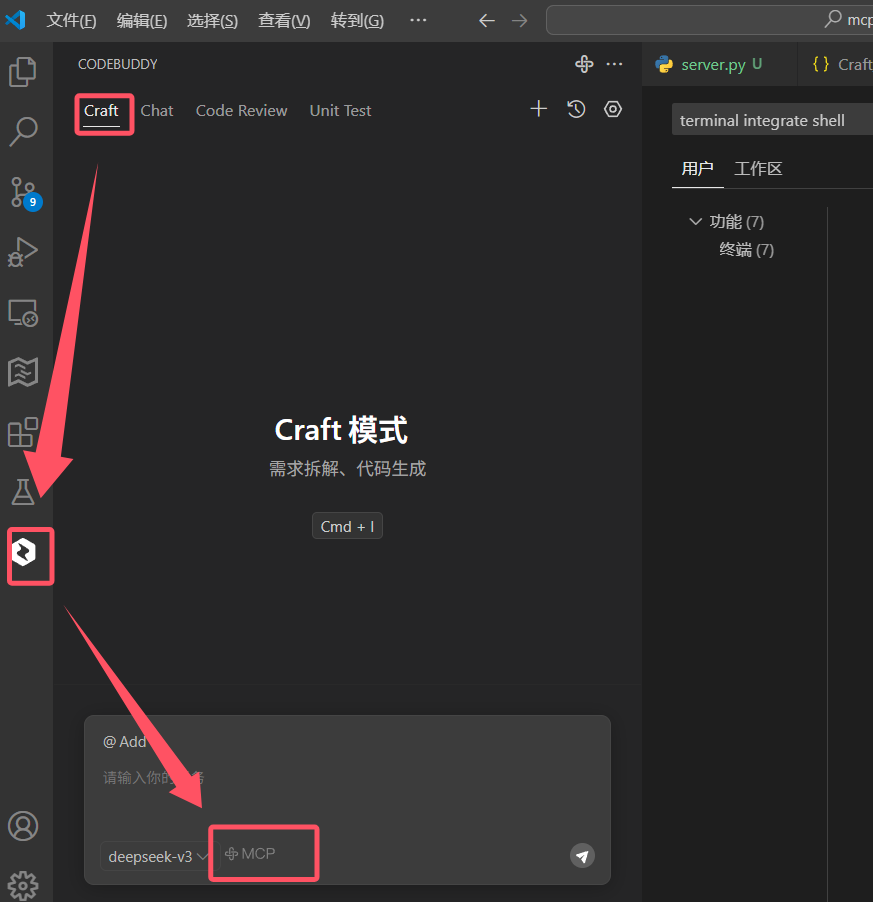
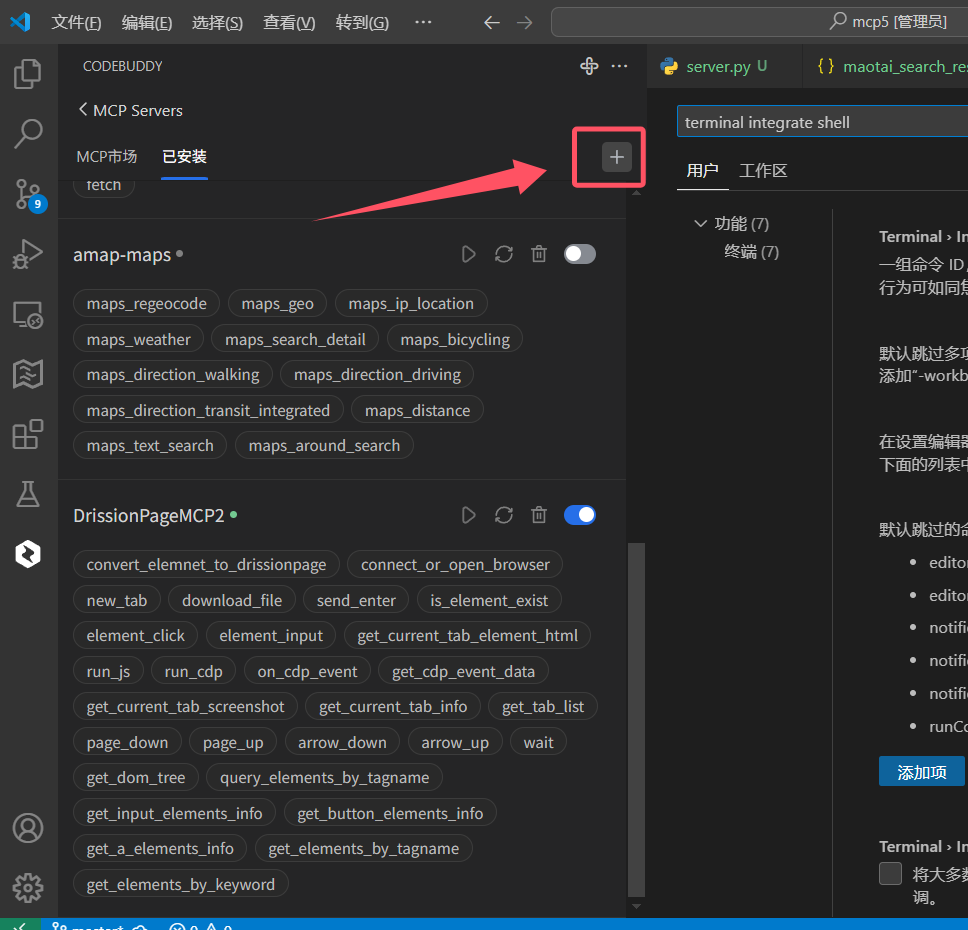
安装到vscode编辑器

安装说明 安装说明 安装说明

请将以下配置代码粘贴到编辑器的mcpServers设置中(请填写你自己电脑上 main.py 文件的绝对路径):

{
  "mcpServers": {
    "DrissionPageMCP": {
      "type": "stdio",
      "command": "uv",
      "args": ["--directory", "D:\\test10\\DrissionPageMCP", "run", "main.py"]
    }
  }
}

新增mcp配置 ,填写下面的配置:

"DrissionPageMCP": {
      "type": "stdio",
      "command": "uv",
      "args": ["--directory", "D:\\test10\\DrissionPageMCP", "run", "main.py"]
    } 

注意事项:

  • 请根据实际路径修改args中的路径
  • Windows中路径中的反斜杠需要转义(使用\\)
  • 确保uv命令在系统PATH中可用
  • 《MCP安装参考教程》

调试命令

调试

npx -y @modelcontextprotocol/inspector uv run D:\\test10\\DrissionPageMCP\\main.py

或者

mcp dev  D:\\test10\\DrissionPageMCP\\main.py

更新日志

v0.1.3

增加 自动上传下载文件功能

v0.1.2

增加 网页后台监听数据包的功能

v0.1.0

  • 初始版本发布
  • 实现基本的浏览器控制功能
  • 提供元素操作 API