Zig Docs MCP
Model Context Protocol (MCP) server that provides up-to-date documentation for the Zig programming language standard library and builtin functions.
It uses the same approach as Zig's official autodoc (ziglang.org) by reading STD lib source files directly through a WASM module. However instead of returning HTML, it outputs Markdown which significantly reduces token usage.
By default, the server uses your locally installed Zig compiler to serve documentation, ensuring you always get docs that match your actual Zig version. It can also fetch documentation from ziglang.org if needed.
[!TIP]
Add use zigdocs to your prompt if you want to explicitly instruct the LLM to use Zig docs tools. Otherwise, LLM will automatically decide when to utilize MCP tools based on the context of your questions.
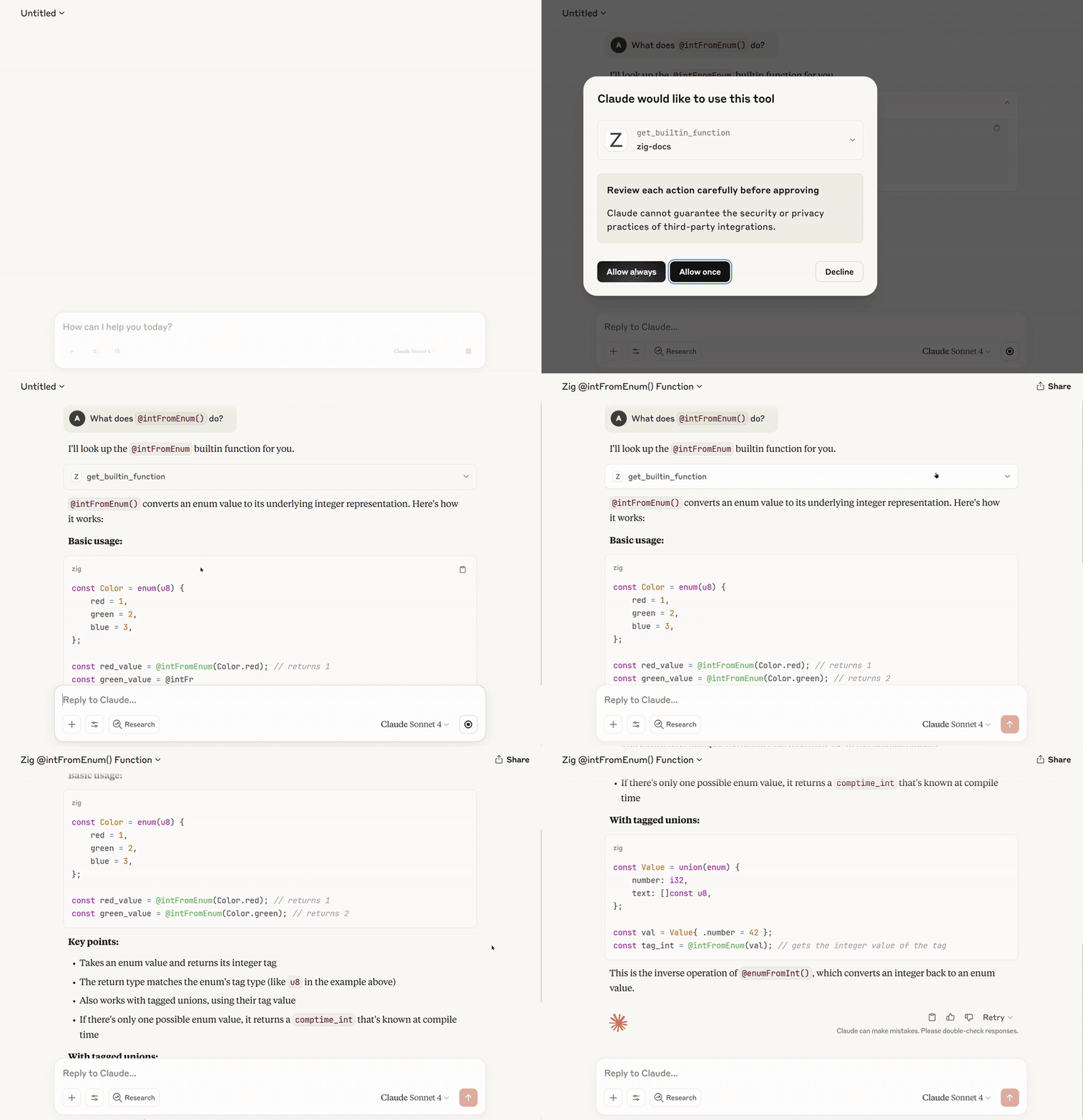
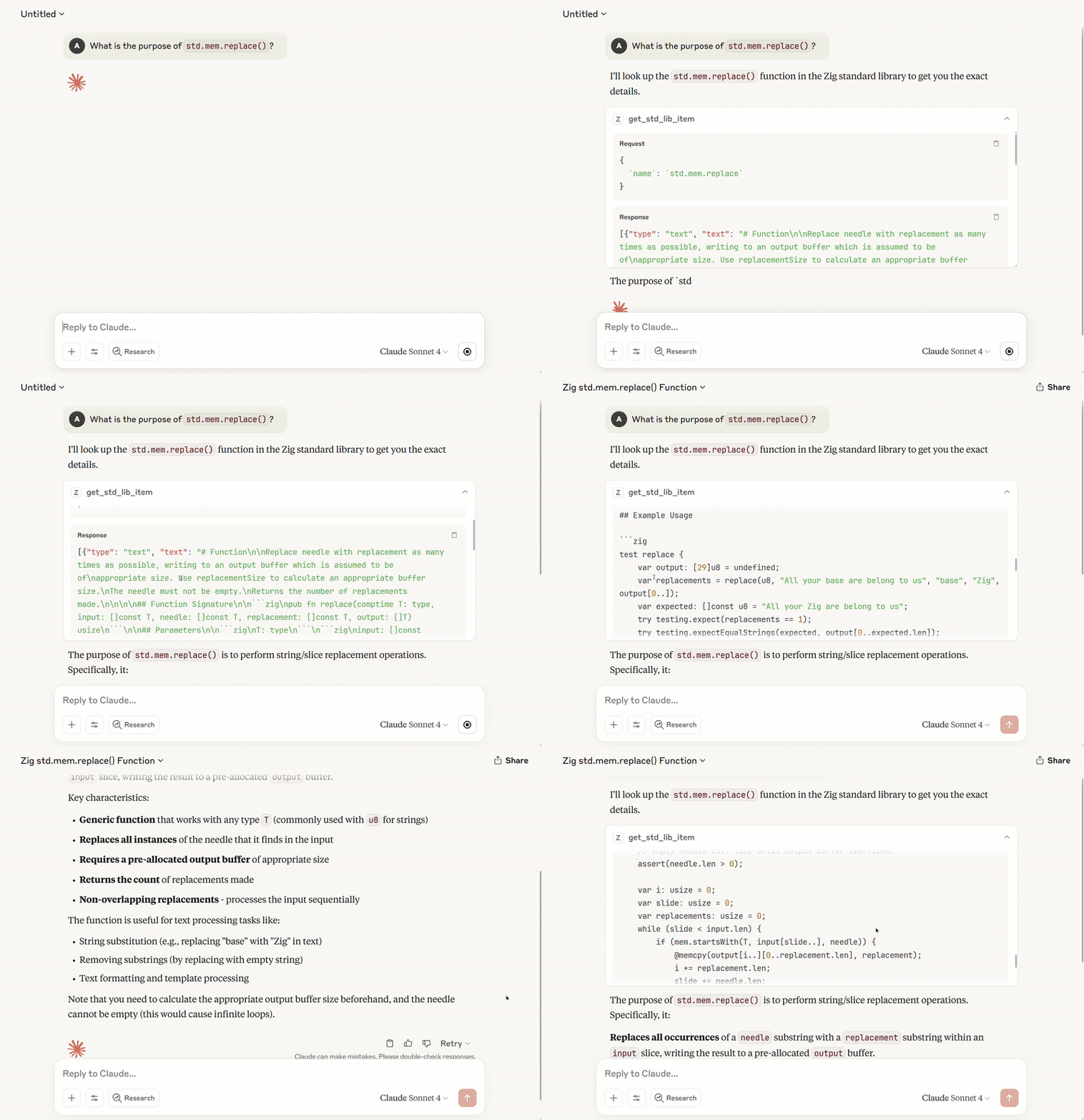
list_builtin_functions - Lists all available Zig builtin functions. Builtin functions are provided by the compiler and are prefixed with '@'. The comptime keyword on a parameter means that the parameter must be known at compile time. Use this to discover what functions are available, then use 'get_builtin_function' to get detailed documentation.get_builtin_function - Search for Zig builtin functions by name and get their documentation, signatures, and usage information. Returns all matching functions ranked by relevance.search_std_lib - Search the Zig standard library for declarations by name. Returns a list of matching items with their fully qualified names. Use this to discover available types, functions, and constants in the standard library.get_std_lib_item - Get detailed documentation for a specific standard library item by its fully qualified name (e.g., "std.ArrayList.init"). Returns comprehensive documentation including function signatures, parameters, errors, examples, and source code. Set get_source_file: true to retrieve the entire source file where the item is implemented.
Commands
The CLI provides flexible options for version control and update management:
# Start MCP server
zig-mcp --doc-source local

# Use specific Zig version from ziglang.org instead of local Zig
zig-mcp --doc-source remote --version 0.14.1

# Enable automatic daily updates
zig-mcp --doc-source remote --update-policy daily

# Update documentation without starting MCP server (only for remote)
zig-mcp update --version 0.15.1

# Start local web server to view documentation
zig-mcp view --version 0.15.1
Version options --version:
master (default) - Latest development version from Zig's master branch0.14.1, 0.14.0, etc. - Specific Zig release versions
Update policies --update-policy:
manual (default) - No automatic updates, manual control onlydaily - Check for documentation updates once per daystartup - Update documentation every time the server starts
Documentation sources --doc-source:
local (default) - Use your locally installed Zig compiler's documentation server (zig std)remote - Download documentation from ziglang.org
Documentation Sources
Local Mode (Default)
The server automatically uses your local Zig installation to serve documentation via zig std. This ensures:
- Documentation always matches your installed Zig version
- No network requests needed for standard library docs
- Faster response times
Remote Mode
When using --doc-source remote, documentation is fetched from ziglang.org and cached in platform-specific directories:
- Linux:
~/.cache/zig-mcp/
- macOS:
~/Library/Caches/zig-mcp/
- Windows:
%LOCALAPPDATA%\zig-mcp\
Installation
The installation examples below use the local documentation source by default. In local mode, docs are served by your installed Zig via zig std, requiring no network and matching your actual Zig version. This is the recommended setup for most users. For downloading docs from ziglang.org instead, see Remote Documentation (Optional) below.
Claude Code
Using npx (Node.js)
claude mcp add zig-docs -- npx -y zig-mcp@latest
Using bunx (Bun)
claude mcp add zig-docs -- bunx zig-mcp@latest
Roo Code
- Click the MCP button in Roo Code
- Select "Edit Global MCP" or "Edit Project MCP"
- Add the configuration from the JSON template below
Augment Code
Navigate to Settings → MCP Servers → Add Server and use the JSON template below.
Claude Desktop
Add the JSON configuration below to your MCP settings file.
JSON Configuration Template
Node.js:
{
  "mcpServers": {
    "zig-docs": {
      "command": "npx",
      "args": ["-y", "zig-mcp@latest"]
    }
  }
}
Bun:
{
  "mcpServers": {
    "zig-docs": {
      "command": "bunx",
      "args": ["zig-mcp@latest"]
    }
  }
}
Remote Documentation (Optional)
If you prefer downloading documentation from ziglang.org instead of using your local Zig, enable remote mode explicitly and choose a version:
Using npx (Node.js)
claude mcp add zig-docs -- npx -y zig-mcp@latest --doc-source remote --version master
Using bunx (Bun)
claude mcp add zig-docs -- bunx zig-mcp@latest --doc-source remote --version 0.14.1
Node.js (remote):
{
  "mcpServers": {
    "zig-docs": {
      "command": "npx",
      "args": ["-y", "zig-mcp@latest", "--doc-source", "remote", "--version", "master"]
    }
  }
}
Bun (remote):
{
  "mcpServers": {
    "zig-docs": {
      "command": "bunx",
      "args": ["zig-mcp@latest", "--doc-source", "remote", "--version", "0.14.1"]
    }
  }
}




